AppRecs review analysis
AppRecs rating 1.0. Trustworthiness 55 out of 100. Review manipulation risk 31 out of 100. Based on a review sample analyzed.
★☆☆☆☆
1.0
AppRecs Rating
Ratings breakdown
5 star
0%
4 star
0%
3 star
0%
2 star
0%
1 star
100%
What to know
⚠
Mixed user feedback
Average 1.0★ rating suggests room for improvement
About LingoMap
Find your way in China without language barriers!
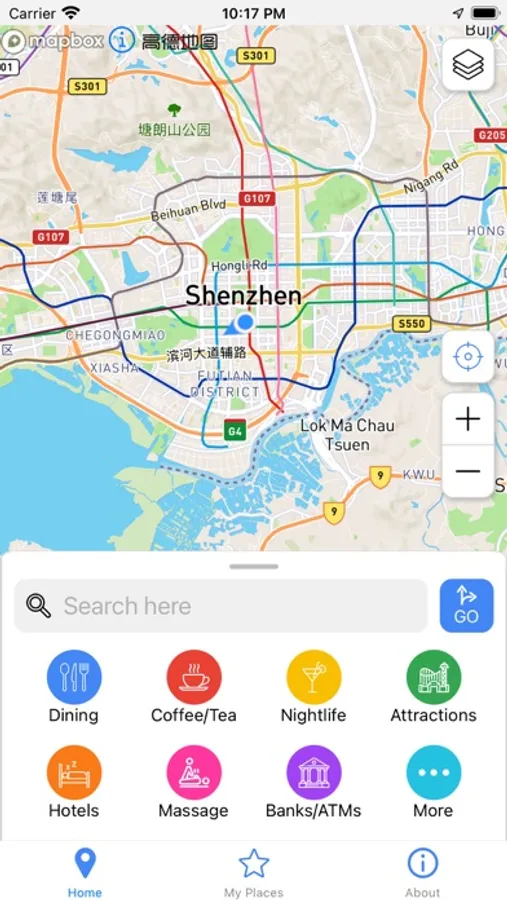
Need a reliable map app in China that gets you where you need to go? Want to ride public transportation anywhere in China but don't know Chinese? Not yet in China but need to plan your trip? LingoMap is just for you!
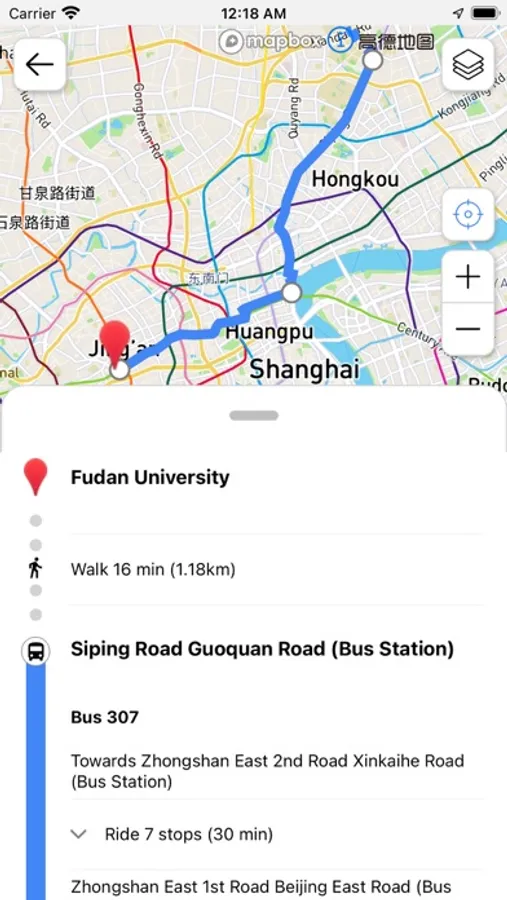
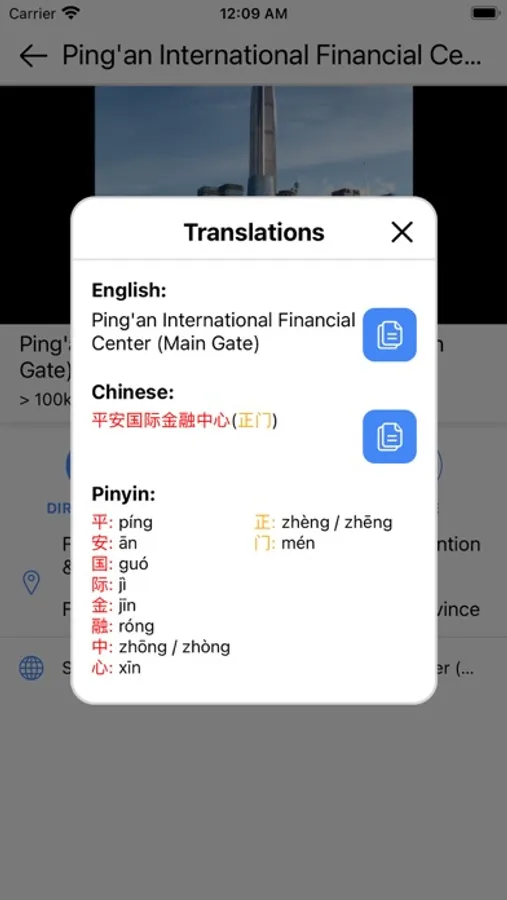
LingoMap is a map app for foreigners who cannot read Chinese to use in China. It is a translation of Alibaba Maps (known as AMap and 高德地图). It shows place, transit route, and street names in the original Chinese, Mandarin Pinyin, and English.
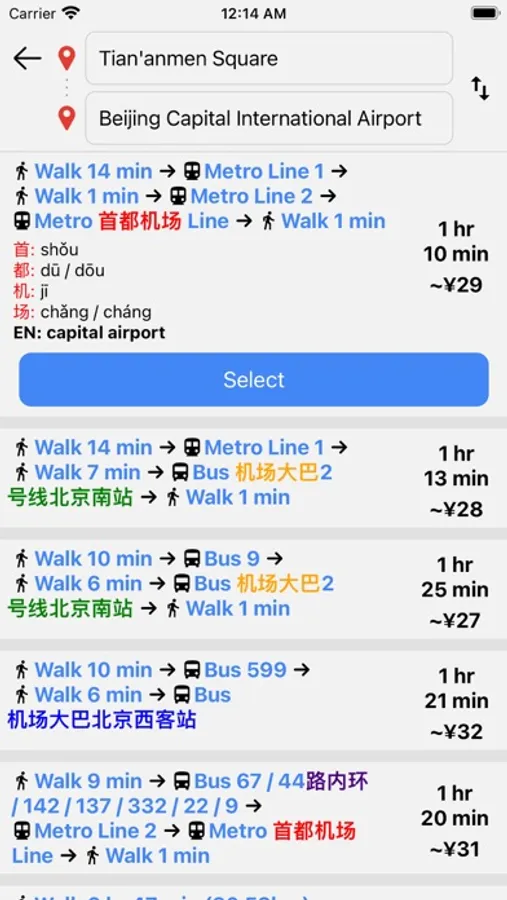
- Get directions for taking buses, trains, subways, trams, by walking, and by taxi
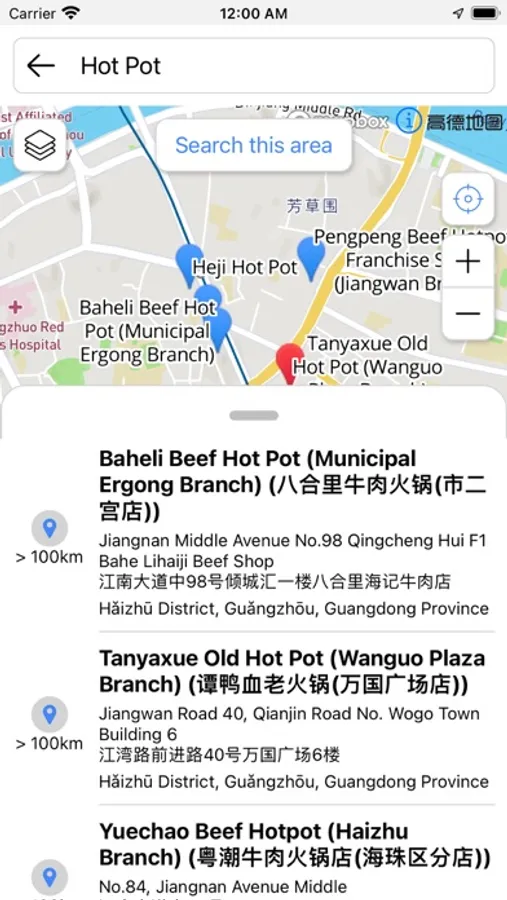
- Find places by searching in English, pinyin, or Chinese characters
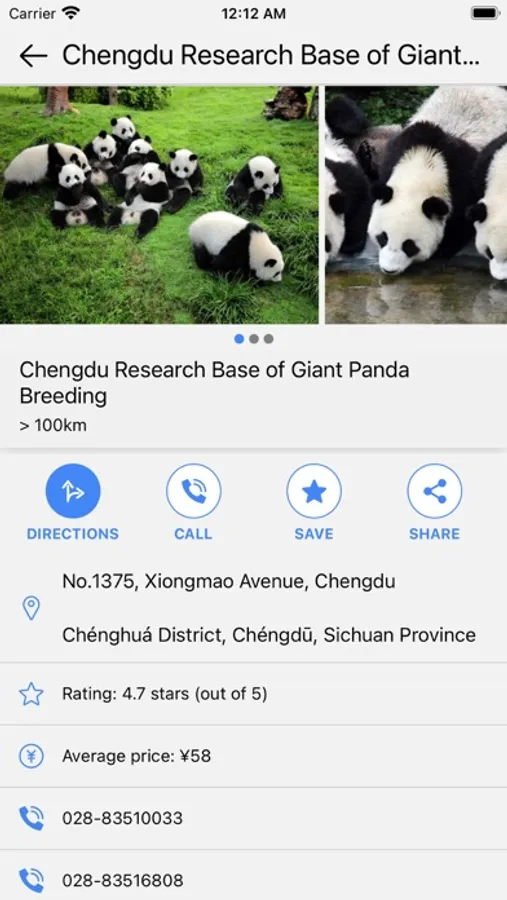
- Discover restaurants entertainment venues, business destinations, and other places useful for foreigners in China
- Match translations of Chinese characters in search results and directions based on their color
- Share any place with friends: they can get directions to your place in just a couple clicks!
You also can:
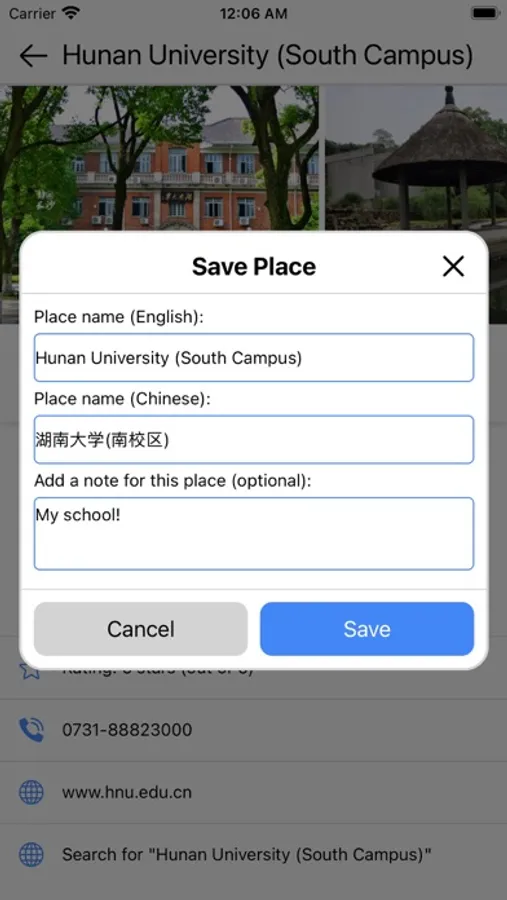
- Bookmark/save places
- Long-press to translate anything on the map
- Get directions by train between cities
- Get a taxi card with translations for showing to cab drivers
- Browse search categories to discover something new
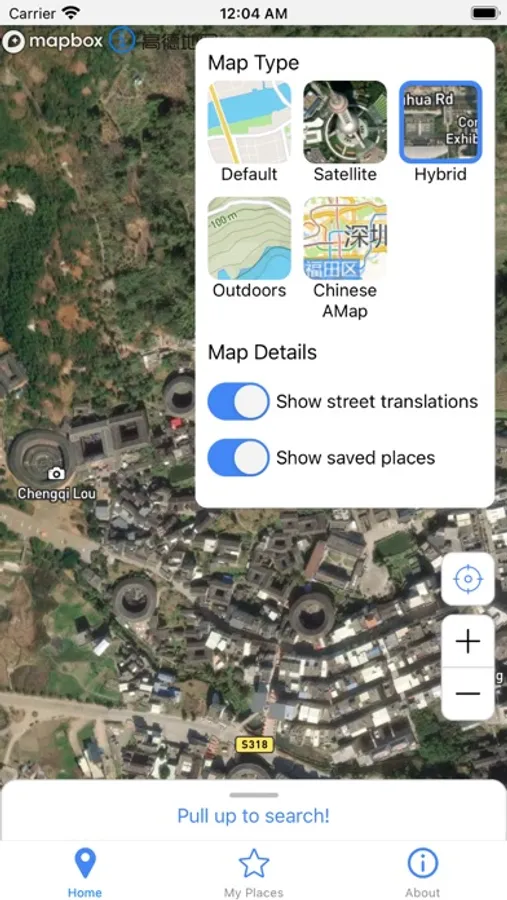
- View different map types including satellite imagery and the Chinese language Alibaba map
Known issues - while LingoMap should generally work fine for everyone, there are some things we're still working on:
- Opening shared place links on iOS hasn't worked for some users. After clicking on a link, it requires your web browser to ask you if you want to open the app. This functionality is provided by a third-party service. We are still looking into how this third party service can be configured better so the links open for more people.
- Not yet tested on tablets or non-standard phone size screens
- If you have scaled your device's font size by changing the size via system settings, a few things like Mapbox's attribution may appear super small or too big. If you turn Larger Text off in Settings > Accessibility > Display & Text Size > Larger Text, it should appear normally.
- As we download map data from different sources, sometimes some visuals such as metro lines and stations may not appear. Try running the app on and off your VPN if you have one. (In general the app should run fine without a VPN.)
- If you open the app, don't use it for some hours, and then reopen it, map imagery may not download. Solve this by completely quitting the app from the App Switcher and rerunning it.
We're happy to discuss anything about LingoMap or any bugs you may find! Please get in contact with us by sending us an email: lingomapapp@gmail.com
Need a reliable map app in China that gets you where you need to go? Want to ride public transportation anywhere in China but don't know Chinese? Not yet in China but need to plan your trip? LingoMap is just for you!
LingoMap is a map app for foreigners who cannot read Chinese to use in China. It is a translation of Alibaba Maps (known as AMap and 高德地图). It shows place, transit route, and street names in the original Chinese, Mandarin Pinyin, and English.
- Get directions for taking buses, trains, subways, trams, by walking, and by taxi
- Find places by searching in English, pinyin, or Chinese characters
- Discover restaurants entertainment venues, business destinations, and other places useful for foreigners in China
- Match translations of Chinese characters in search results and directions based on their color
- Share any place with friends: they can get directions to your place in just a couple clicks!
You also can:
- Bookmark/save places
- Long-press to translate anything on the map
- Get directions by train between cities
- Get a taxi card with translations for showing to cab drivers
- Browse search categories to discover something new
- View different map types including satellite imagery and the Chinese language Alibaba map
Known issues - while LingoMap should generally work fine for everyone, there are some things we're still working on:
- Opening shared place links on iOS hasn't worked for some users. After clicking on a link, it requires your web browser to ask you if you want to open the app. This functionality is provided by a third-party service. We are still looking into how this third party service can be configured better so the links open for more people.
- Not yet tested on tablets or non-standard phone size screens
- If you have scaled your device's font size by changing the size via system settings, a few things like Mapbox's attribution may appear super small or too big. If you turn Larger Text off in Settings > Accessibility > Display & Text Size > Larger Text, it should appear normally.
- As we download map data from different sources, sometimes some visuals such as metro lines and stations may not appear. Try running the app on and off your VPN if you have one. (In general the app should run fine without a VPN.)
- If you open the app, don't use it for some hours, and then reopen it, map imagery may not download. Solve this by completely quitting the app from the App Switcher and rerunning it.
We're happy to discuss anything about LingoMap or any bugs you may find! Please get in contact with us by sending us an email: lingomapapp@gmail.com