With this Safari extension, you can enable Picture in Picture mode to watch videos while browsing. Includes playback controls, rate adjustment, and cloud synchronization features.
About iPiP - Picture in Picture
Video Picture In Picture Safari extension on iOS 15+
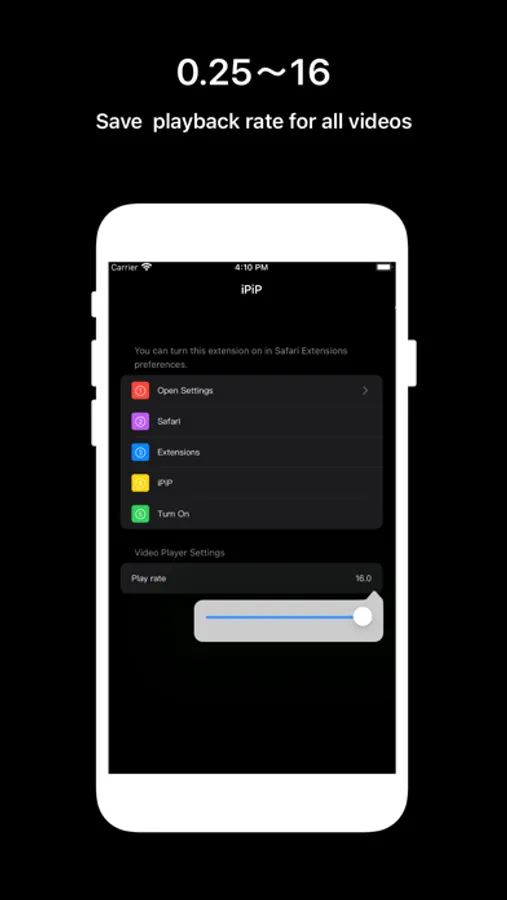
• Playback rate:0.25~16
• Save Playback rate for all video
• If there are iframe video tag in HTML, auto open it
• If iPiP have `Wireless Data` access , playback rate settings will save to the iCloud.
• Loop . If you want to learn dance from the video or like the music in the video, you may need the option of looping
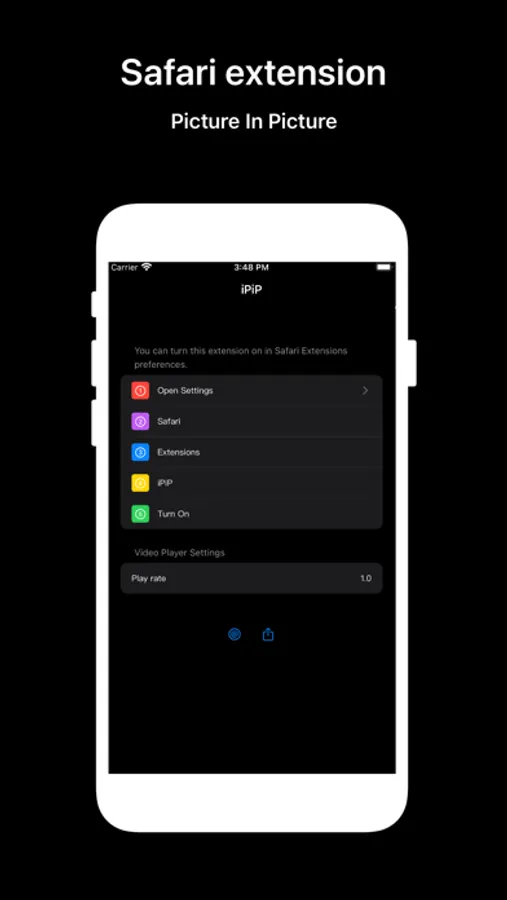
You can turn this extension on in Safari Extensions preferences.
1.Open Settings
2.Safari
3.Extensions
4.iPiP
5.Turn On
• Playback rate:0.25~16
• Save Playback rate for all video
• If there are iframe video tag in HTML, auto open it
• If iPiP have `Wireless Data` access , playback rate settings will save to the iCloud.
• Loop . If you want to learn dance from the video or like the music in the video, you may need the option of looping
You can turn this extension on in Safari Extensions preferences.
1.Open Settings
2.Safari
3.Extensions
4.iPiP
5.Turn On