TAXImet - Taximeter
Basnayaka Mudiyanselage Dhanushka Prasad Bandara
2.4 ★
store rating
Free
AppRecs review analysis
AppRecs rating 1.9. Trustworthiness 65 out of 100. Review manipulation risk 29 out of 100. Based on a review sample analyzed.
★☆☆☆☆
1.9
AppRecs Rating
Ratings breakdown
5 star
20%
4 star
20%
3 star
0%
2 star
0%
1 star
60%
What to know
✓
Low review manipulation risk
29% review manipulation risk
⚠
Mixed user feedback
Average 2.4★ rating suggests room for improvement
About TAXImet - Taximeter
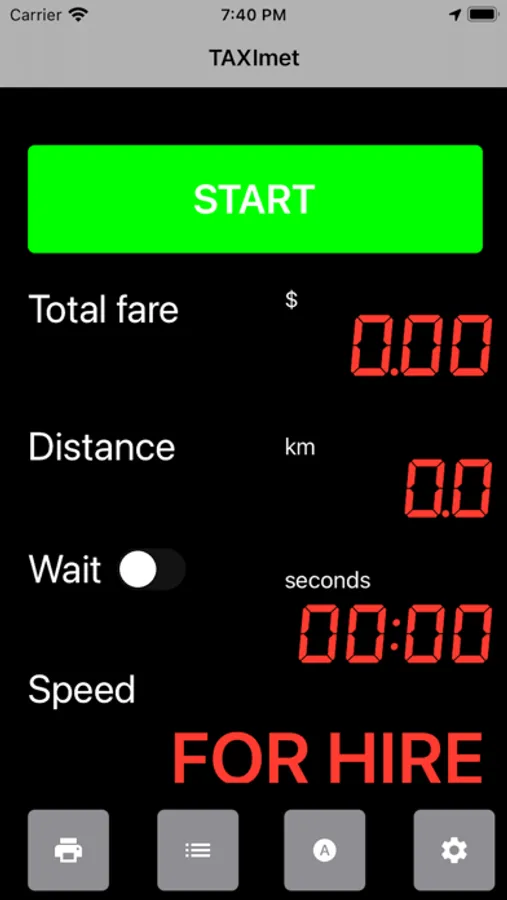
This is a simple, easy to use taximeter app. The app uses the GPS data received to your phone. Therefore no need to have internet.
When there is good GPS reception, Start button will become Green. You may press Start button to Start/ End the taximeter.
Main features:
* Distance charge calculation
* Waiting charge calculation
* Configurable tariffs
* No internet requirement
* Easy to operate
* Print bill
* e-bill
* List of previous journeys
* Connect with customer app
How to use:
Keep or mount the device on your vehicle dash board where it will receive good GPS signal.
Turn on Location of the phone settings.
Open the App, accept the terms and provide the permission to access user location when the App is in use.
When proper GPS signal is received, Start Button will appear in Green colour.
You can adjust the general settings and Tariff settings to match your vehicle rates. There is a support contact and Videos to help you.
Optionally you can create your cloud account.
Press start to start riding, Press Stop when you reach the destination.
Attention: This app operates similar to a taximeter. Please check whether it satisfies your country's taxi regulations.
When there is good GPS reception, Start button will become Green. You may press Start button to Start/ End the taximeter.
Main features:
* Distance charge calculation
* Waiting charge calculation
* Configurable tariffs
* No internet requirement
* Easy to operate
* Print bill
* e-bill
* List of previous journeys
* Connect with customer app
How to use:
Keep or mount the device on your vehicle dash board where it will receive good GPS signal.
Turn on Location of the phone settings.
Open the App, accept the terms and provide the permission to access user location when the App is in use.
When proper GPS signal is received, Start Button will appear in Green colour.
You can adjust the general settings and Tariff settings to match your vehicle rates. There is a support contact and Videos to help you.
Optionally you can create your cloud account.
Press start to start riding, Press Stop when you reach the destination.
Attention: This app operates similar to a taximeter. Please check whether it satisfies your country's taxi regulations.