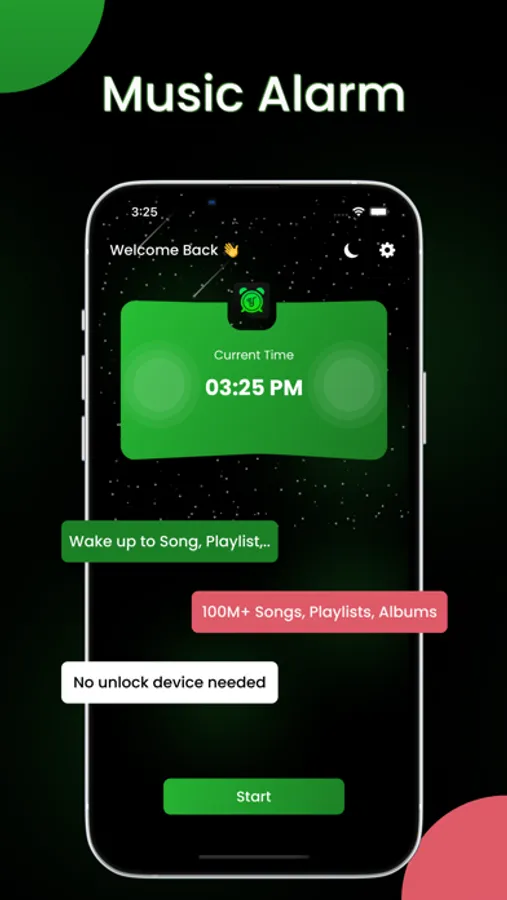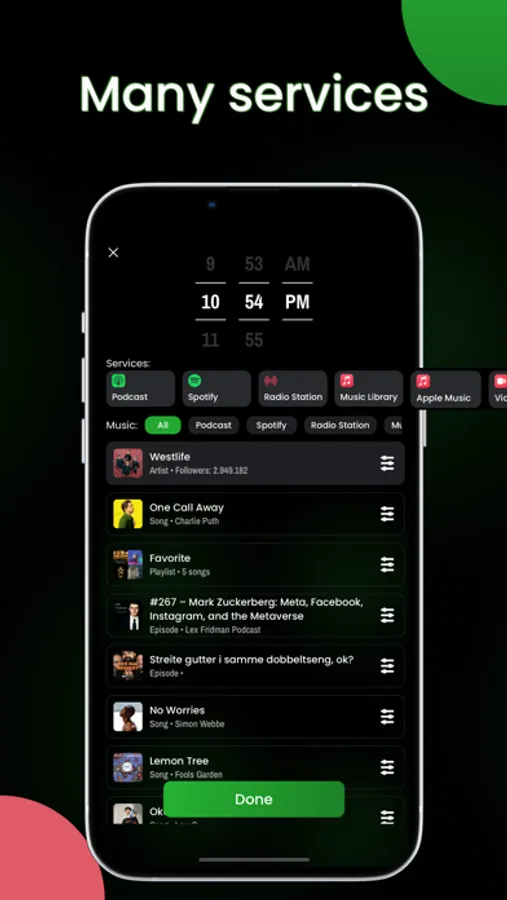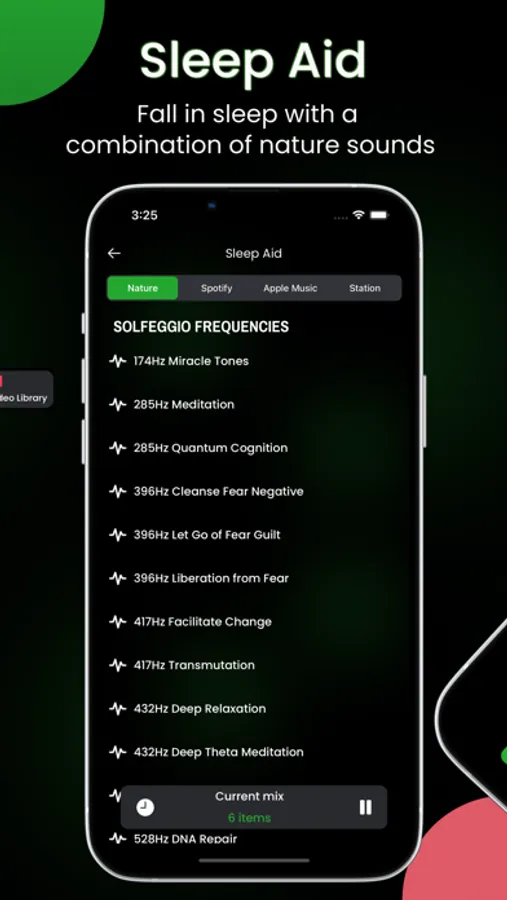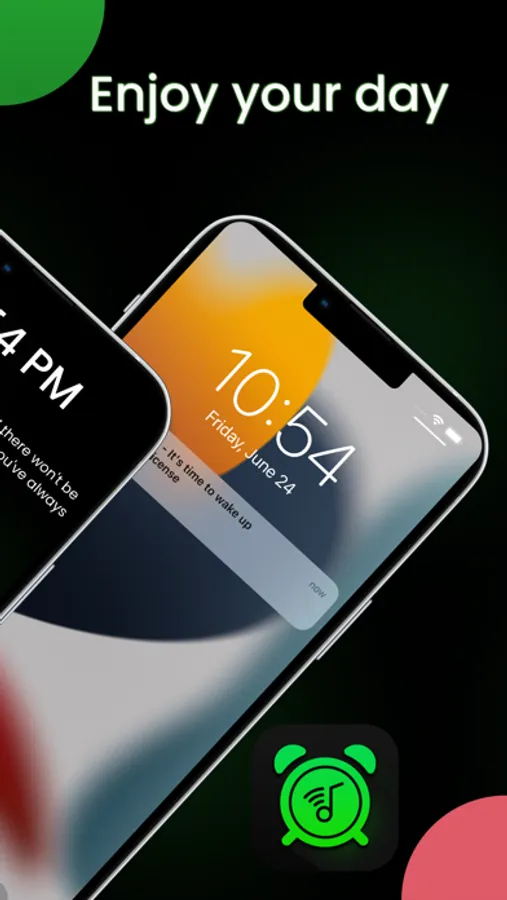
In this music alarm app, you can set alarms using your favorite songs, playlists, or radio stations from various music services. Includes support for Spotify, Apple Music, live radio, and customizable sleep sounds.
AppRecs review analysis
AppRecs rating 3.5. Trustworthiness 77 out of 100. Review manipulation risk 29 out of 100. Based on a review sample analyzed.
★★★☆☆
3.5
AppRecs Rating
Ratings breakdown
5 star
64%
4 star
8%
3 star
4%
2 star
3%
1 star
21%
What to know
✓
Low review manipulation risk
29% review manipulation risk
✓
Credible reviews
77% trustworthiness score from analyzed reviews
⚠
Pricing complaints
Many low ratings mention paywalls or pricing
About Alarmfy - Music Alarm
Alarmfy is the next generation's music alarm app for everyone. Let Alarmfy make your wake-up experience to the highest level. We are the first application in the store with can help you wake up to full of song, playlist,... in many services.
What does Alarmfy offer?
◆ Music automatically rings without unlocking your device.
◆ Easier to set Spotify, Apple Music song(even playlist, album) as alarm sound.
◆ Wake you up to:
■ Spotify tracks, albums, playlists, artists.
■ Apple Music tracks, albums, playlists, artists.
■ Live Radio Stations: Apple Music 1, Apple Music Hits, Apple Music Country.
■ Amazing song in your Music Library.
◆ Custom your Spotify playlist and set it as wake up music.
◆ Sleep aid associated with a combination of sounds, solfeggio frequencies,...
◆ Dedicated support: solve all feedbacks, problems in short time.
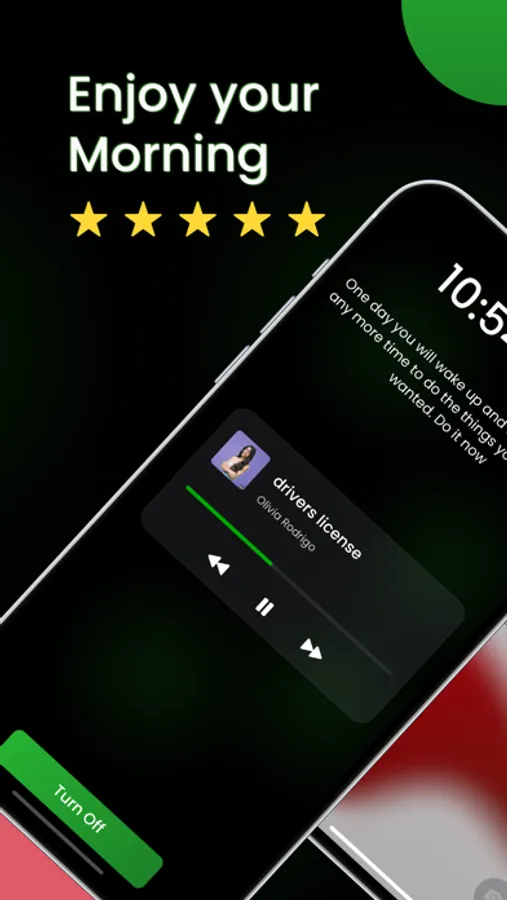
◆ Wake up with motivational messages.
◆ No Ads.
Requirements: Spotify Premium Account needed & Mobile internet or WIFI to load your favorite music.
Attention: Alarmfy has no relationship with Spotify Inc.
---------------
The full version supports creating alarms with Spotify tracks, playlists, albums and artists and much more.
Alarmfy Premium:
- 3 Days Free Trial. Then subscription are monthly or yearly. Subscription will auto renew after free trial. .
You can cancel any time. Payment will be charged to iTunes Account at confirmation of purchase. You will be able to access full feature of the app for the duration of the subscription. Subscription automatically renews for the same price and duration period as the original one week, month or year unless auto-renew is turned off at least 24-hours before the end of the current period. Account will be charged for renewal within 24-hours prior to the end of the current period at the cost of the chosen package. Subscriptions may be managed by the user and auto-renewal may be turned off by going to the user's iTunes Account Settings after purchase. No cancellation of the current subscription is allowed during active subscription period. You may cancel a subscription during its free trial period via the subscription setting through your iTunes account. This must be done 24 hours before the end of the subscription period to avoid being charged.
Terms of Service: https://maxcool.tech/term-of-service.html
Privacy Policy: https://maxcool.tech/privacy-policy.html
What does Alarmfy offer?
◆ Music automatically rings without unlocking your device.
◆ Easier to set Spotify, Apple Music song(even playlist, album) as alarm sound.
◆ Wake you up to:
■ Spotify tracks, albums, playlists, artists.
■ Apple Music tracks, albums, playlists, artists.
■ Live Radio Stations: Apple Music 1, Apple Music Hits, Apple Music Country.
■ Amazing song in your Music Library.
◆ Custom your Spotify playlist and set it as wake up music.
◆ Sleep aid associated with a combination of sounds, solfeggio frequencies,...
◆ Dedicated support: solve all feedbacks, problems in short time.
◆ Wake up with motivational messages.
◆ No Ads.
Requirements: Spotify Premium Account needed & Mobile internet or WIFI to load your favorite music.
Attention: Alarmfy has no relationship with Spotify Inc.
---------------
The full version supports creating alarms with Spotify tracks, playlists, albums and artists and much more.
Alarmfy Premium:
- 3 Days Free Trial. Then subscription are monthly or yearly. Subscription will auto renew after free trial. .
You can cancel any time. Payment will be charged to iTunes Account at confirmation of purchase. You will be able to access full feature of the app for the duration of the subscription. Subscription automatically renews for the same price and duration period as the original one week, month or year unless auto-renew is turned off at least 24-hours before the end of the current period. Account will be charged for renewal within 24-hours prior to the end of the current period at the cost of the chosen package. Subscriptions may be managed by the user and auto-renewal may be turned off by going to the user's iTunes Account Settings after purchase. No cancellation of the current subscription is allowed during active subscription period. You may cancel a subscription during its free trial period via the subscription setting through your iTunes account. This must be done 24 hours before the end of the subscription period to avoid being charged.
Terms of Service: https://maxcool.tech/term-of-service.html
Privacy Policy: https://maxcool.tech/privacy-policy.html