About World Av Weather
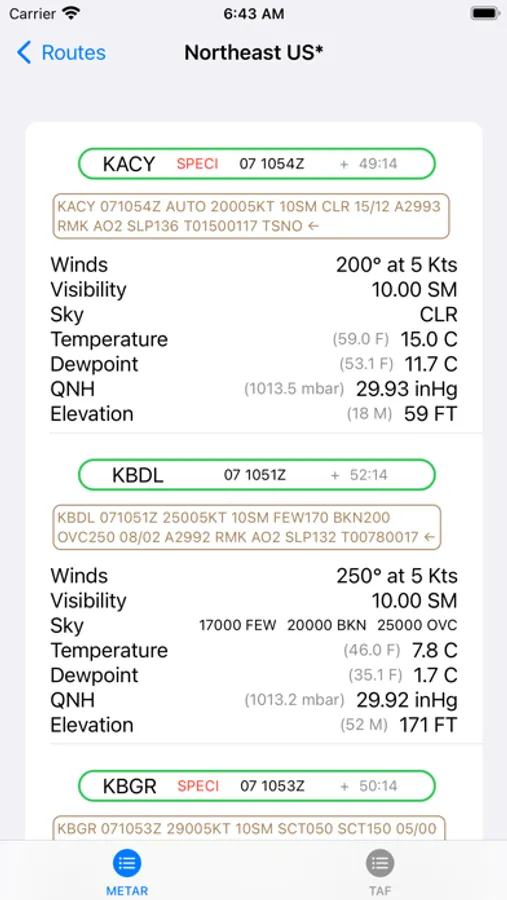
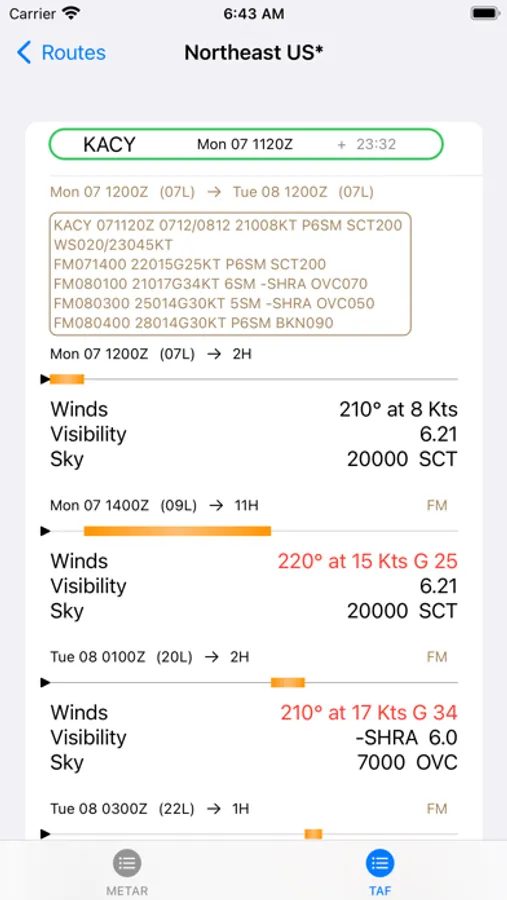
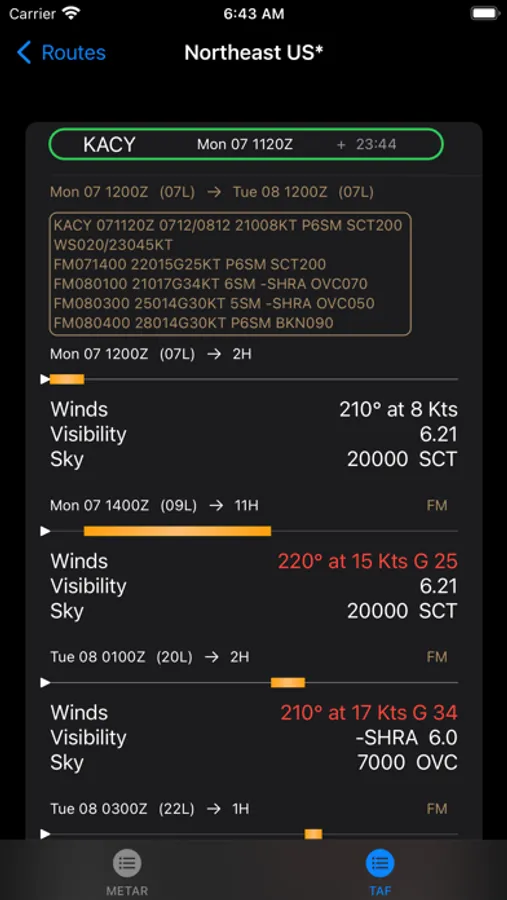
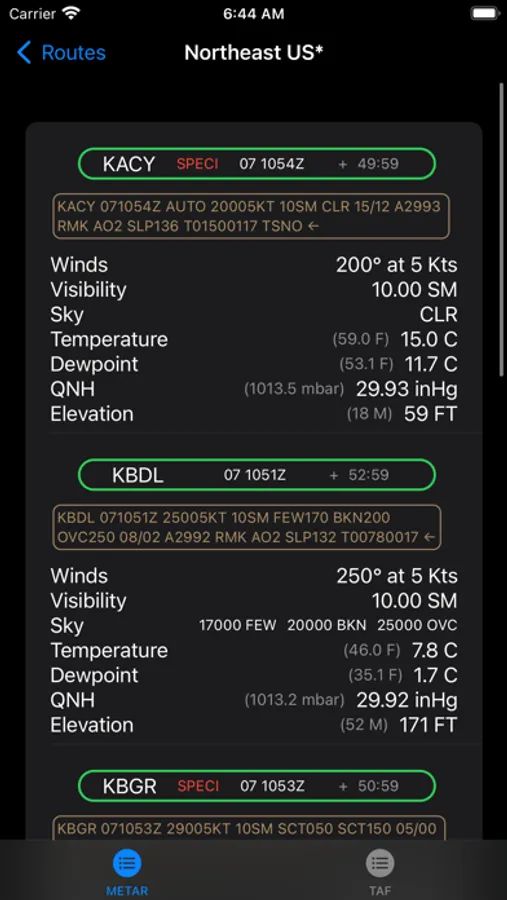
World Av Weather is designed from the ground up to be quick and easy to use. The user creates a list of routes using ICAO identifiers. The route can be local airports in the practice area or a special route with departure, destination, en route and alternate airports. Routes can be added, edited, deleted and reordered. When a route is selected from a list, the METARs and TAFs are displayed.
Instructions for managing the Routes list.
-- Add a Route: tap on "+" at the top of the Routes list.
-- Delete a Route: swipe left and tap on "Delete."
-- Edit a specific Route: swipe right and tap on the "Edit."
-- Routes can be reordered using the "Edit" button at top of Routes list.
Things your should know about the app.
-- NOAA Aviation Weather Center is the source for weather.
-- The METARS are colored coded (VFR green, MVFR blue, IFR red and LIFR pink).
-- All times are displayed in z-time and local hour (device timezone)
-- A countdown timer shows the age of the report.
-- TAFs show an orange timeline for forecast periods (eg., FM).
-- TAFs show temporary forecast periods in cyan (eg., TEMPO).
Disclaimer: World Av Weather provides the user with decoded aviation weather. However, it should not be used as an official source for a weather briefing.
Instructions for managing the Routes list.
-- Add a Route: tap on "+" at the top of the Routes list.
-- Delete a Route: swipe left and tap on "Delete."
-- Edit a specific Route: swipe right and tap on the "Edit."
-- Routes can be reordered using the "Edit" button at top of Routes list.
Things your should know about the app.
-- NOAA Aviation Weather Center is the source for weather.
-- The METARS are colored coded (VFR green, MVFR blue, IFR red and LIFR pink).
-- All times are displayed in z-time and local hour (device timezone)
-- A countdown timer shows the age of the report.
-- TAFs show an orange timeline for forecast periods (eg., FM).
-- TAFs show temporary forecast periods in cyan (eg., TEMPO).
Disclaimer: World Av Weather provides the user with decoded aviation weather. However, it should not be used as an official source for a weather briefing.