AppRecs review analysis
AppRecs rating 3.9. Trustworthiness 55 out of 100. Review manipulation risk 31 out of 100. Based on a review sample analyzed.
★★★☆☆
3.9
AppRecs Rating
Ratings breakdown
5 star
70%
4 star
20%
3 star
0%
2 star
0%
1 star
10%
What to know
✓
High user satisfaction
90% of sampled ratings are 4+ stars (4.4★ average)
About ReactCam - Screen recorder
ReactCam – Record, React, Edit, Share
ReactCam is the easiest way to record your screen, add face-cam reactions, and turn any video into engaging content ready for YouTube, Instagram, TikTok, or wherever you share your ideas.
Whether you want to capture gameplay highlights, react to funny clips, explain an app tutorial, or just record your screen and tell your story — ReactCam gives you the tools to do it all in one place.
Create projects your way
Record your screen while using any app, game, or video. Your session instantly becomes a new project you can edit right away.
Import videos from your library and build projects from the clips you already have. Combine multiple videos and ReactCam will merge them automatically.
Work on multiple projects at once so you never lose your progress.
Add your reaction, your style
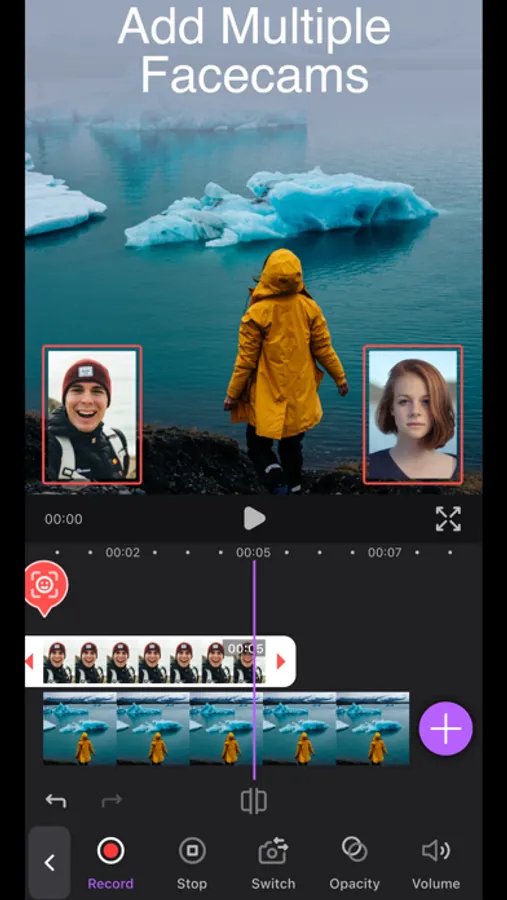
Face Cam Reactions: Add one or several reactions to any project. Move them around the screen, resize, crop, or place them exactly where you want.
Countdown Timer: Start recording reactions with a countdown so you’re always ready before the camera rolls.
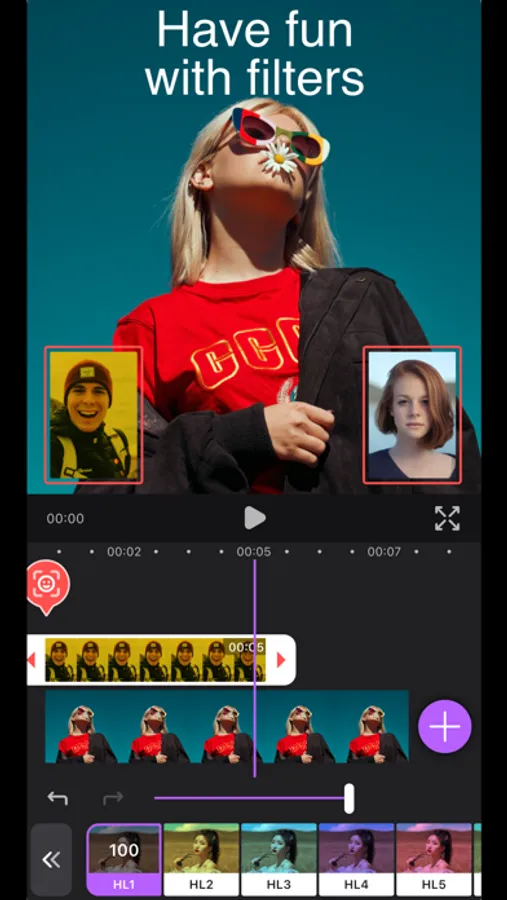
Filters: Apply filters to your main video, screen recordings, or even to your face cam layer.
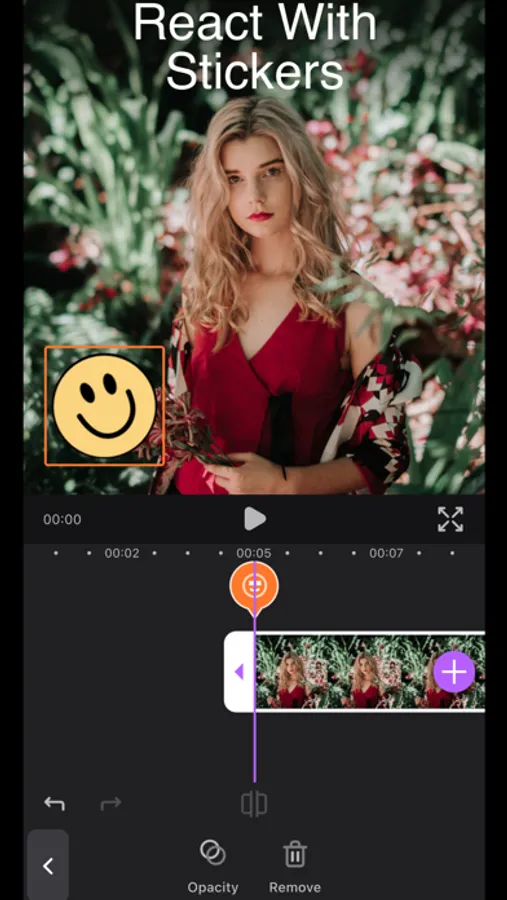
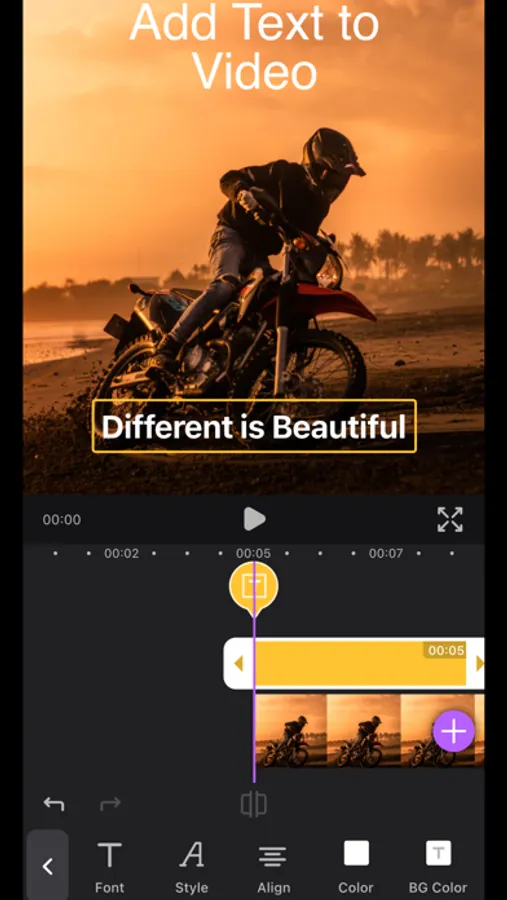
Text Layers: Add text anywhere in your video. Customize font, size, color, style, and even add backgrounds to make your message stand out. Perfect for memes, commentary, or tutorials.
Precise editing tools
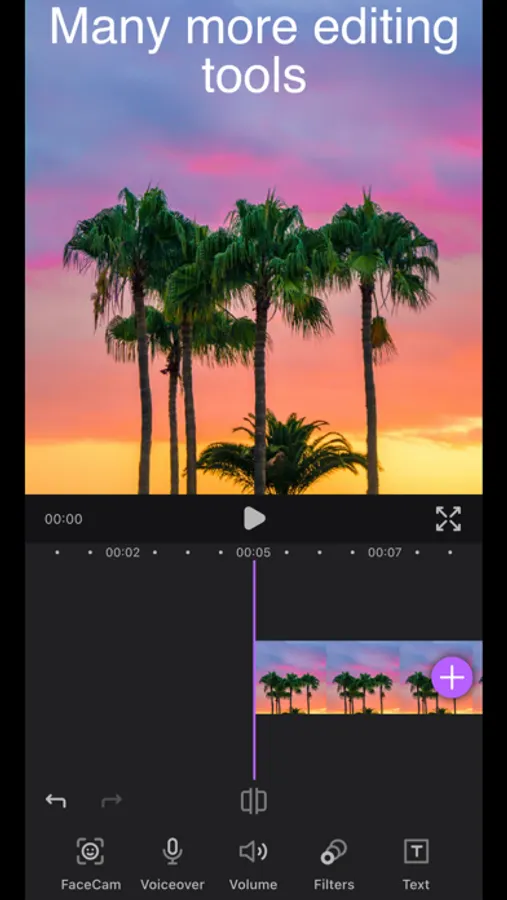
Layer control: Adjust each element in your timeline separately. Move, trim, or reorder layers with a simple drag.
Sorting Clips: Arrange your video clips in the order that works best for your story.
Fine adjustments: Control volume, opacity, and other key details for each video or reaction.
Export and share with ease
When you’re done editing, export your project in the quality that fits your needs:
4K resolution for the sharpest output.
Full HD for a balance between quality and file size.
Web-optimized for quick uploads and easy sharing.
Your projects are ready for YouTube, TikTok, Instagram, or any other platform you love.
Why ReactCam?
ReactCam makes reacting to videos fun, quick, and flexible. No complicated timelines, no overwhelming editing suites — just the features you actually need to create content that looks professional while staying easy to use. From gameplay highlights with live reactions, to app tutorials with annotations, to reaction videos with friends — ReactCam adapts to your creativity.
New in the latest version:
Sort and rearrange clips directly in your timeline.
FaceCam countdown to help you start your reaction recordings with perfect timing.
With ReactCam, every video becomes a chance to create something unique. Record. React. Edit. Share.
ReactCam is the easiest way to record your screen, add face-cam reactions, and turn any video into engaging content ready for YouTube, Instagram, TikTok, or wherever you share your ideas.
Whether you want to capture gameplay highlights, react to funny clips, explain an app tutorial, or just record your screen and tell your story — ReactCam gives you the tools to do it all in one place.
Create projects your way
Record your screen while using any app, game, or video. Your session instantly becomes a new project you can edit right away.
Import videos from your library and build projects from the clips you already have. Combine multiple videos and ReactCam will merge them automatically.
Work on multiple projects at once so you never lose your progress.
Add your reaction, your style
Face Cam Reactions: Add one or several reactions to any project. Move them around the screen, resize, crop, or place them exactly where you want.
Countdown Timer: Start recording reactions with a countdown so you’re always ready before the camera rolls.
Filters: Apply filters to your main video, screen recordings, or even to your face cam layer.
Text Layers: Add text anywhere in your video. Customize font, size, color, style, and even add backgrounds to make your message stand out. Perfect for memes, commentary, or tutorials.
Precise editing tools
Layer control: Adjust each element in your timeline separately. Move, trim, or reorder layers with a simple drag.
Sorting Clips: Arrange your video clips in the order that works best for your story.
Fine adjustments: Control volume, opacity, and other key details for each video or reaction.
Export and share with ease
When you’re done editing, export your project in the quality that fits your needs:
4K resolution for the sharpest output.
Full HD for a balance between quality and file size.
Web-optimized for quick uploads and easy sharing.
Your projects are ready for YouTube, TikTok, Instagram, or any other platform you love.
Why ReactCam?
ReactCam makes reacting to videos fun, quick, and flexible. No complicated timelines, no overwhelming editing suites — just the features you actually need to create content that looks professional while staying easy to use. From gameplay highlights with live reactions, to app tutorials with annotations, to reaction videos with friends — ReactCam adapts to your creativity.
New in the latest version:
Sort and rearrange clips directly in your timeline.
FaceCam countdown to help you start your reaction recordings with perfect timing.
With ReactCam, every video becomes a chance to create something unique. Record. React. Edit. Share.