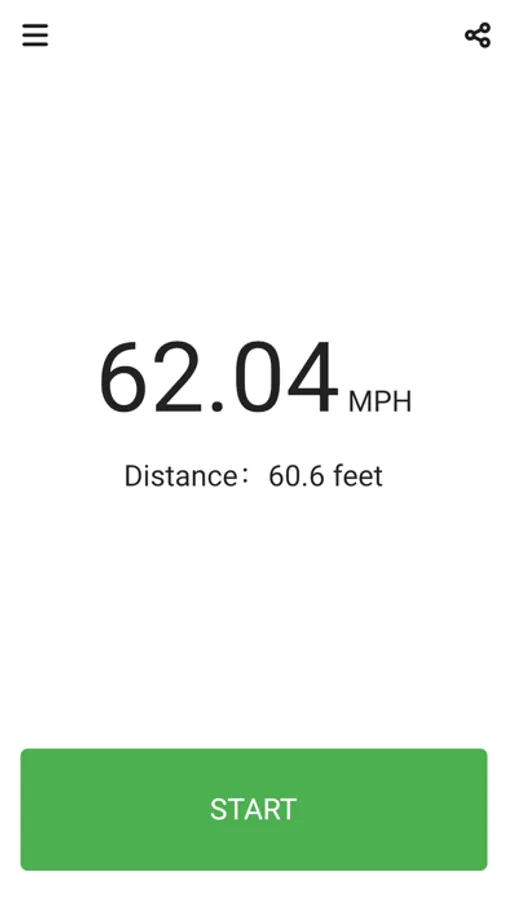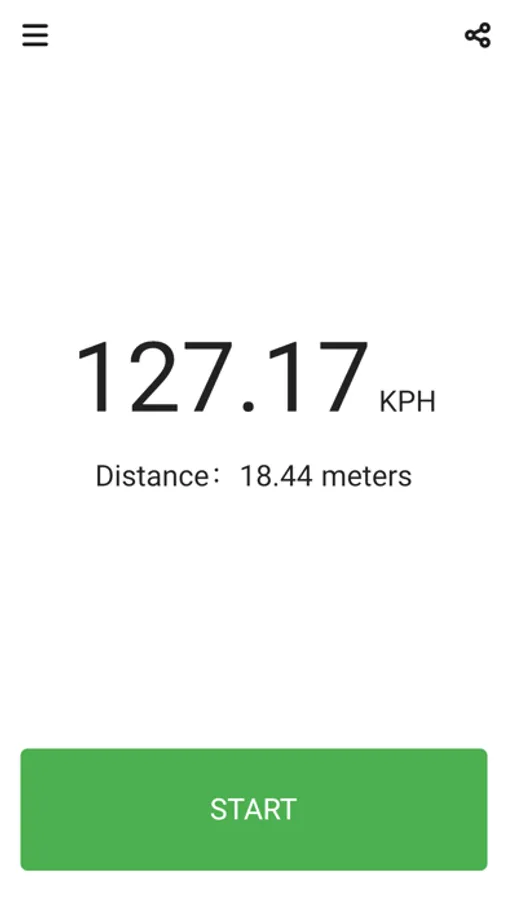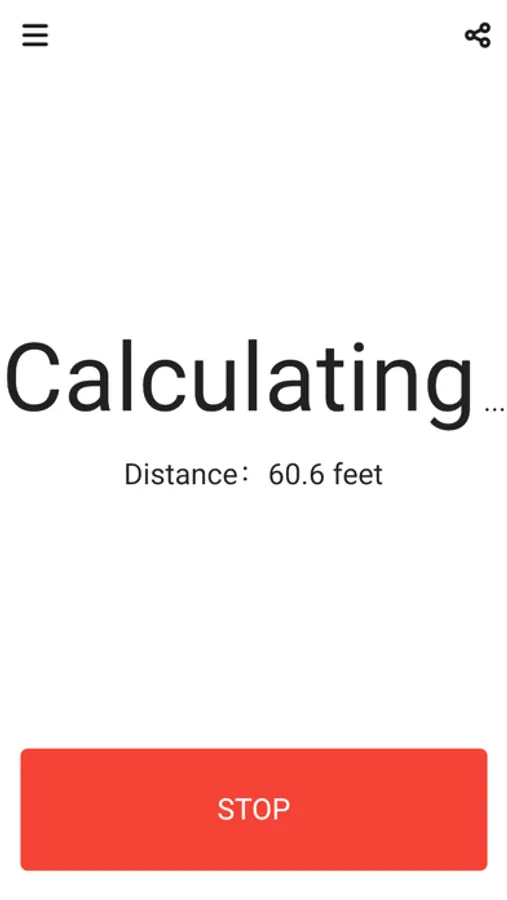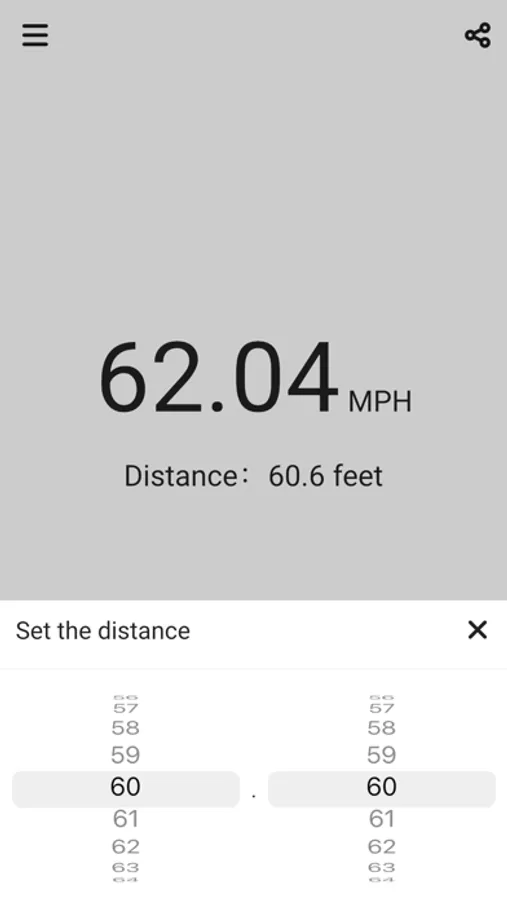
With this measurement app, you can record and calculate ball speed using start and stop timers, and customize distance and units. Includes options for distance, speed units, and measurement methods.
AppRecs review analysis
AppRecs rating 2.7. Trustworthiness 73 out of 100. Review manipulation risk 23 out of 100. Based on a review sample analyzed.
★★☆☆☆
2.7
AppRecs Rating
Ratings breakdown
5 star
31%
4 star
9%
3 star
7%
2 star
3%
1 star
50%
What to know
✓
Low review manipulation risk
23% review manipulation risk
⚠
Mixed user feedback
Average 2.7★ rating suggests room for improvement
⚠
High negative review ratio
53% of sampled ratings are 1–2 stars
About Simple Speed Gun
This is a speed gun app for those who want to know the ball speed.
The distance and time (from start to stop) are used to measure the speed of the ball.
● Measurement way
Start measurement when the ball is thrown, and stop measurement when the ball is caught. The time from the start to the stop is used to calculate the ball speed.
There are two ways to stop the measurement.
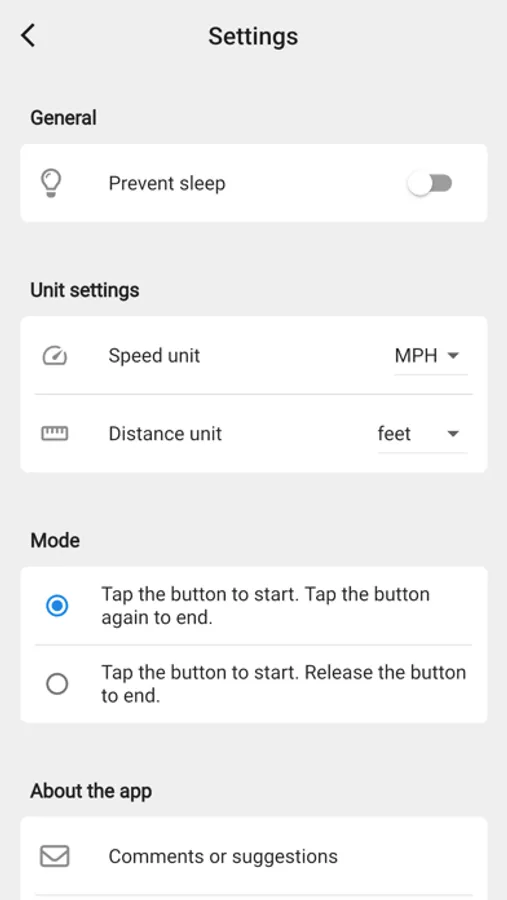
One is to tap the button to start and tap it again to stop. The other is to start when the button is tapped and stop when the button is released. Choose the one that is easier to use.
● Distance setting and units
Tap the distance to change it. The default setting is 18.44 meters. The unit of distance can be selected from "meters" and "feet" on the setting screen.
● Speed Unit
The unit of speed can be selected from “KPH” and “MPH". If you want to change it, do so on the setting screen.
The distance and time (from start to stop) are used to measure the speed of the ball.
● Measurement way
Start measurement when the ball is thrown, and stop measurement when the ball is caught. The time from the start to the stop is used to calculate the ball speed.
There are two ways to stop the measurement.
One is to tap the button to start and tap it again to stop. The other is to start when the button is tapped and stop when the button is released. Choose the one that is easier to use.
● Distance setting and units
Tap the distance to change it. The default setting is 18.44 meters. The unit of distance can be selected from "meters" and "feet" on the setting screen.
● Speed Unit
The unit of speed can be selected from “KPH” and “MPH". If you want to change it, do so on the setting screen.