HerePrint
Xiamen Hanin Co.,Ltd.
3.8 ★
store rating
Free
AppRecs review analysis
AppRecs rating 3.8. Trustworthiness 81 out of 100. Review manipulation risk 19 out of 100. Based on a review sample analyzed.
★★★☆☆
3.8
AppRecs Rating
Ratings breakdown
5 star
61%
4 star
8%
3 star
2%
2 star
2%
1 star
27%
What to know
✓
Low review manipulation risk
19% review manipulation risk
✓
Credible reviews
81% trustworthiness score from analyzed reviews
⚠
Ad complaints
Many low ratings mention excessive ads
About HerePrint
[Introduction]
HerePrint is a fantastic App that support a variety of series of printers. In order to meet your different usage needs in daily printing scenarios, HerePrint can automatically select and provide corresponding features for you by judging the equipment model of the printer you hold. Therefore, whether it is office file printing, daily storage labels, or handbook making, everything can be done through HerePrint.
[How to use it]
1. Press and hold the switch to turn on the printer equipment.
2. Turn on the Bluetooth of the mobile phone.
3. Open this APP.
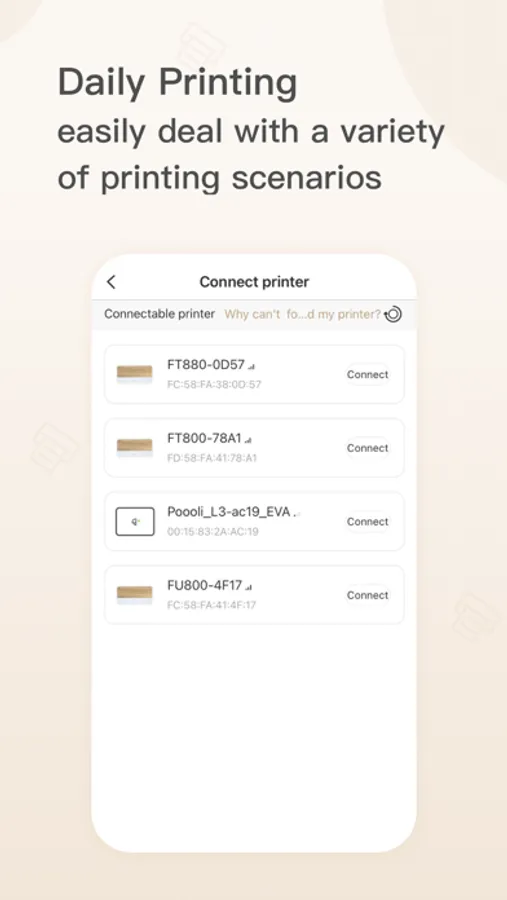
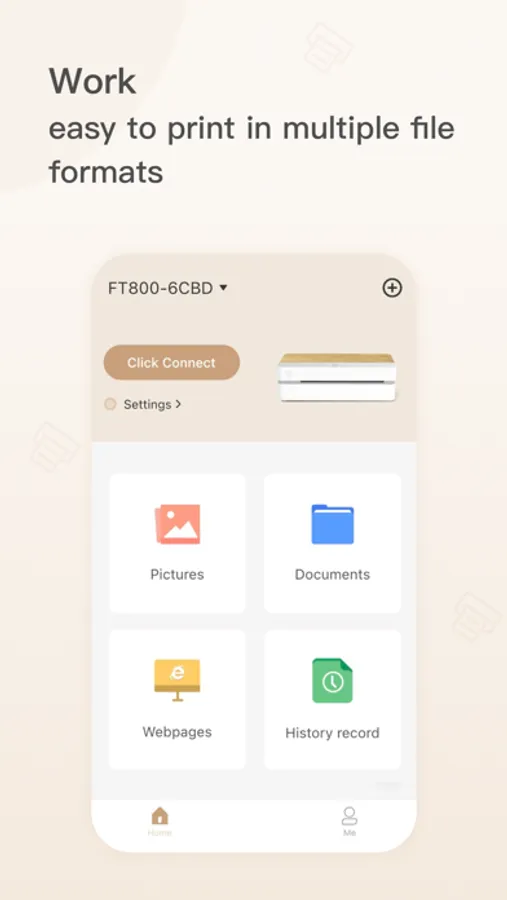
4. Click [Connect Printer] on the home page to select the printing device you want to connect.
5. Click [Connect] (Note: work printing series models need to be connected to the network, you need to connect to the WIFI network or open the mobile phone hotspot to distribute the network to the printer).
6. After the connection is successful, you can start printing!
[Features]
By using HerePrint, you can enjoy the following features
1.Office file printing: mainly used for A4, A5 printing, suitable for work printing models are mainly FU800, FT800, MT810, MT800Q, MT800
[Print pictures]: Select the pictures you need to print in the album.
[Print File]: Select and print the required file in File Explorer.
[Print webpage]: Search for the content to be printed in the browser, or print the webpage by entering the webpage address.
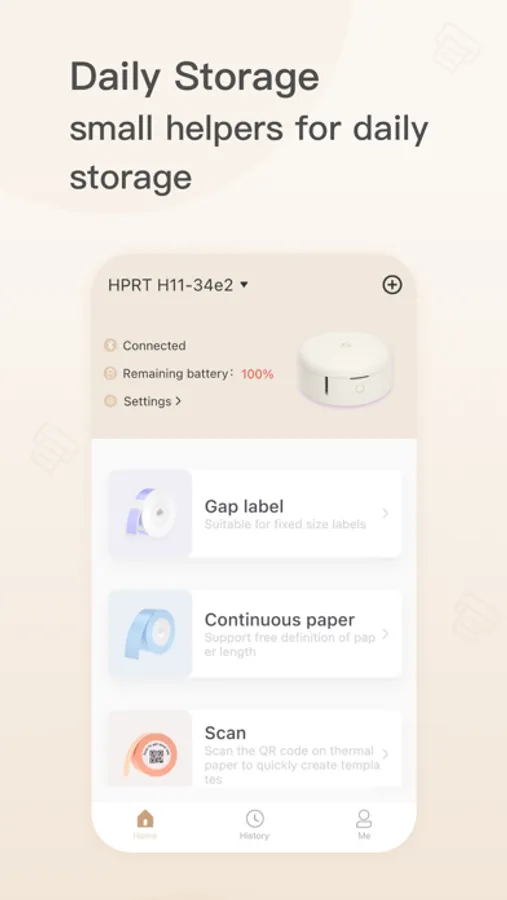
2. Daily storage labels: mainly used to print labels, suitable for daily storage printing models are mainly Qutie, M11, H11, H11 HD
[Gap Label]: Create the label content that needs to be printed, and print the label of fixed size.
[Continuous note]: Create the content of the note to be printed, and edit the length of the note freely.
[Scan Code and Touch]: Scan the QR code on the printer consumables to quickly create templates.
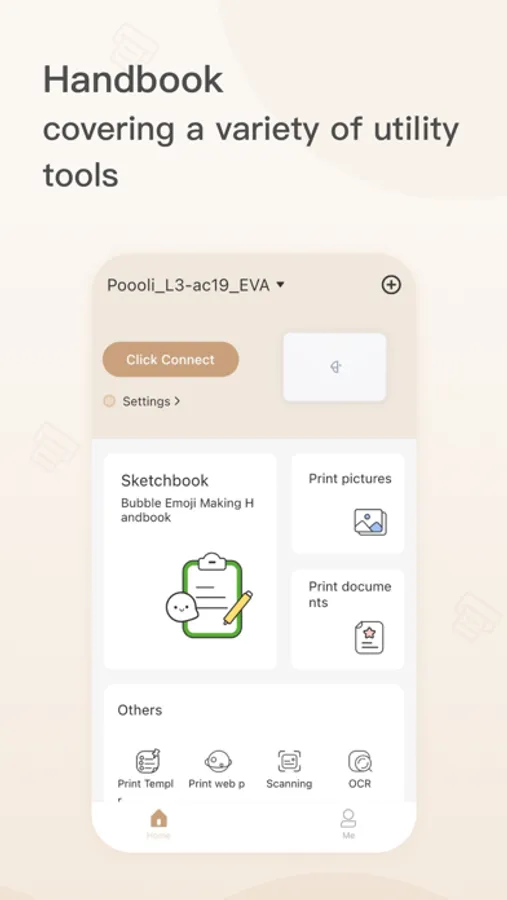
3. Handbook making: It is mainly used for custom creation and printing. The models suitable for handbook printing mainly include L1, L2, L3, L5, L5S, L8, L8S, T260, T360
[Play with Notes]: Provide a large number of materials to create personal handbook print content.
[Picture] [Doc] [Web page]: Can print a variety of file formats.
[Document Scanning] [Text Recognition]: Document scanning, OCR text extraction, your practical gadget.
[Banner] [Label]: Customize editing and create banners or labels to increase printing fun.
[Template printing]: Provide Post-it Note, list, calendar templates, free hands, save time and worry.
HerePrint is a fantastic App that support a variety of series of printers. In order to meet your different usage needs in daily printing scenarios, HerePrint can automatically select and provide corresponding features for you by judging the equipment model of the printer you hold. Therefore, whether it is office file printing, daily storage labels, or handbook making, everything can be done through HerePrint.
[How to use it]
1. Press and hold the switch to turn on the printer equipment.
2. Turn on the Bluetooth of the mobile phone.
3. Open this APP.
4. Click [Connect Printer] on the home page to select the printing device you want to connect.
5. Click [Connect] (Note: work printing series models need to be connected to the network, you need to connect to the WIFI network or open the mobile phone hotspot to distribute the network to the printer).
6. After the connection is successful, you can start printing!
[Features]
By using HerePrint, you can enjoy the following features
1.Office file printing: mainly used for A4, A5 printing, suitable for work printing models are mainly FU800, FT800, MT810, MT800Q, MT800
[Print pictures]: Select the pictures you need to print in the album.
[Print File]: Select and print the required file in File Explorer.
[Print webpage]: Search for the content to be printed in the browser, or print the webpage by entering the webpage address.
2. Daily storage labels: mainly used to print labels, suitable for daily storage printing models are mainly Qutie, M11, H11, H11 HD
[Gap Label]: Create the label content that needs to be printed, and print the label of fixed size.
[Continuous note]: Create the content of the note to be printed, and edit the length of the note freely.
[Scan Code and Touch]: Scan the QR code on the printer consumables to quickly create templates.
3. Handbook making: It is mainly used for custom creation and printing. The models suitable for handbook printing mainly include L1, L2, L3, L5, L5S, L8, L8S, T260, T360
[Play with Notes]: Provide a large number of materials to create personal handbook print content.
[Picture] [Doc] [Web page]: Can print a variety of file formats.
[Document Scanning] [Text Recognition]: Document scanning, OCR text extraction, your practical gadget.
[Banner] [Label]: Customize editing and create banners or labels to increase printing fun.
[Template printing]: Provide Post-it Note, list, calendar templates, free hands, save time and worry.