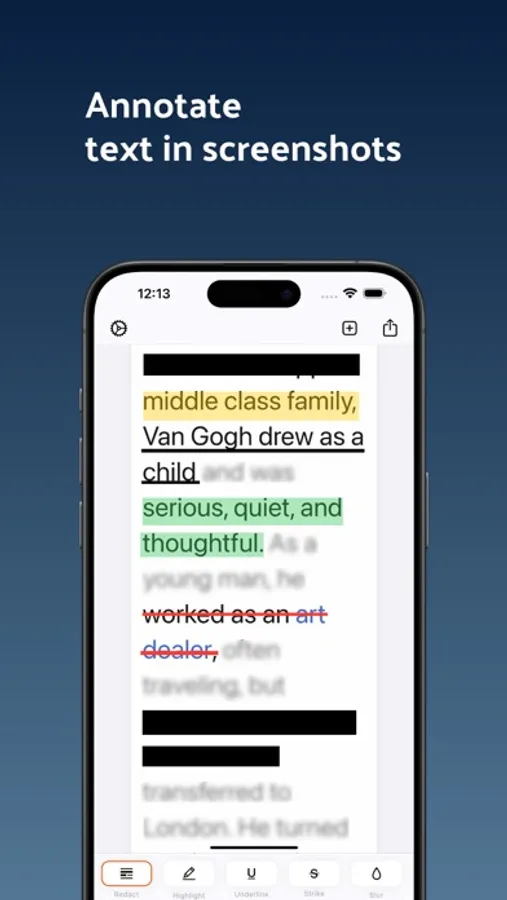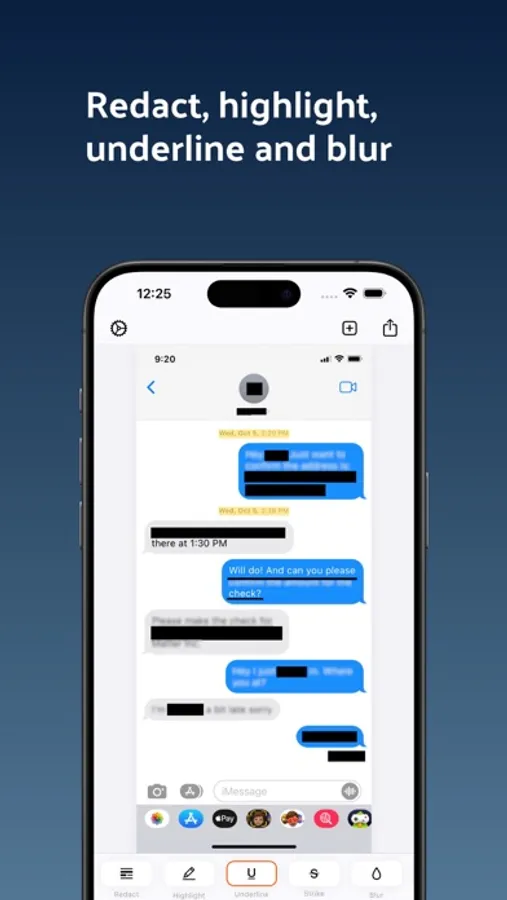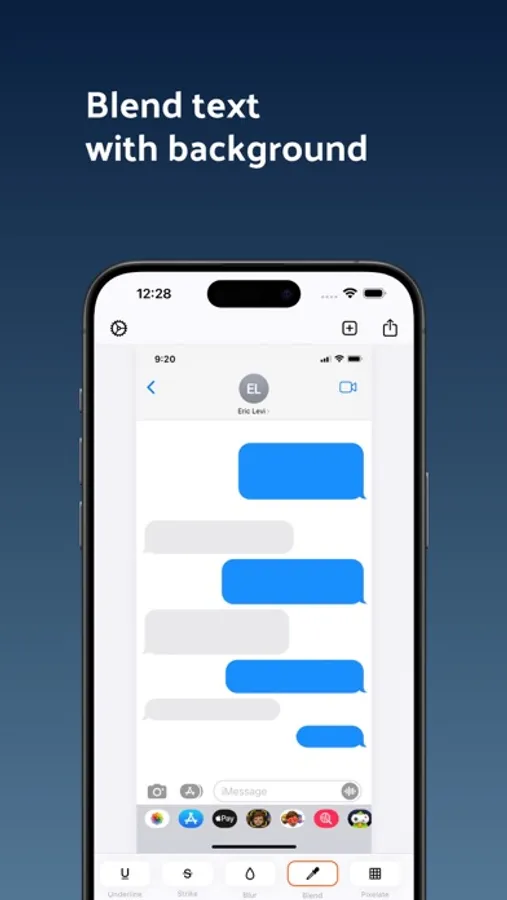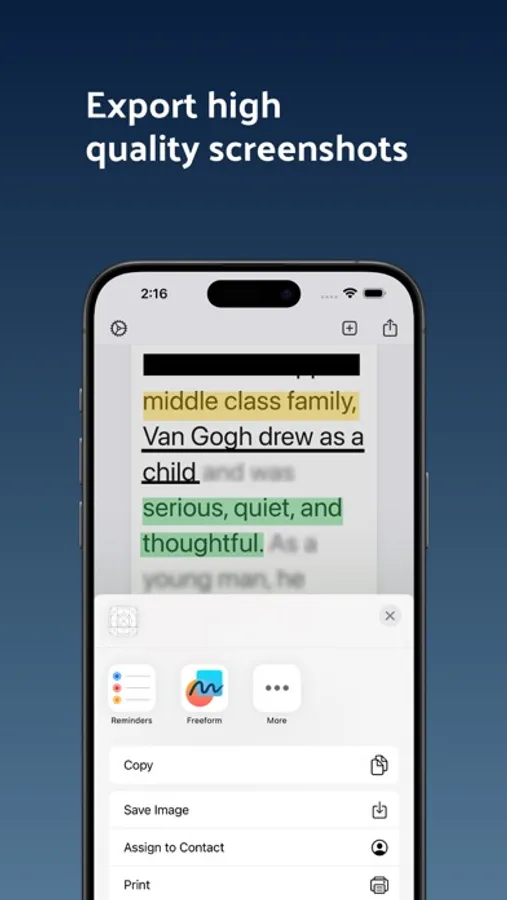
In this photo and PDF markup app, you can use various tools to redact, highlight, blur, and annotate images and documents. Includes multiple editing tools, easy sharing options, and support for detailed work.
AppRecs review analysis
AppRecs rating 4.2. Trustworthiness 81 out of 100. Review manipulation risk 28 out of 100. Based on a review sample analyzed.
★★★★☆
4.2
AppRecs Rating
Ratings breakdown
5 star
78%
4 star
4%
3 star
5%
2 star
4%
1 star
9%
What to know
✓
Low review manipulation risk
28% review manipulation risk
✓
Credible reviews
81% trustworthiness score from analyzed reviews
✓
High user satisfaction
82% of sampled ratings are 4+ stars (4.4★ average)
About Whiteout: Redact & Blur Photos
Whiteout makes it fast and precise to mark up text in photos and PDFs.
Redact sensitive information, highlight important details, and clean up documents with tools designed for accuracy and speed. This app has a limited free plan, and a paid subscription.
Whether you are working with screenshots, scanned documents, or PDFs, Whiteout helps you find and mark exactly what matters.
Powerful Markup Tools
• Redact, highlight, underline, strike through, blur, pixelate, erase, draw, and sign
• Line and word based markups for precise control
• Suggested redactions for faster cleanup
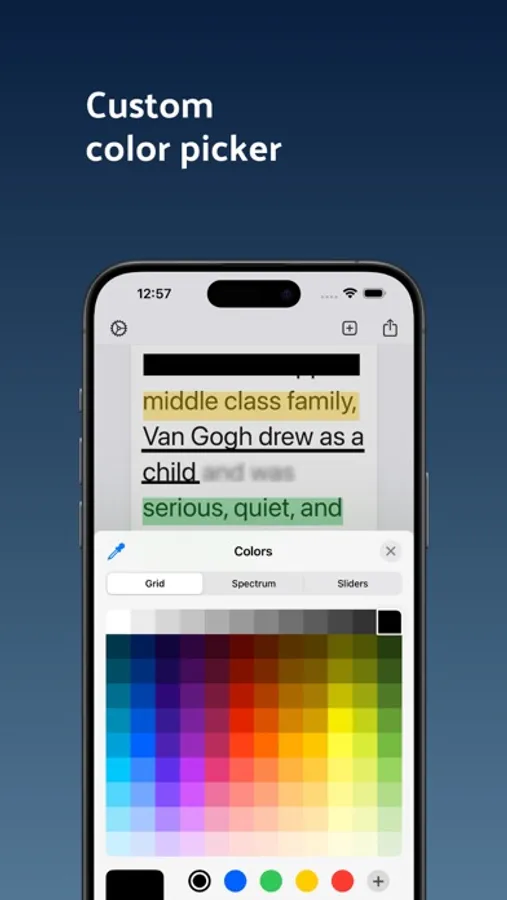
• Change colors and styles instantly
Smart Search & Match
• Search and find words on the page
• Match and redact repeated text automatically
• Quickly apply markups across multiple occurrences
Works with Photos and PDFs
• Mark up images, screenshots, and PDF files
• Find text directly inside PDFs
• Share or export in high resolution
Built for Speed and Precision
• Zoom in for detailed edits
• Simple, distraction free interface
• Open directly from the Photos share sheet
• Designed for fast, accurate text redaction
Free Plan
Get started at no cost.
• Save a limited number of documents for free
• Exports contain branded markup
Pro Plan
Unlock the full experience.
• Unlimited saves and edits
• Remove watermark on export
Download and start redacting today.
CONTACT:
Jordanzeleny@gmail.com
TERMS OF USE:
https://www.apple.com/legal/internet-services/itunes/dev/stdeula/
PRIVACY:
https://sites.google.com/view/letterprinter
Redact sensitive information, highlight important details, and clean up documents with tools designed for accuracy and speed. This app has a limited free plan, and a paid subscription.
Whether you are working with screenshots, scanned documents, or PDFs, Whiteout helps you find and mark exactly what matters.
Powerful Markup Tools
• Redact, highlight, underline, strike through, blur, pixelate, erase, draw, and sign
• Line and word based markups for precise control
• Suggested redactions for faster cleanup
• Change colors and styles instantly
Smart Search & Match
• Search and find words on the page
• Match and redact repeated text automatically
• Quickly apply markups across multiple occurrences
Works with Photos and PDFs
• Mark up images, screenshots, and PDF files
• Find text directly inside PDFs
• Share or export in high resolution
Built for Speed and Precision
• Zoom in for detailed edits
• Simple, distraction free interface
• Open directly from the Photos share sheet
• Designed for fast, accurate text redaction
Free Plan
Get started at no cost.
• Save a limited number of documents for free
• Exports contain branded markup
Pro Plan
Unlock the full experience.
• Unlimited saves and edits
• Remove watermark on export
Download and start redacting today.
CONTACT:
Jordanzeleny@gmail.com
TERMS OF USE:
https://www.apple.com/legal/internet-services/itunes/dev/stdeula/
PRIVACY:
https://sites.google.com/view/letterprinter