MultiTimer - Timer & Stopwatch
SANG HYEOK KIM
4.0 ★
store rating
Free
AppRecs review analysis
AppRecs rating 3.5. Trustworthiness 45 out of 100. Review manipulation risk 33 out of 100. Based on a review sample analyzed.
★★★☆☆
3.5
AppRecs Rating
Ratings breakdown
5 star
100%
4 star
0%
3 star
0%
2 star
0%
1 star
0%
What to know
⚠
Limited rating diversity
100% high ratings in sampled reviews
About MultiTimer - Timer & Stopwatch
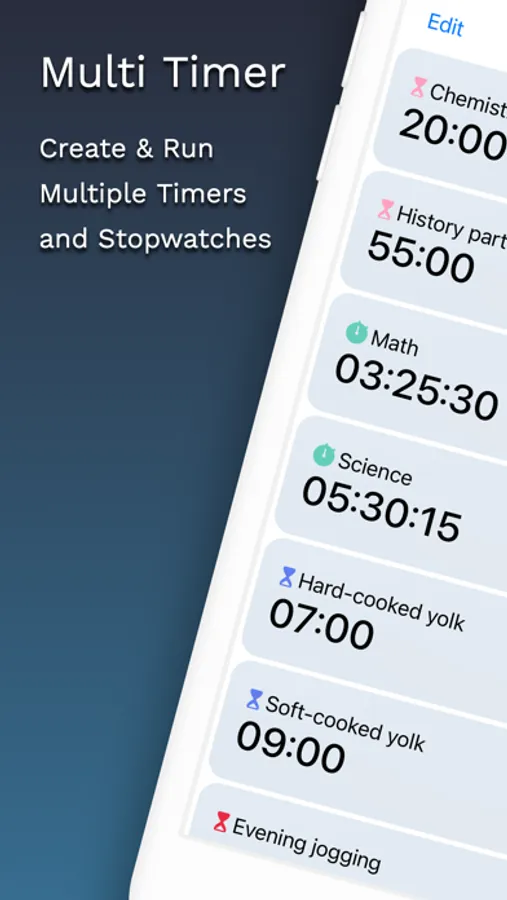
Manage multiple timers and stopwatches simultaneously with ease and speed!
Enhance productivity by conveniently managing all your daily tasks such as studying, cooking, workouts, work, and chores.
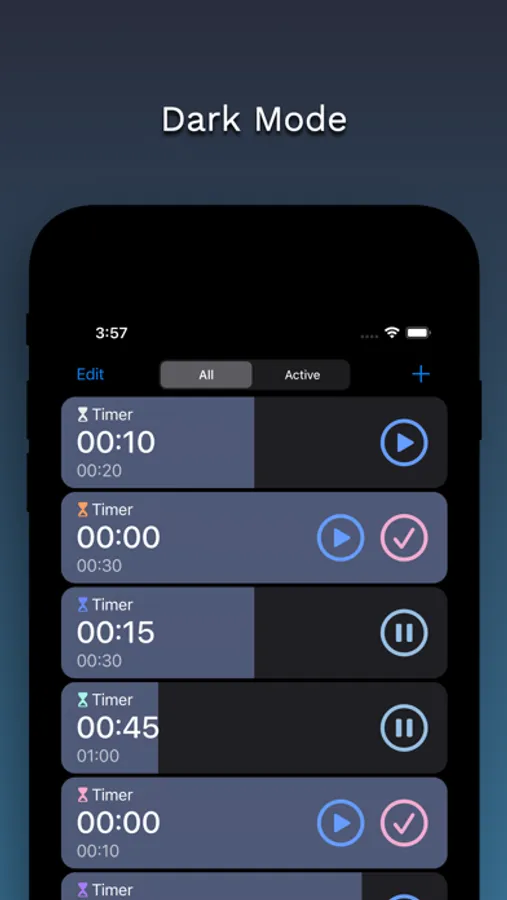
Easily create and run multiple timers and stopwatches on a single screen.
[ Features ]
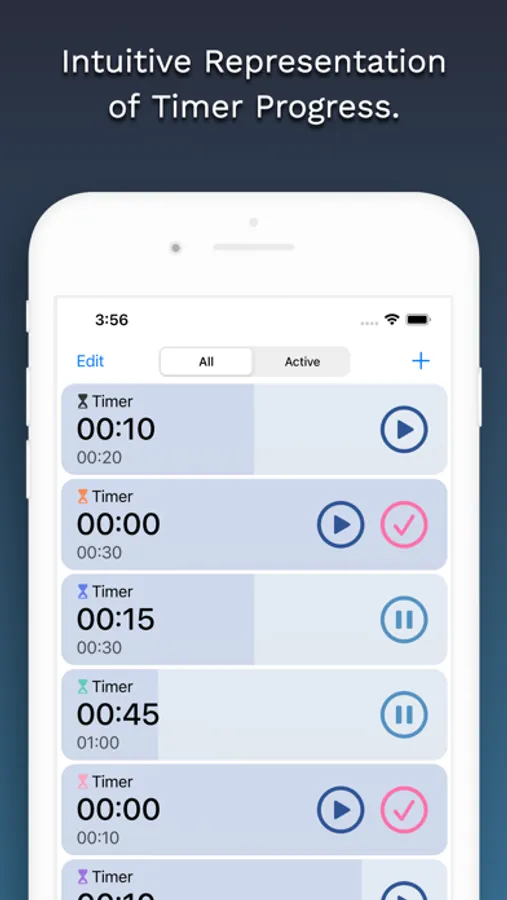
• Intuitively indicates the progress of the timer.
• You can set an alarm sound for the timer.
• Only timers and stopwatches currently active can be viewed separately.
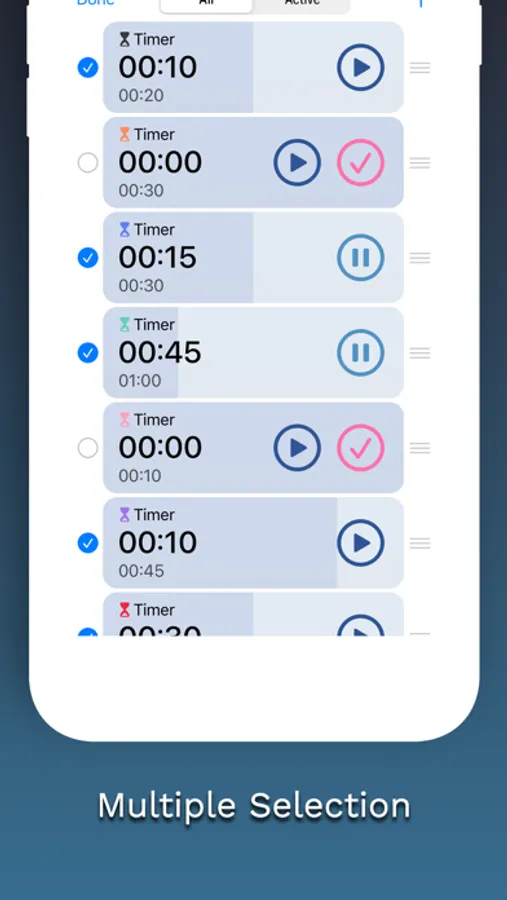
• Multiple selections allow multiple timers and stopwatches to be operated and deleted.
• Even if you rerun the app after shutting down, the progress remains saved.
[ How to Use ]
• Press the '+' button to create a timer or stopwatch.
• Press the 'edit' button to operate or delete several simultaneously.
• Swipe left to right to stop.
• Swipe right to left to delete.
Enhance productivity by conveniently managing all your daily tasks such as studying, cooking, workouts, work, and chores.
Easily create and run multiple timers and stopwatches on a single screen.
[ Features ]
• Intuitively indicates the progress of the timer.
• You can set an alarm sound for the timer.
• Only timers and stopwatches currently active can be viewed separately.
• Multiple selections allow multiple timers and stopwatches to be operated and deleted.
• Even if you rerun the app after shutting down, the progress remains saved.
[ How to Use ]
• Press the '+' button to create a timer or stopwatch.
• Press the 'edit' button to operate or delete several simultaneously.
• Swipe left to right to stop.
• Swipe right to left to delete.