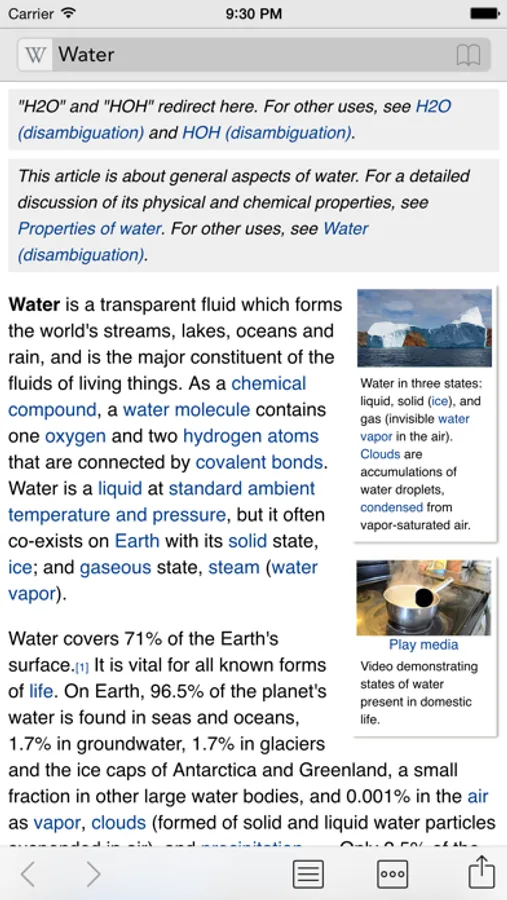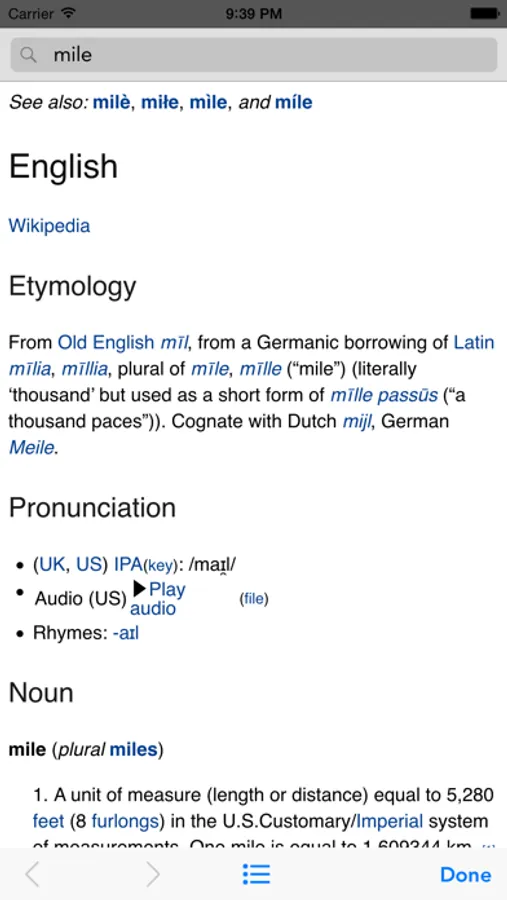
In this app, you can quickly search, navigate, and display Wikipedia entries with features like table of contents browsing and section bookmarking. Includes multiple search methods, language switching, iCloud sync, and in-page search functionalities.
AppRecs review analysis
AppRecs rating 3.7. Trustworthiness 80 out of 100. Review manipulation risk 20 out of 100. Based on a review sample analyzed.
★★★☆☆
3.7
AppRecs Rating
Ratings breakdown
5 star
51%
4 star
17%
3 star
8%
2 star
8%
1 star
16%
What to know
✓
Low review manipulation risk
20% review manipulation risk
✓
Credible reviews
80% trustworthiness score from analyzed reviews
✓
Good user ratings
68% positive sampled reviews
About Wikipanion
Accessing Wikipedia has never been faster and easier than with Wikipanion, designed for easy, search, navigation and display of Wikipedia entries. Streamline your browsing with history grouped by visit date, and bookmarking that not only bookmarks individual entries, but individual sections within an entry. Featuring intelligent features such as:
- Table of contents browser that knows where you are in the page
- Multiple search methods including Smart completion with entry preview, Google searching and a full text Wikipedia search
- Dual language searching and language switching (hiding languages you don't care about)
- Bookmark, including bookmarking individual sections of pages
- History, grouped by last visit date
- Full in-page searching
- Wiktionary dictionary term looking without leaving the current page
- Table based category browsing
- iCloud syncing
- Image saving to the Photo library
- Ogg vorbis audio playback for dictionary pronunciations and other audio content available on Wikipedia
- Contextual knowledge for sending links to specific sections in a Wikipedia entry
- Easily turn on automatic focusing of the search field on launch
Tip: To scroll to the top of a Wikipedia entry, hit the title bar at the top of the iPhone's screen (this works in Safari too).
Second tip: Click into the search bar to cancel a page load request.
See the Wikipanion web site for more details about all of the available features.
Wikipanion is advertisement free.
- Table of contents browser that knows where you are in the page
- Multiple search methods including Smart completion with entry preview, Google searching and a full text Wikipedia search
- Dual language searching and language switching (hiding languages you don't care about)
- Bookmark, including bookmarking individual sections of pages
- History, grouped by last visit date
- Full in-page searching
- Wiktionary dictionary term looking without leaving the current page
- Table based category browsing
- iCloud syncing
- Image saving to the Photo library
- Ogg vorbis audio playback for dictionary pronunciations and other audio content available on Wikipedia
- Contextual knowledge for sending links to specific sections in a Wikipedia entry
- Easily turn on automatic focusing of the search field on launch
Tip: To scroll to the top of a Wikipedia entry, hit the title bar at the top of the iPhone's screen (this works in Safari too).
Second tip: Click into the search bar to cancel a page load request.
See the Wikipanion web site for more details about all of the available features.
Wikipanion is advertisement free.