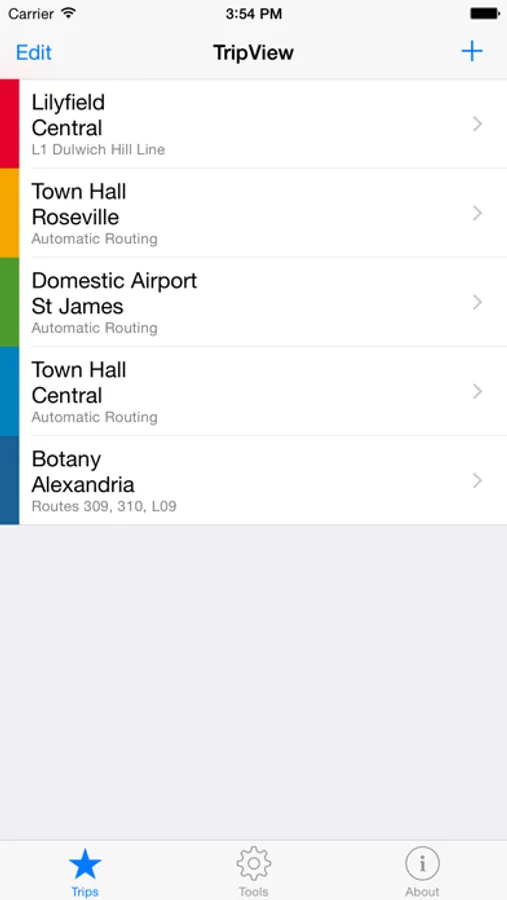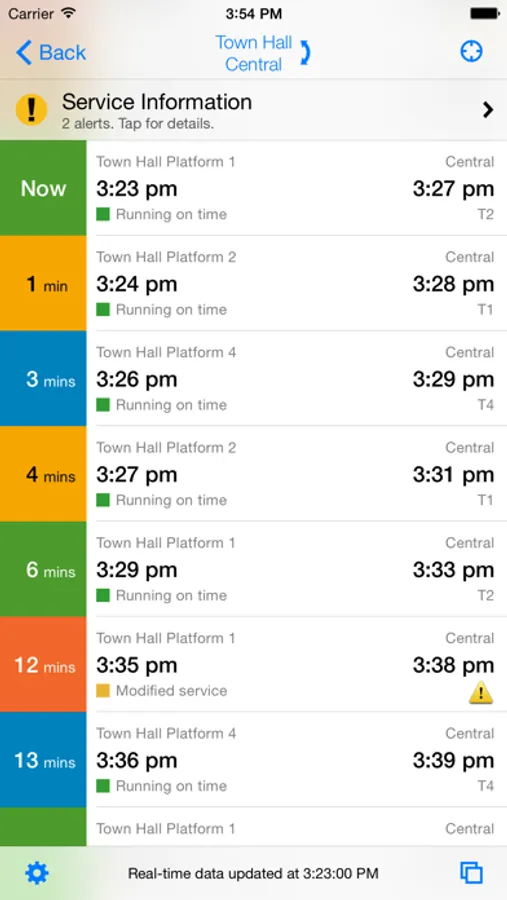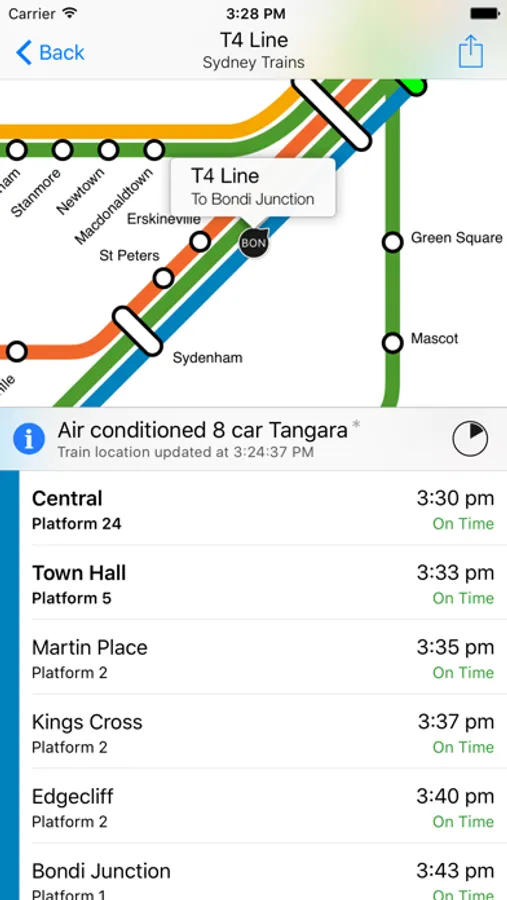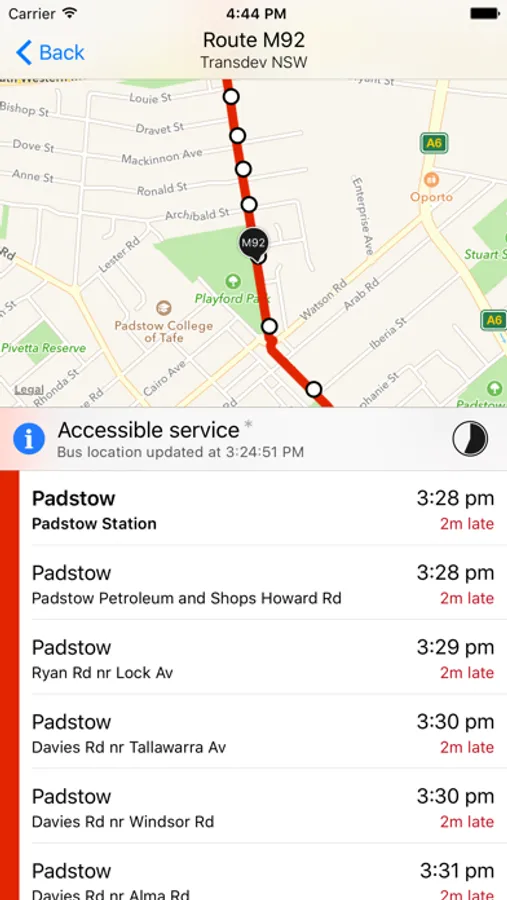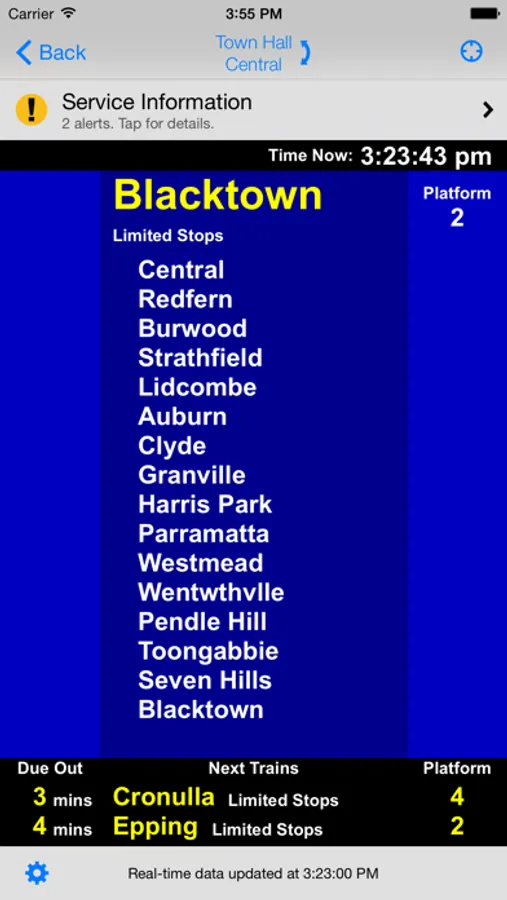
With this public transport app, you can view timetable data, track delays, and create custom trips. Includes offline access, real-time updates, and Siri Shortcuts.
AppRecs review analysis
AppRecs rating 4.6. Trustworthiness 72 out of 100. Review manipulation risk 23 out of 100. Based on a review sample analyzed.
★★★★☆
4.6
AppRecs Rating
Ratings breakdown
5 star
84%
4 star
12%
3 star
3%
2 star
0%
1 star
1%
What to know
✓
Low review manipulation risk
23% review manipulation risk
✓
Credible reviews
72% trustworthiness score from analyzed reviews
✓
High user satisfaction
84% of sampled ratings are 5 stars
About TripView
TripView displays Sydney, Melbourne, and Brisbane public transport timetable data on your phone. It features a summary view showing your next services, as well as a full timetable viewer. All timetable data is stored on your phone, so it can be used offline.
Features:
- View times for any saved trip with a single tap
- Real-time delay information and vehicle map (subject to data availability)
- Trackwork and service interruption information
- Interactive maps (create your trip by clicking on your station/stop)
- Alarms (arrival/departure, time/distance)
- Multi-modal trip editor (customise exact change locations / lines)
- View your favourite trips on Apple Watch
- Siri Shortcuts
NOTE: Best efforts are taken to ensure timetable accuracy, but no guarantees are made. If you find an error in the timetable, please email support@tripview.com.au with details. No guarantees are made about real-time data availability. If the transit operator doesn't provide real-time data for a particular service, TripView will revert to showing the scheduled time, as per the timetable.
Features:
- View times for any saved trip with a single tap
- Real-time delay information and vehicle map (subject to data availability)
- Trackwork and service interruption information
- Interactive maps (create your trip by clicking on your station/stop)
- Alarms (arrival/departure, time/distance)
- Multi-modal trip editor (customise exact change locations / lines)
- View your favourite trips on Apple Watch
- Siri Shortcuts
NOTE: Best efforts are taken to ensure timetable accuracy, but no guarantees are made. If you find an error in the timetable, please email support@tripview.com.au with details. No guarantees are made about real-time data availability. If the transit operator doesn't provide real-time data for a particular service, TripView will revert to showing the scheduled time, as per the timetable.