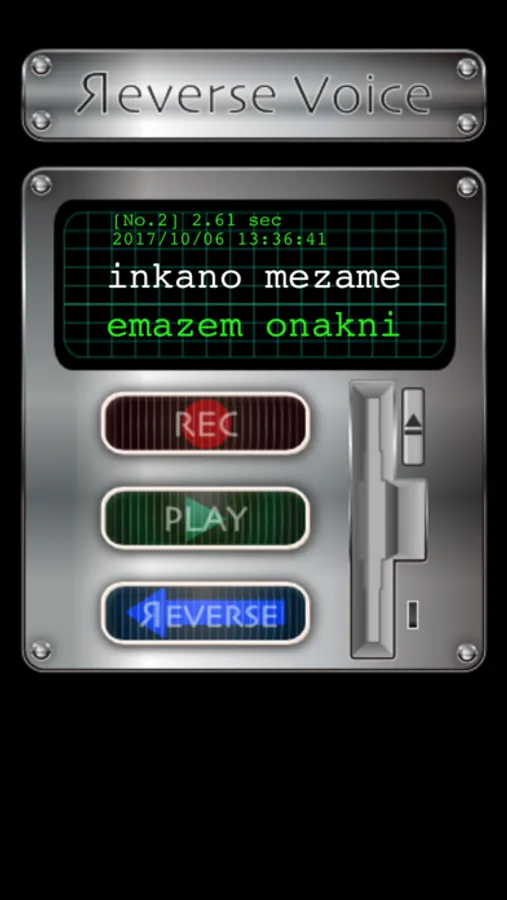
In this voice application, you can record speech, reverse playback, and share recordings via email. Includes recording controls, playback features, and sharing options.
AppRecs review analysis
AppRecs rating 1.0. Trustworthiness 80 out of 100. Review manipulation risk 27 out of 100. Based on a review sample analyzed.
★☆☆☆☆
1.0
AppRecs Rating
Ratings breakdown
5 star
9%
4 star
2%
3 star
2%
2 star
2%
1 star
84%
What to know
⚠
Ad complaints
Many low ratings mention excessive ads
⚠
Mixed user feedback
Average 1.5★ rating suggests room for improvement
⚠
High negative review ratio
86% of sampled ratings are 1–2 stars
About ReverseVoice
Voice applications that are hot reverse play.
Try words that you can reverse voice well.
1. Consider the word play in reverse.
2. Turn the word thought. (It is useful because it has the ability to reverse the character to use a text field)
3. "REC" Tap the button to pronounce the characters reversed.
4. Again, "REC" button to end recording and tapping.
5. "REVERSE" and tap the button, the recorded sound is played backwards.
- "arigatou" or "ohayougozaimasu" and it is good for starters.
- Available only with voice input device.
- The recorded files can be emailed to your friends.
Try words that you can reverse voice well.
1. Consider the word play in reverse.
2. Turn the word thought. (It is useful because it has the ability to reverse the character to use a text field)
3. "REC" Tap the button to pronounce the characters reversed.
4. Again, "REC" button to end recording and tapping.
5. "REVERSE" and tap the button, the recorded sound is played backwards.
- "arigatou" or "ohayougozaimasu" and it is good for starters.
- Available only with voice input device.
- The recorded files can be emailed to your friends.