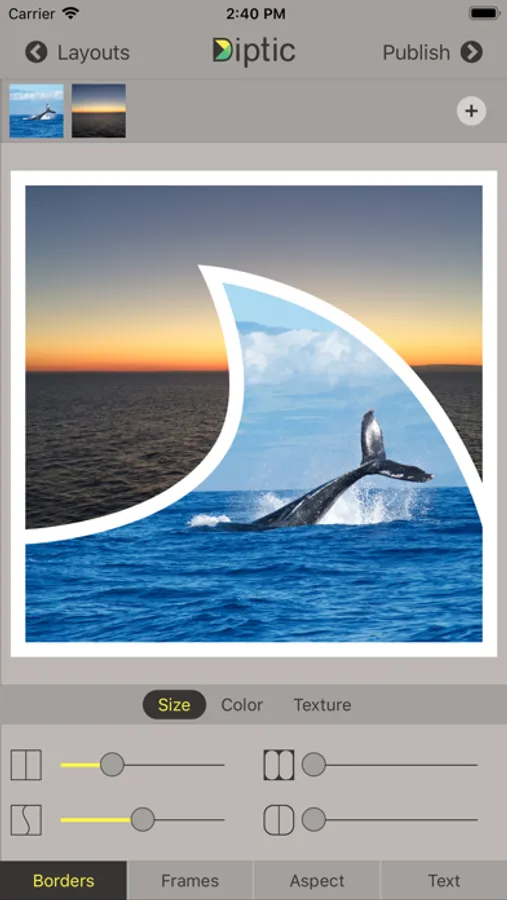
In this photo and video collage app, you can combine images and clips using customizable layouts and add captions or filters. Includes options for importing media from social networks, adjusting image settings, and exporting in high resolution.
AppRecs review analysis
AppRecs rating 4.0. Trustworthiness 81 out of 100. Review manipulation risk 24 out of 100. Based on a review sample analyzed.
★★★★☆
4.0
AppRecs Rating
Ratings breakdown
5 star
80%
4 star
8%
3 star
2%
2 star
2%
1 star
7%
What to know
✓
Low review manipulation risk
24% review manipulation risk
✓
Credible reviews
81% trustworthiness score from analyzed reviews
⚠
Pricing complaints
Many low ratings mention paywalls or pricing
About Diptic
Diptic, a former App Store App of the Week, helps you create and share beautiful photo and video collages. See for yourself why millions of people have downloaded this app!
"A simple, elegant way to use pictures to tell your story." – Macworld
DIPTIC 101
• Create collages with photos and videos
• Super Customizable — Tons of layouts to choose from plus tons of ways to enhance each one. Save your own customized layouts for re-use
• Add text captions, filters, colored borders, textured borders & more
LAYOUTS AND BORDERS
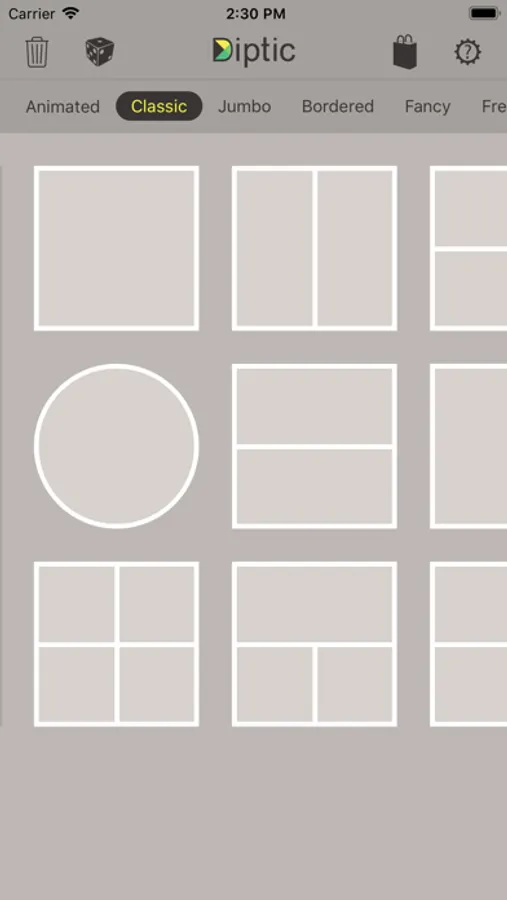
• Choose from 194+ layouts (additional layouts are available as in-app purchases)
• Combine up to nine photos and/or videos in each layout
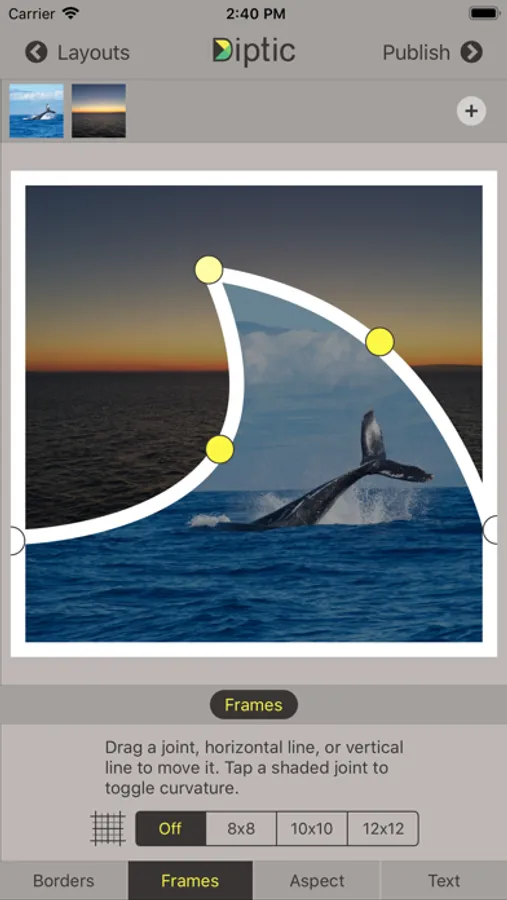
• Customize your layouts to better fit your video or images by sliding interior frame lines or moving joints along the line
• Create rectangular Diptics (great for printing) with Expandable Layouts (in-app purchase)
• Round the inner and outer borders, as well as modify thickness and color, and apply textures to videos and images
IMAGE ADJUSTMENTS
• Choose from 14 filters, as well as adjust brightness, contrast, hue and color saturation
• Pan, rotate, mirror, flip, and zoom individual photos
TEXT CAPTIONS
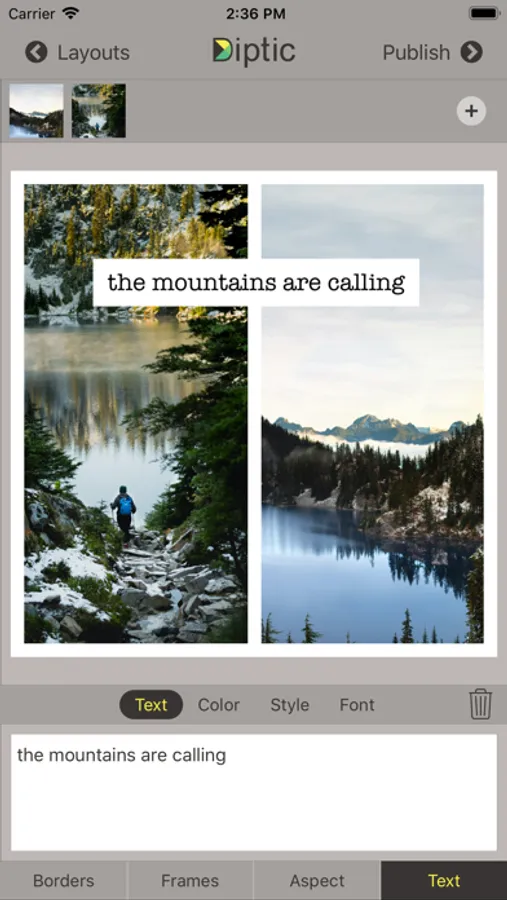
• Personalize your Diptic photo and video creations with a text caption
• Adjust the font, style, color and size of the text
VIDEO ADJUSTMENTS
• Add music to any video collage and adjust audio start and stop time
• Pick any song from your Music library
• Customize video start and stop time
IMPORT/EXPORT OPTIONS
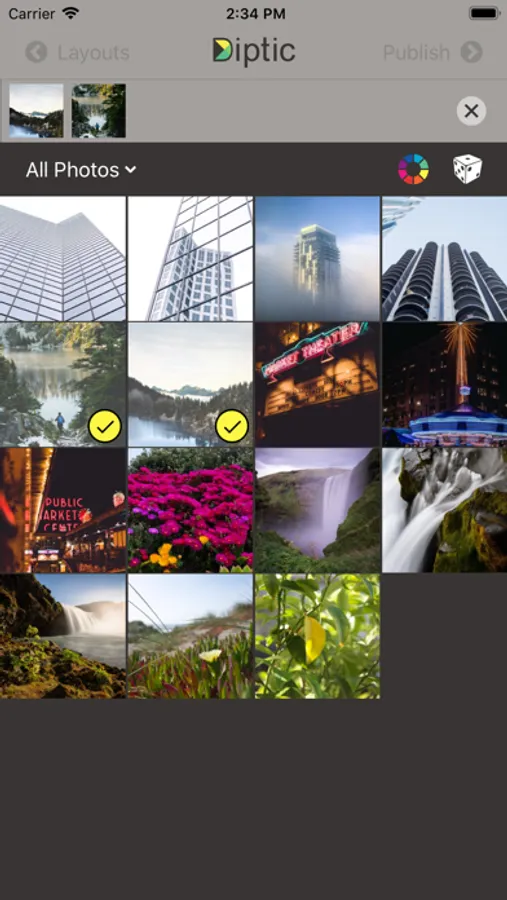
• Create Diptics with photos or videos from your library, Instagram, Dropbox, Facebook or Flickr, or take a photo on the spot with the camera
• Save Diptics for safe keeping or share them with friends. You can send via email, or share by uploading directly to Instagram, Facebook, Twitter, Tumblr or any app that accepts JPGs and/or video files
• High-resolution export for pixel-perfect images
• Import multiple photos and videos at once and swap media between frames
• Add music from your music library to any of your videos
Let’s connect!
Twitter: @dipticapp
Instagram: @dipticapp
Facebook: facebook.com/dipticapp
Flickr: flickr.com/groups/diptic
Please reach out to us at support@dipticapp.com if you have any suggestions for the new video features or anything else you’d like to see... we’d love to hear from you!
"A simple, elegant way to use pictures to tell your story." – Macworld
DIPTIC 101
• Create collages with photos and videos
• Super Customizable — Tons of layouts to choose from plus tons of ways to enhance each one. Save your own customized layouts for re-use
• Add text captions, filters, colored borders, textured borders & more
LAYOUTS AND BORDERS
• Choose from 194+ layouts (additional layouts are available as in-app purchases)
• Combine up to nine photos and/or videos in each layout
• Customize your layouts to better fit your video or images by sliding interior frame lines or moving joints along the line
• Create rectangular Diptics (great for printing) with Expandable Layouts (in-app purchase)
• Round the inner and outer borders, as well as modify thickness and color, and apply textures to videos and images
IMAGE ADJUSTMENTS
• Choose from 14 filters, as well as adjust brightness, contrast, hue and color saturation
• Pan, rotate, mirror, flip, and zoom individual photos
TEXT CAPTIONS
• Personalize your Diptic photo and video creations with a text caption
• Adjust the font, style, color and size of the text
VIDEO ADJUSTMENTS
• Add music to any video collage and adjust audio start and stop time
• Pick any song from your Music library
• Customize video start and stop time
IMPORT/EXPORT OPTIONS
• Create Diptics with photos or videos from your library, Instagram, Dropbox, Facebook or Flickr, or take a photo on the spot with the camera
• Save Diptics for safe keeping or share them with friends. You can send via email, or share by uploading directly to Instagram, Facebook, Twitter, Tumblr or any app that accepts JPGs and/or video files
• High-resolution export for pixel-perfect images
• Import multiple photos and videos at once and swap media between frames
• Add music from your music library to any of your videos
Let’s connect!
Twitter: @dipticapp
Instagram: @dipticapp
Facebook: facebook.com/dipticapp
Flickr: flickr.com/groups/diptic
Please reach out to us at support@dipticapp.com if you have any suggestions for the new video features or anything else you’d like to see... we’d love to hear from you!