Mirror with front camera (with Ad)
Myeongseok SEO
1.5 ★
store rating
Free
AppRecs review analysis
AppRecs rating 1.8. Trustworthiness 71 out of 100. Review manipulation risk 17 out of 100. Based on a review sample analyzed.
★☆☆☆☆
1.8
AppRecs Rating
Ratings breakdown
5 star
0%
4 star
0%
3 star
0%
2 star
50%
1 star
50%
What to know
✓
Low review manipulation risk
17% review manipulation risk
✓
Credible reviews
71% trustworthiness score from analyzed reviews
⚠
Mixed user feedback
Average 1.5★ rating suggests room for improvement
About Mirror with front camera (with Ad)
Not to mention, just works!
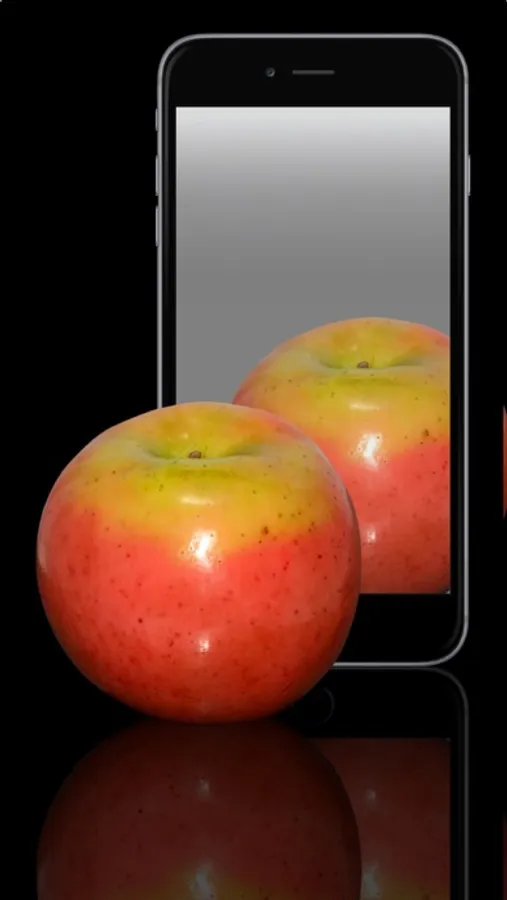
Tired of not working mirror apps? This app works perfectly with iPhone or iPod touch's front-facing camera.
This is a free version with iAd. There is also a paid version with ad-free "Mirror with front camera".
Features:
• 2x Zoom
• Instant picture (save photo, EMail, Twitter, Facebook)
• Minimal design with simple interface (no excess mirror frames)
Requirements:
• iPhone with front camera (6, 6 Plus, 5c, 5s, 5, 4S, 4) or iPod touch with front camera (5th, 4th generation)
Instructions:
• Mirror Screen (start up screen)
- Tap to freeze screen with menu bar appear
- Double tap to zoom in & out
- Triple tap to set focus & whit balance spot
• Frozen Screen (with menu bar)
- Tap export icon to save or send instant picture
- Tap to return mirror screen again
Look forward for updates, we are testing new features for a better looking!
Tired of not working mirror apps? This app works perfectly with iPhone or iPod touch's front-facing camera.
This is a free version with iAd. There is also a paid version with ad-free "Mirror with front camera".
Features:
• 2x Zoom
• Instant picture (save photo, EMail, Twitter, Facebook)
• Minimal design with simple interface (no excess mirror frames)
Requirements:
• iPhone with front camera (6, 6 Plus, 5c, 5s, 5, 4S, 4) or iPod touch with front camera (5th, 4th generation)
Instructions:
• Mirror Screen (start up screen)
- Tap to freeze screen with menu bar appear
- Double tap to zoom in & out
- Triple tap to set focus & whit balance spot
• Frozen Screen (with menu bar)
- Tap export icon to save or send instant picture
- Tap to return mirror screen again
Look forward for updates, we are testing new features for a better looking!