Angle Meter
nakhon phagdeechat
2.3 ★
store rating
Free
AppRecs review analysis
AppRecs rating 2.1. Trustworthiness 78 out of 100. Review manipulation risk 22 out of 100. Based on a review sample analyzed.
★★☆☆☆
2.1
AppRecs Rating
Ratings breakdown
5 star
27%
4 star
4%
3 star
4%
2 star
4%
1 star
62%
What to know
✓
Low review manipulation risk
22% review manipulation risk
✓
Credible reviews
78% trustworthiness score from analyzed reviews
⚠
Mixed user feedback
Average 2.3★ rating suggests room for improvement
About Angle Meter
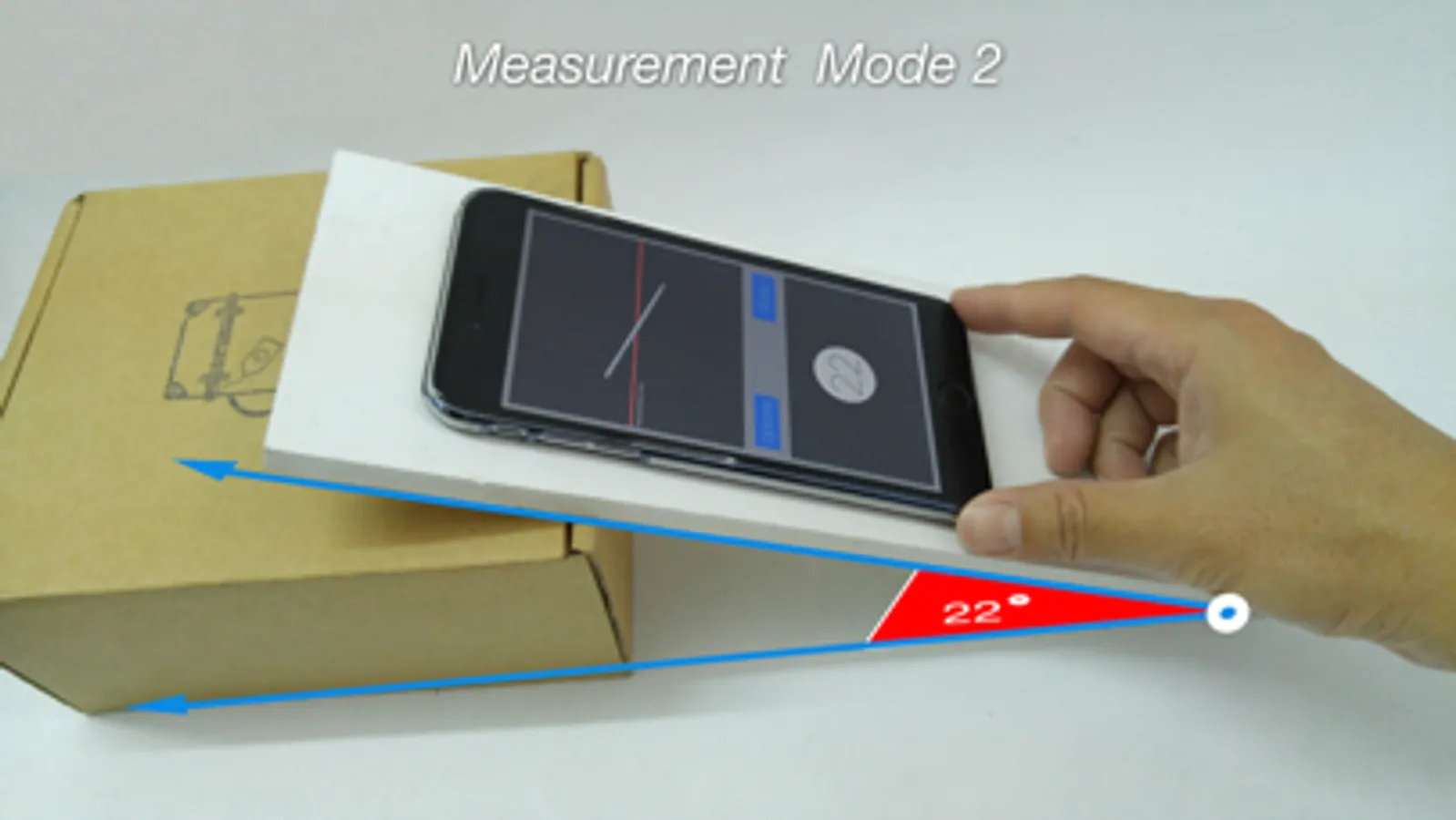
Angle Meter lets you measure the angle or slope. Note that you will be able to measure a variety of slope forms. You can choose to directly measure the surface by the second mode, which makes it relatively easy to measure up,or to measure the angle of the target away a short distance away from you after kilo meter. By measuring the angle from the camera aperture. This is a reference line, respectively, and the angles are measured while the display on your phone continuously. You also can take what you measure by showing the angle to keep a check on it later.
Featured
1) Real time display angle value reference by horizontal axis.
2) 2 mode for using(mode 1 and mode 2).
3) Support measure angles with the camera mode.
3.1) you can take screen short can be a target for record store at a later time.
4) Support the ability to measure the angle from the image.
5) Graphics Animation display related by mode.
6) Display 0 to 90 degree reference by horizontal axis.
7) Calibrate option for accuracy.
8) Support Level Meter allows you to measure the degree of tilt in the vertical plane and can take many forms. The measurements in each axis is locked to the screen, still more easy to measure.
***For Level Measurement
1) The three models at the same level. Including horizontal, vertical and inclined at 45 degrees.
2) Sound a warning when it finds that the measure in the horizontal plane. That is the angle measured in the plane is less than 1 degree (you can enable / disable this).
3) While the display is illuminated at all times, making the work easier (you can enable / disable this).
Featured
1) Real time display angle value reference by horizontal axis.
2) 2 mode for using(mode 1 and mode 2).
3) Support measure angles with the camera mode.
3.1) you can take screen short can be a target for record store at a later time.
4) Support the ability to measure the angle from the image.
5) Graphics Animation display related by mode.
6) Display 0 to 90 degree reference by horizontal axis.
7) Calibrate option for accuracy.
8) Support Level Meter allows you to measure the degree of tilt in the vertical plane and can take many forms. The measurements in each axis is locked to the screen, still more easy to measure.
***For Level Measurement
1) The three models at the same level. Including horizontal, vertical and inclined at 45 degrees.
2) Sound a warning when it finds that the measure in the horizontal plane. That is the angle measured in the plane is less than 1 degree (you can enable / disable this).
3) While the display is illuminated at all times, making the work easier (you can enable / disable this).