AppRecs review analysis
AppRecs rating 2.1. Trustworthiness 76 out of 100. Review manipulation risk 26 out of 100. Based on a review sample analyzed.
★★☆☆☆
2.1
AppRecs Rating
Ratings breakdown
5 star
24%
4 star
6%
3 star
24%
2 star
6%
1 star
41%
What to know
⚠
Ad complaints
Many low ratings mention excessive ads
⚠
Pricing complaints
Many low ratings mention paywalls or pricing
⚠
Mixed user feedback
Average 2.6★ rating suggests room for improvement
About vloop Pro
(Formally CWG's Video Loop Presenter)
(Not for making animated GIFs)
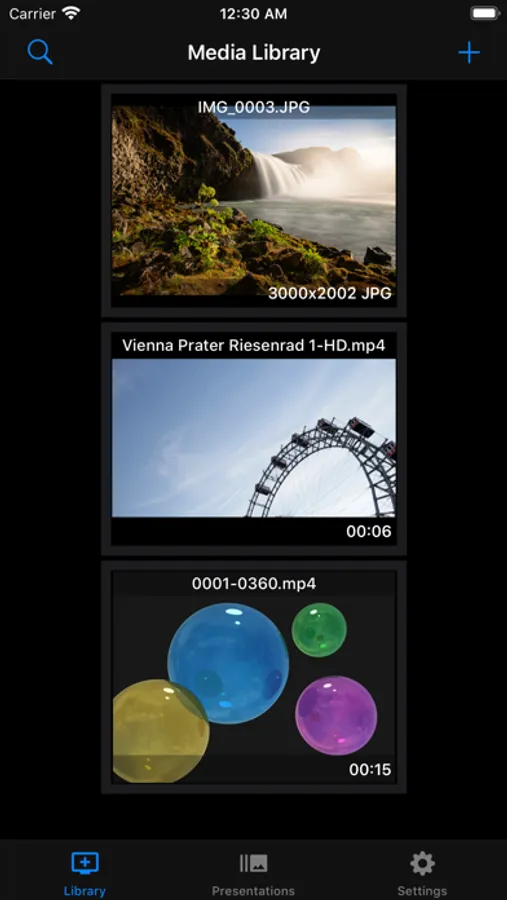
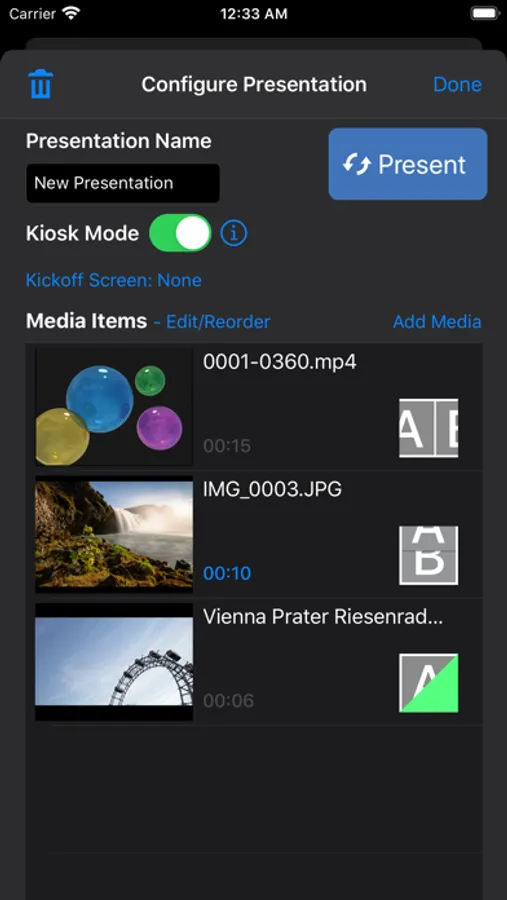
vloop Pro is an application for looping video on your iPad and iPhone. This simple, presentation application allows you to select videos from your iOS device and loop them. This is useful for:
• Presentations
• Kiosks
• Parties
Loops single videos seamlessly! No jumping or hiccups on repeat.
In addition to looping video, you can add images and PDFS. You can also customize the background image of the application to match your company's brand.
Videos/Files can be added through iOS File Browser which supports:
• Dropbox
• Google Drive
• OneDrive
• Box
• and many others.
Files can also be added from you mac, open the Finder, find you iPhone/iPad and select File Sharing.
Go vloop Pro with an in app purchase and unlock:
• Multiple Presentations
• Multiple Files per Presentation
• Enterprise Monitoring (make sure your presentation is running from any web browser)
Tutorial videos included, showing you how to use vloop!
Privacy Policy:
http://www.claywarestore.com/legal/privacypolicy.html
Terms and Conditions:
http://www.claywarestore.com/legal/termsandconditions.html
(Not for making animated GIFs)
vloop Pro is an application for looping video on your iPad and iPhone. This simple, presentation application allows you to select videos from your iOS device and loop them. This is useful for:
• Presentations
• Kiosks
• Parties
Loops single videos seamlessly! No jumping or hiccups on repeat.
In addition to looping video, you can add images and PDFS. You can also customize the background image of the application to match your company's brand.
Videos/Files can be added through iOS File Browser which supports:
• Dropbox
• Google Drive
• OneDrive
• Box
• and many others.
Files can also be added from you mac, open the Finder, find you iPhone/iPad and select File Sharing.
Go vloop Pro with an in app purchase and unlock:
• Multiple Presentations
• Multiple Files per Presentation
• Enterprise Monitoring (make sure your presentation is running from any web browser)
Tutorial videos included, showing you how to use vloop!
Privacy Policy:
http://www.claywarestore.com/legal/privacypolicy.html
Terms and Conditions:
http://www.claywarestore.com/legal/termsandconditions.html