AppRecs review analysis
AppRecs rating 1.5. Trustworthiness 78 out of 100. Review manipulation risk 21 out of 100. Based on a review sample analyzed.
★☆☆☆☆
1.5
AppRecs Rating
Ratings breakdown
5 star
25%
4 star
0%
3 star
0%
2 star
0%
1 star
75%
What to know
✓
Low review manipulation risk
21% review manipulation risk
✓
Credible reviews
78% trustworthiness score from analyzed reviews
⚠
Mixed user feedback
Average 2.0★ rating suggests room for improvement
About iSuper Heli
PLEASE NOTE: you need to own an iSuper Helicopter in order to use this application.
The iSuper Heli app turns your iPhone,iPod touch, or iPad into a great remote controller for an iSuper helicopter, which will let you experience the thrill of flying a helicopter via your iPhone,iPod touch and iPad!
Control features:
The control is incredibly intuitive and easy:
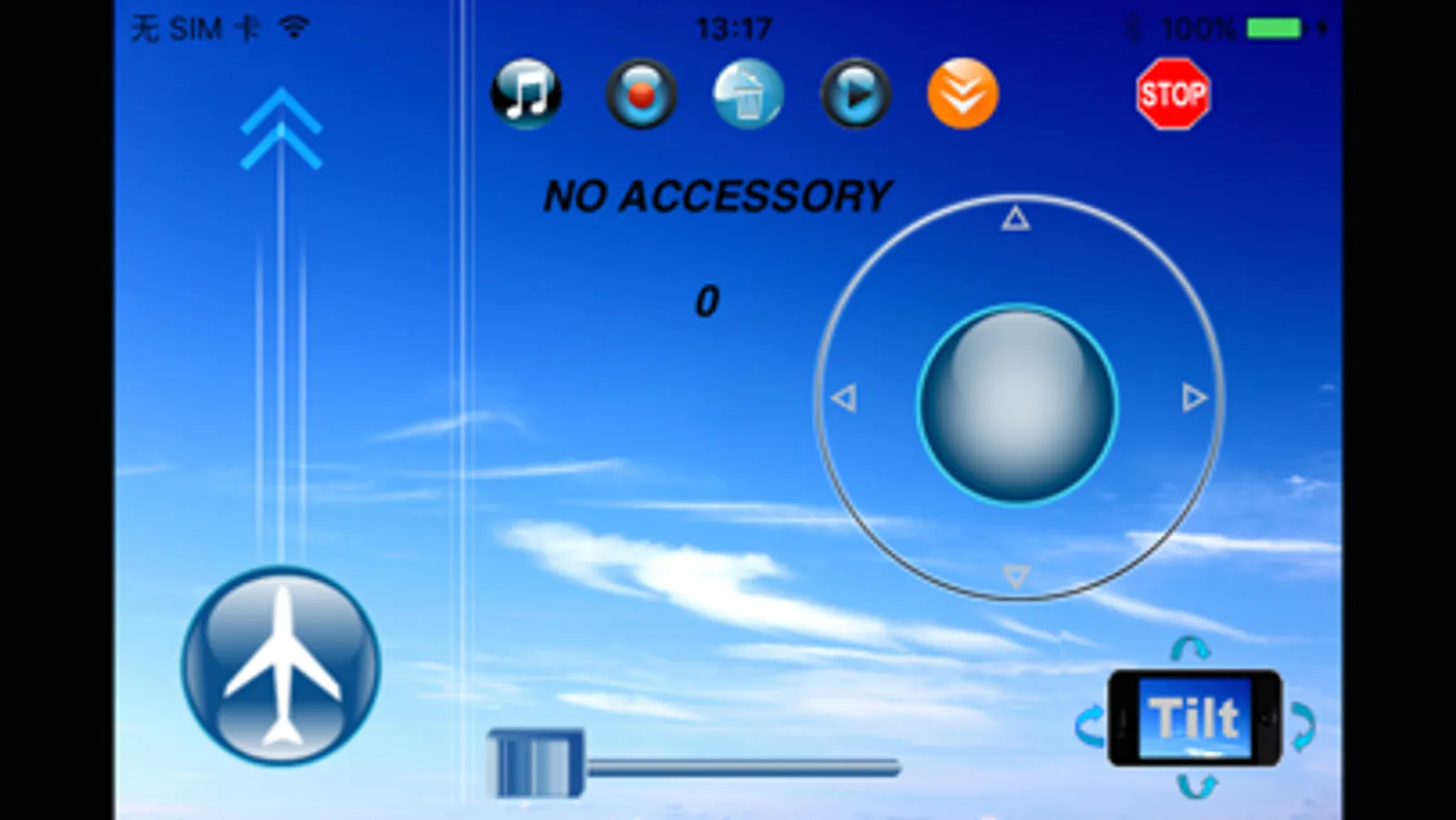
2 ways to control the flying (forward, backward, right, left): Either by sliding the joystick with your finger on the right side of the screen, or by tilting the Apple devices (iPhone, iPod touch or iPad). Sliding the airplane mark on the left side of the screen up and down controls the flying height, it will let the helicopter ascend or descend, take off or land.
The control is very precise; it dares to beat any ordinary physical remote controller.
Record & playback feature: toggle the record button on the top during the flight will memorize the flight route, then push the play button to play it back, letting the helicopter fly by itself.
Music play function: listen to your favorite songs from your Apple device as you fly the helicopter.
Quick setup tips:
===============
1. go to Settings → General → Bluetooth
Turn on Bluetooth, search "iSuper Helicopter" and pair with it.
2. Start iSuperHeli application
3. Slide left joystick to move heli up/down;
Slide right joystick to move heli left/right/forward/backward.
For detailed info, please refer to user manual.
For tutorial, please visit www.wirelessinput.com.
Enjoy your flight!
The iSuper Heli app turns your iPhone,iPod touch, or iPad into a great remote controller for an iSuper helicopter, which will let you experience the thrill of flying a helicopter via your iPhone,iPod touch and iPad!
Control features:
The control is incredibly intuitive and easy:
2 ways to control the flying (forward, backward, right, left): Either by sliding the joystick with your finger on the right side of the screen, or by tilting the Apple devices (iPhone, iPod touch or iPad). Sliding the airplane mark on the left side of the screen up and down controls the flying height, it will let the helicopter ascend or descend, take off or land.
The control is very precise; it dares to beat any ordinary physical remote controller.
Record & playback feature: toggle the record button on the top during the flight will memorize the flight route, then push the play button to play it back, letting the helicopter fly by itself.
Music play function: listen to your favorite songs from your Apple device as you fly the helicopter.
Quick setup tips:
===============
1. go to Settings → General → Bluetooth
Turn on Bluetooth, search "iSuper Helicopter" and pair with it.
2. Start iSuperHeli application
3. Slide left joystick to move heli up/down;
Slide right joystick to move heli left/right/forward/backward.
For detailed info, please refer to user manual.
For tutorial, please visit www.wirelessinput.com.
Enjoy your flight!