BeyondTrust Support
Bomgar Corporation
3.1 ★
store rating
Free
AppRecs review analysis
AppRecs rating 2.6. Trustworthiness 79 out of 100. Review manipulation risk 22 out of 100. Based on a review sample analyzed.
★★☆☆☆
2.6
AppRecs Rating
Ratings breakdown
5 star
43%
4 star
4%
3 star
12%
2 star
6%
1 star
35%
What to know
✓
Low review manipulation risk
22% review manipulation risk
✓
Credible reviews
79% trustworthiness score from analyzed reviews
⚠
High negative review ratio
41% of sampled ratings are 1–2 stars
About BeyondTrust Support
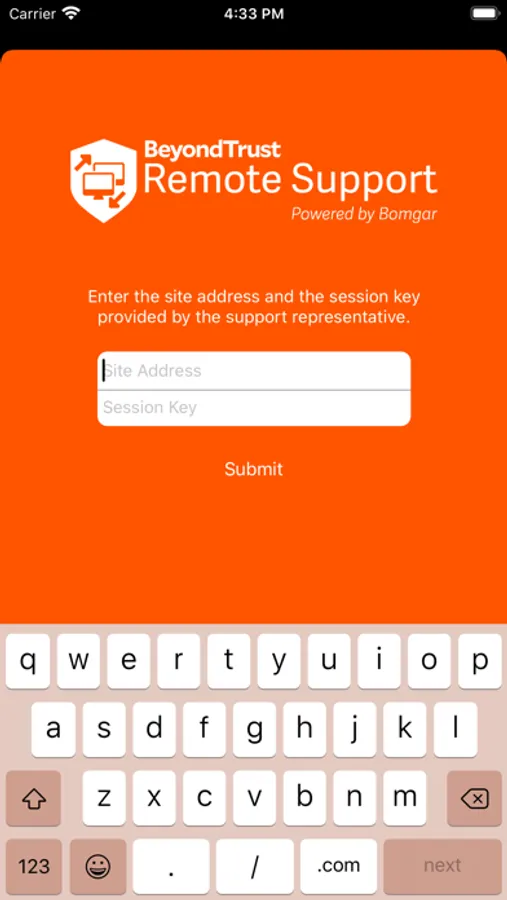
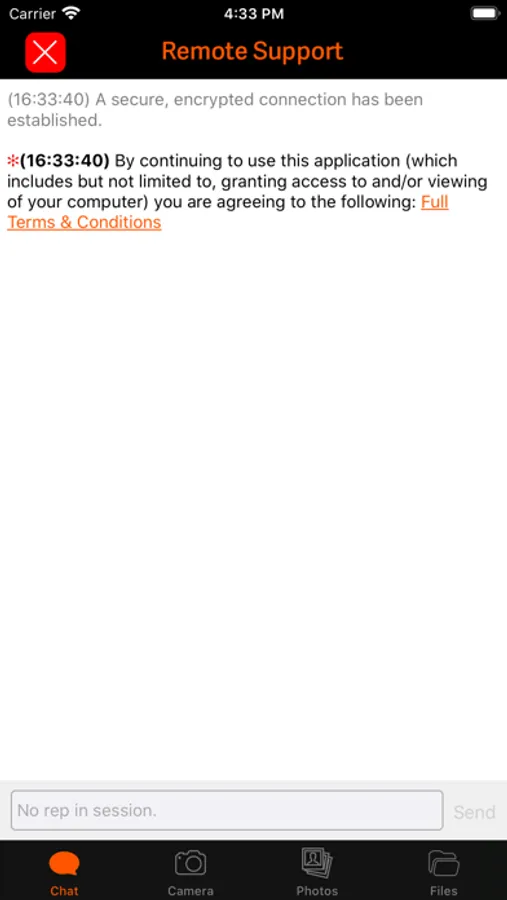
You can dramatically broaden service desk reach with the new BeyondTrust iOS Customer Client. Employees and end users with popular iOS-powered mobile devices can get the fullest support they need to be more productive while mobile. Support reps can securely chat, co-browse a web site or app on the end user's mobile device, view screen shots that the end user captures, and even push status updates to mobile employees and end users right from the BeyondTrust Rep Console.
Feature Overview:
• Secure Session Chat – Use BeyondTrust to chat in real-time with mobile users to better understand the issue, transfer files, and view the device’s system information.
• Screen Co-Browsing – Support reps using BeyondTrust can see the same web sites and web apps that the end user is actively viewing on their mobile device, offering immediate guidance to troubleshoot the issue.
• Screen Snapshot Viewing – End users can share captured screen shots of issues with their support rep, to further collaborate on the challenges they may face with their mobile device.
• Push Web Updates – Support reps can push URLs to end users containing key status updates and system configuration profiles to rapidly resolve the issue.
Note: The BeyondTrust iOS Customer Client works with existing BeyondTrust installations with version 15.2.1 or greater and support sites with trusted CA-signed certificates.
Feature Overview:
• Secure Session Chat – Use BeyondTrust to chat in real-time with mobile users to better understand the issue, transfer files, and view the device’s system information.
• Screen Co-Browsing – Support reps using BeyondTrust can see the same web sites and web apps that the end user is actively viewing on their mobile device, offering immediate guidance to troubleshoot the issue.
• Screen Snapshot Viewing – End users can share captured screen shots of issues with their support rep, to further collaborate on the challenges they may face with their mobile device.
• Push Web Updates – Support reps can push URLs to end users containing key status updates and system configuration profiles to rapidly resolve the issue.
Note: The BeyondTrust iOS Customer Client works with existing BeyondTrust installations with version 15.2.1 or greater and support sites with trusted CA-signed certificates.