Studio Viewer
Esko Software BVBA
3.2 ★
store rating
Free
AppRecs review analysis
AppRecs rating 3.5. Trustworthiness 82 out of 100. Review manipulation risk 13 out of 100. Based on a review sample analyzed.
★★★☆☆
3.5
AppRecs Rating
Ratings breakdown
5 star
40%
4 star
20%
3 star
0%
2 star
0%
1 star
40%
What to know
✓
Low review manipulation risk
13% review manipulation risk
✓
Credible reviews
82% trustworthiness score from analyzed reviews
About Studio Viewer
Enjoy the amazing 3D rendering of packages in Augmented Reality on your Apple device!
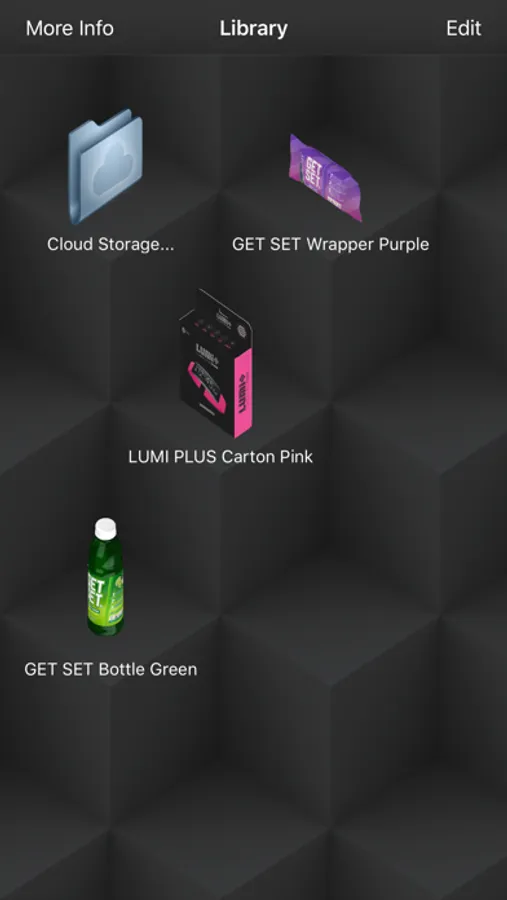
With Studio Viewer you can look at 3D objects and spin them around with simple finger gestures. Studio Viewer is especially effective for viewing packaging mock-ups that have been designed with the Studio software from Esko.
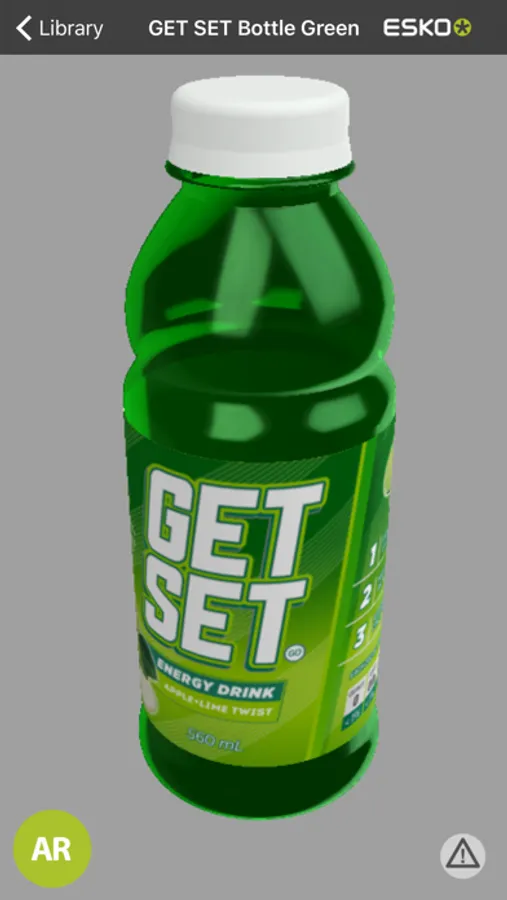
Visualize boxes, pouches, cans, bottles, etc… including the artwork and print effects from Esko’s patented visualisation technology, Studio Visualizer. Enjoy the realistic substrates and finishing effects such as embossing, varnishes, hot/cold, holographic foils, or even transparent glass or plastic.
Augmented Reality using ARKit: Use this functionality to visualise Esko 3D mock-ups in your surrounding environment. Place it on a shelf next to other products and see your brand new designs instantly come to life!
For more info on how to use this viewer, check the ‘More Info’ menu available in the Library view.
With Studio Viewer you can look at 3D objects and spin them around with simple finger gestures. Studio Viewer is especially effective for viewing packaging mock-ups that have been designed with the Studio software from Esko.
Visualize boxes, pouches, cans, bottles, etc… including the artwork and print effects from Esko’s patented visualisation technology, Studio Visualizer. Enjoy the realistic substrates and finishing effects such as embossing, varnishes, hot/cold, holographic foils, or even transparent glass or plastic.
Augmented Reality using ARKit: Use this functionality to visualise Esko 3D mock-ups in your surrounding environment. Place it on a shelf next to other products and see your brand new designs instantly come to life!
For more info on how to use this viewer, check the ‘More Info’ menu available in the Library view.