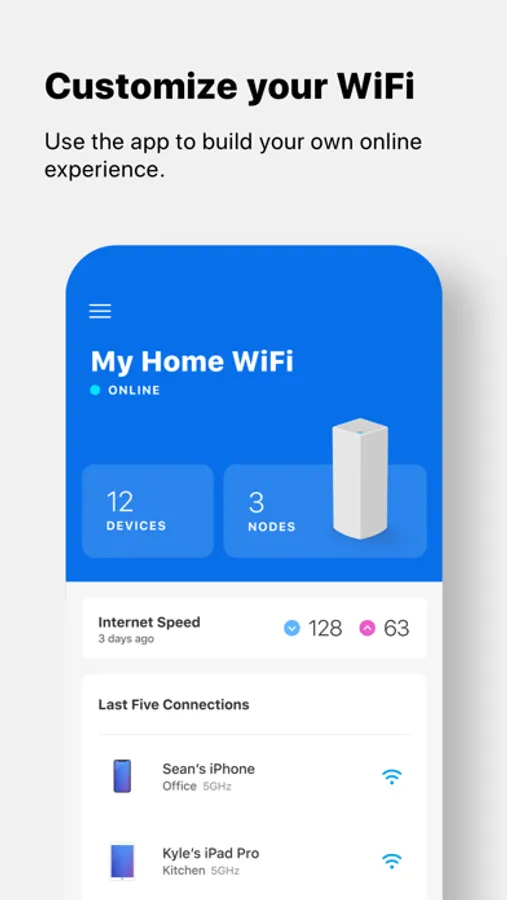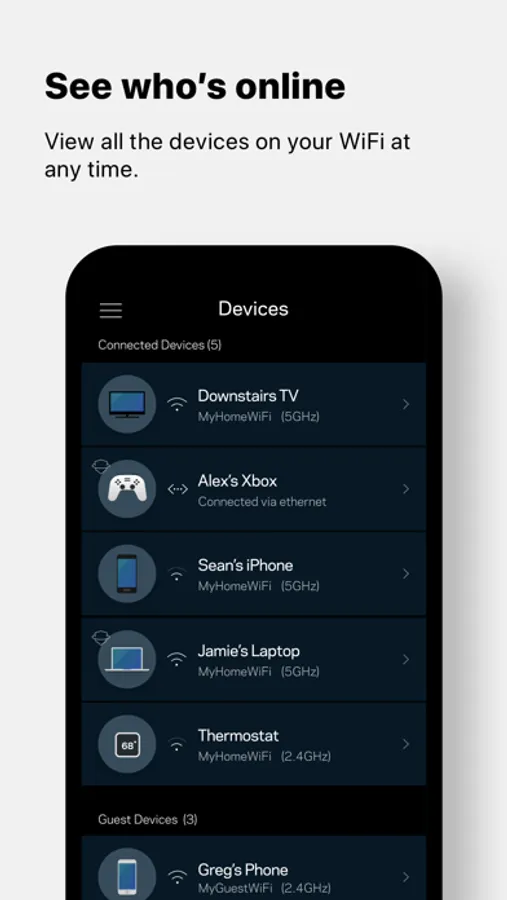
In this app, you can monitor your Velop system and manage your WiFi settings remotely. Includes device connection info, guest access options, and parental controls.
AppRecs review analysis
AppRecs rating 4.2. Trustworthiness 73 out of 100. Review manipulation risk 27 out of 100. Based on a review sample analyzed.
★★★★☆
4.2
AppRecs Rating
Ratings breakdown
5 star
80%
4 star
15%
3 star
2%
2 star
1%
1 star
2%
What to know
✓
Low review manipulation risk
27% review manipulation risk
✓
Credible reviews
73% trustworthiness score from analyzed reviews
✓
High user satisfaction
80% of sampled ratings are 5 stars
About Linksys
This app is the command center for your Velop system and Linksys Smart WiFi routers. Use the Linksys app anywhere you have an internet connection to check connected devices, set up guest access, or keep your kids off the internet when they should be doing homework.
KEY FEATURES
• Remote Access – All you need is the internet.
• Dashboard – Your WiFi's vital stats on one page.
• Guest Access – Give friends internet access, but keep personal data secure.
• Device Prioritization – Improve streaming and online gaming by giving WiFi priority to favored devices.
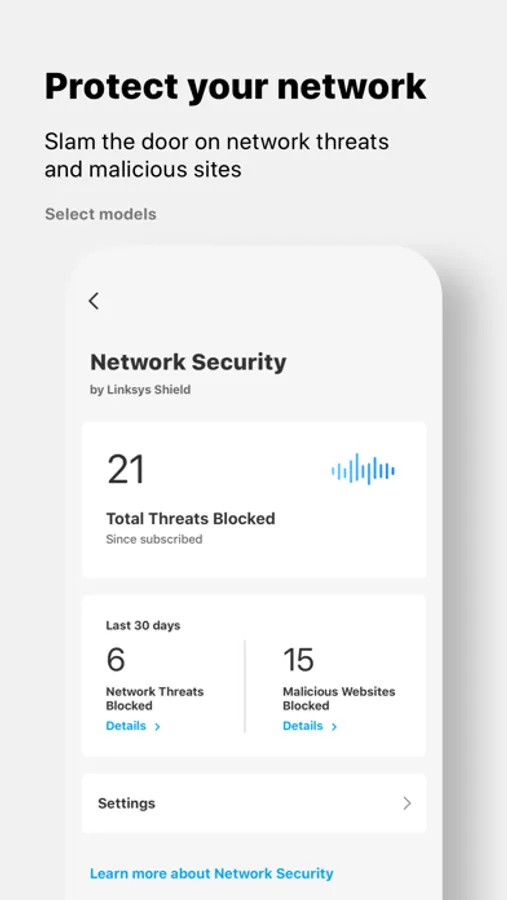
• Network Security - Be proactive against network threats and malicious sites with Linksys Shield.
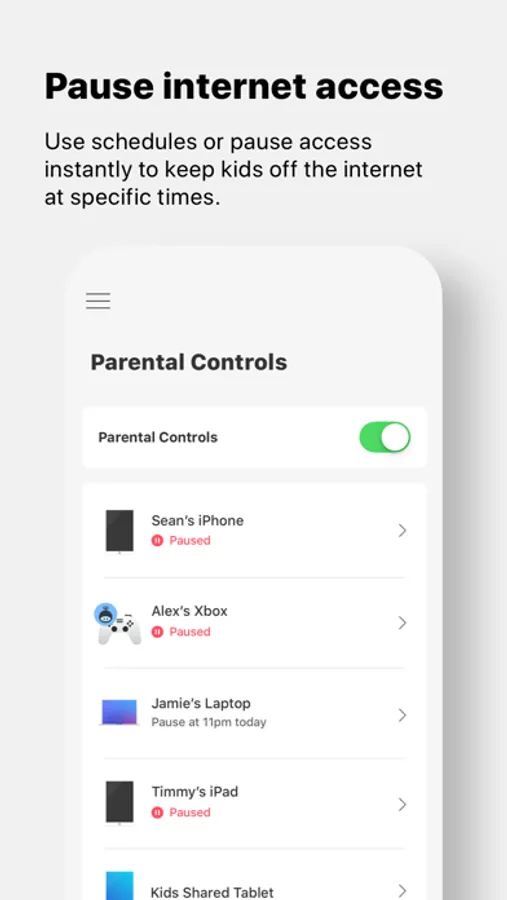
• Parental Controls – Encourage kids' healthy internet behavior by pausing internet access.
Privacy Policy: https://www.linksys.com/embed/lswf/en-us/privacy-policy/
Terms of Use: https://www.linksys.com/embed/lswf/en-us/terms/
SYSTEM REQUIREMENTS*
• Velop systems and Linksys Smart WiFi routers. Full list of supported routers: http://www.LinksysSmartWiFi.com/cloud/ustatic/mobile/supportedRouters.html
• User account (created in the app or at http://www.LinksysSmartWiFi.com) connected to your Linksys product.
• iOS 14.0 and greater
For additional help, visit our support site at http://support.linksys.com
KEY FEATURES
• Remote Access – All you need is the internet.
• Dashboard – Your WiFi's vital stats on one page.
• Guest Access – Give friends internet access, but keep personal data secure.
• Device Prioritization – Improve streaming and online gaming by giving WiFi priority to favored devices.
• Network Security - Be proactive against network threats and malicious sites with Linksys Shield.
• Parental Controls – Encourage kids' healthy internet behavior by pausing internet access.
Privacy Policy: https://www.linksys.com/embed/lswf/en-us/privacy-policy/
Terms of Use: https://www.linksys.com/embed/lswf/en-us/terms/
SYSTEM REQUIREMENTS*
• Velop systems and Linksys Smart WiFi routers. Full list of supported routers: http://www.LinksysSmartWiFi.com/cloud/ustatic/mobile/supportedRouters.html
• User account (created in the app or at http://www.LinksysSmartWiFi.com) connected to your Linksys product.
• iOS 14.0 and greater
For additional help, visit our support site at http://support.linksys.com