New Relic
New Relic, Inc.
3.5 ★
store rating
Free
AppRecs review analysis
AppRecs rating 3.5. Trustworthiness 75 out of 100. Review manipulation risk 20 out of 100. Based on a review sample analyzed.
★★★☆☆
3.5
AppRecs Rating
Ratings breakdown
5 star
46%
4 star
14%
3 star
4%
2 star
14%
1 star
22%
What to know
✓
Low review manipulation risk
20% review manipulation risk
⚠
Pricing complaints
Many low ratings mention paywalls or pricing
⚠
High negative review ratio
36% of sampled ratings are 1–2 stars
About New Relic
Take your data to go.
The New Relic app lets you access your data wherever you are. Receive alerts, view, query, and share dashboards, and more all from your mobile device. Download for free today.
iOS/iPad features include:
* Track real-time and historical app performance from infrastructure to browser
* See key transaction data and app errors
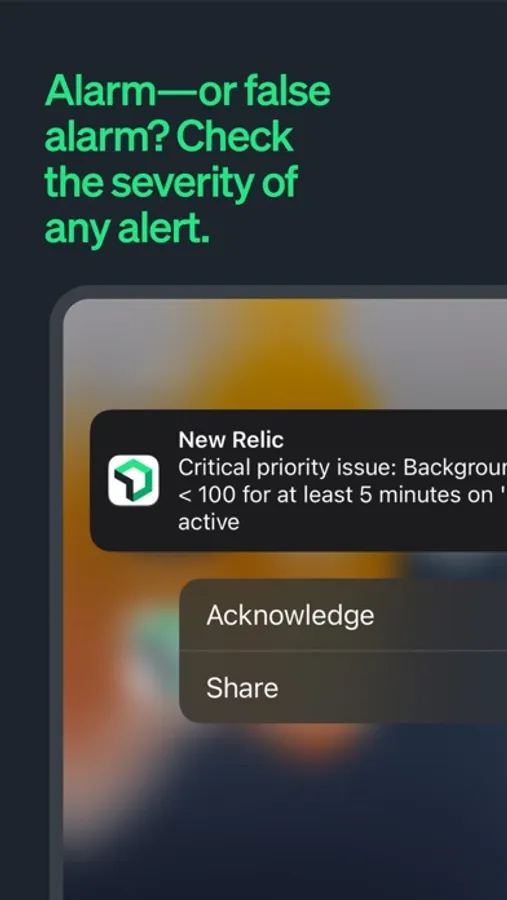
* Stay alert(ed) about application performance and availability issues with push notifications
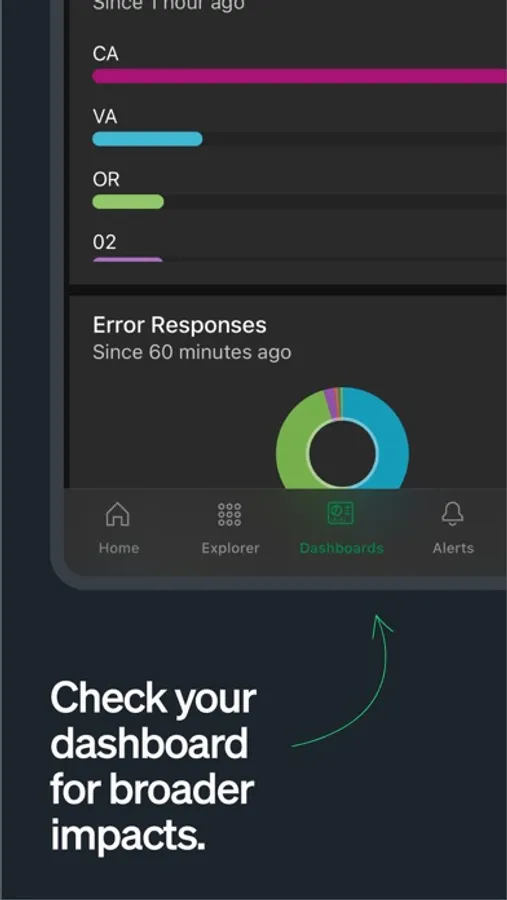
* View and query your most important dashboards
* Favorite your most important applications and view them all in one screen with no clutter
* Check out our docs for more information
Monitor your stack’s performance anytime, anywhere with New Relic. Go on, close that laptop and get out of the office – we’ve got you covered.
About New Relic
New Relic is a software analytics company that makes sense of billions of data points about millions of applications in real time. Our comprehensive SaaS-based solution provides one powerful interface for web and native mobile applications and consolidates the performance monitoring data for any chosen technology in your environment. We have over 250,000 users that utilize our cloud solution to analyze more than 690 billion data points per day across more than 4 million application instances. When your brand and customer experience depend on the performance of modern software, New Relic provides insight into your overall environment.
HOW TO’S
To use the New Relic iOS app you must log in with your existing New Relic credentials. All New Relic accounts associated with this user will automatically appear inside the app.
Set-up push notifications for Alerts customers
* You can choose your push notification settings individually for each application
* Log in into your New Relic account from a web browser
* Click on Alerts
* Click on Notification channels
* Make sure your USER is added as a notification channel
* Then choose Alert policy you wish to be added to
* Add your USER to that notification channel for the policy
Adding New Users
* Tap on your Account name
* Tap on ‘ADD USER’ on the bottom
* You will be taken back to the login screen
* Log in like you normally would with a new email
The New Relic app lets you access your data wherever you are. Receive alerts, view, query, and share dashboards, and more all from your mobile device. Download for free today.
iOS/iPad features include:
* Track real-time and historical app performance from infrastructure to browser
* See key transaction data and app errors
* Stay alert(ed) about application performance and availability issues with push notifications
* View and query your most important dashboards
* Favorite your most important applications and view them all in one screen with no clutter
* Check out our docs for more information
Monitor your stack’s performance anytime, anywhere with New Relic. Go on, close that laptop and get out of the office – we’ve got you covered.
About New Relic
New Relic is a software analytics company that makes sense of billions of data points about millions of applications in real time. Our comprehensive SaaS-based solution provides one powerful interface for web and native mobile applications and consolidates the performance monitoring data for any chosen technology in your environment. We have over 250,000 users that utilize our cloud solution to analyze more than 690 billion data points per day across more than 4 million application instances. When your brand and customer experience depend on the performance of modern software, New Relic provides insight into your overall environment.
HOW TO’S
To use the New Relic iOS app you must log in with your existing New Relic credentials. All New Relic accounts associated with this user will automatically appear inside the app.
Set-up push notifications for Alerts customers
* You can choose your push notification settings individually for each application
* Log in into your New Relic account from a web browser
* Click on Alerts
* Click on Notification channels
* Make sure your USER is added as a notification channel
* Then choose Alert policy you wish to be added to
* Add your USER to that notification channel for the policy
Adding New Users
* Tap on your Account name
* Tap on ‘ADD USER’ on the bottom
* You will be taken back to the login screen
* Log in like you normally would with a new email