File Manager 11 Lite
LiveBird Technologies Private Limited
4.6 ★
323 ratings
Free
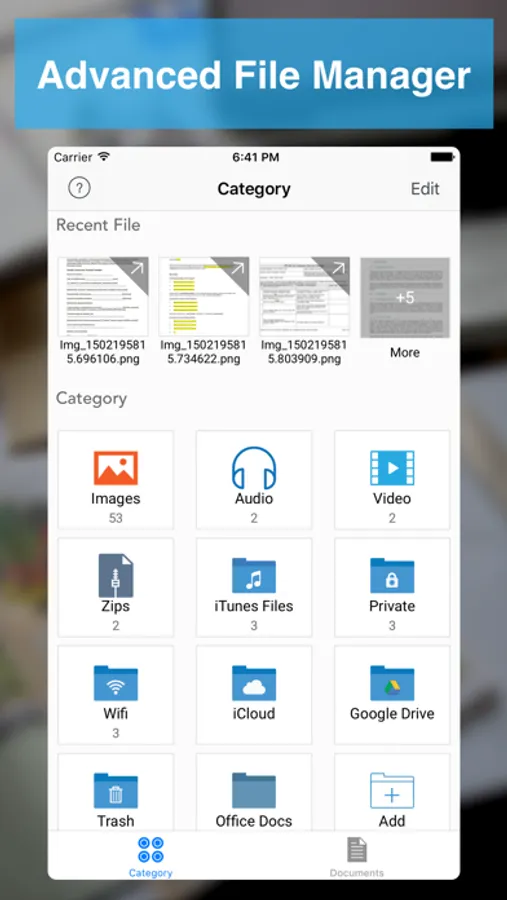
In this file management app, you can organize, copy, move, delete, and rename files and folders. Includes features for reading documents, creating PDFs, and making zip archives.
AppRecs review analysis
AppRecs rating 4.6. Trustworthiness 67 out of 100. Review manipulation risk 29 out of 100. Based on a review sample analyzed.
★★★★☆
4.6
AppRecs Rating
Ratings breakdown
5 star
79%
4 star
11%
3 star
4%
2 star
0%
1 star
6%
What to know
✓
Low review manipulation risk
29% review manipulation risk
✓
High user satisfaction
79% of sampled ratings are 5 stars
✓
Authentic reviews
No red flags detected
About File Manager 11 Lite
File Manager - Advance File Manager and Document Reader
Manage your Documents & Files with File Manager
# File Manager
- Create Folder - Create new folders and sub folders
- Copy - Copy files/folders between different folders
- Move - Move files/folders between different folders
- Delete - Select and Delete multiple files/folders
- Rename - Rename a file/folder
- Trash - Move files to trash recover them if required
- Get Info with General and More Info of all type of document.
# Read Files
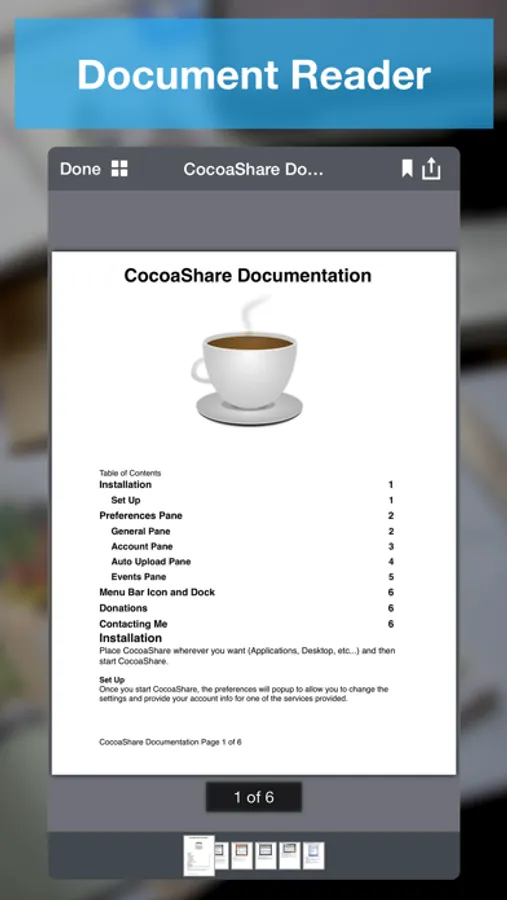
- PDF Files
- MS Office Documents (Word, Excel and PowerPoint)
- iWork Documents (Pages, Numbers and Keynotes)
- Images Files (JPG, PNG, GIF, TIFF and others)
- Audio Files (MP3, AAC, Apple Lossless, AIFF, WAV)
- Video Files (standard iPhone format : H.264, MPEG-4)
- OpenOffice Documents (Text, Spreadsheet, Presentation) basic formatting only
- Plain Text and RTF (Rich Text Format)
- HTML Files
- ZIP Files (Uncompress Zip Archives)
# Advance Document Viewers
- Image Viewer - With thumbnail view
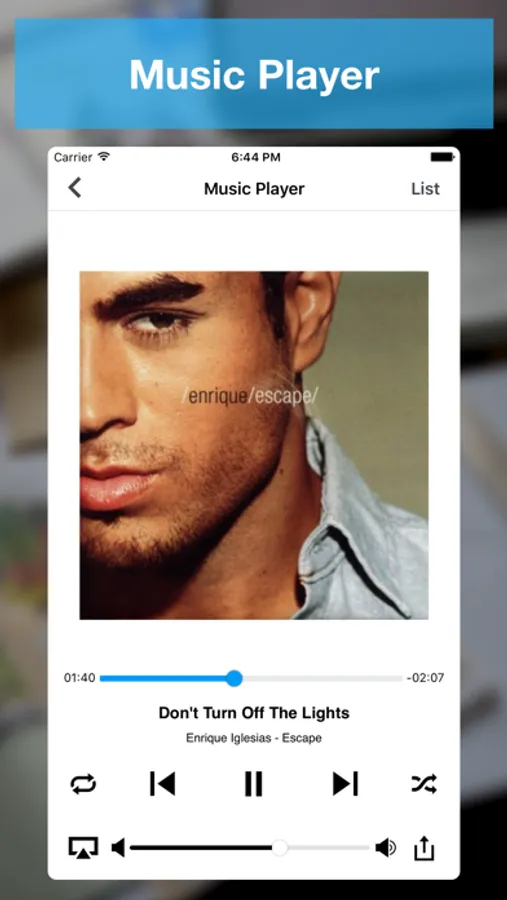
- Audio Player - Audio player with different playback controls, AirPlay support, Control with Ear Phone and Ear Pods, Support playing music in background
- Video Player - Air Play support and different playback controls
# Make Zip
- Select Multiple files/folders and make them zip
# Create PDF Files
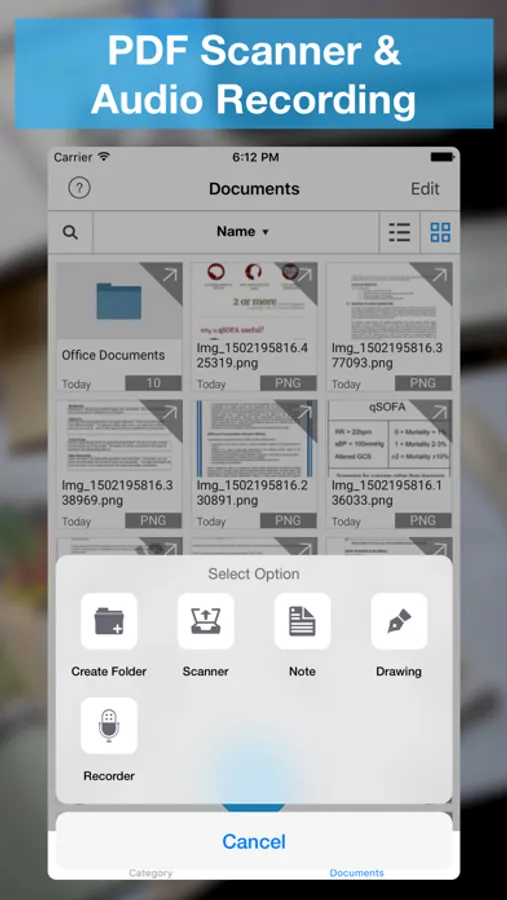
- Create PDF - With Different Kind of Page Content
- Rich Text Pages - Create Rich Text Pages in File Manager Rich Text Editor
- Camera Snaps - Take Snap of your documents
- Photos from library - Pick photos from your iPhone/iPad/iPod touch Photo Library
- Map Snaps - Create Map Snap - With Address Annotation
- Hand Drawing - Create Hand Drawing and add it as PDF Page
# Create Protected PDF
- Create Password Protected PDF - (PDF file will require password when someone want to open PDF file in any software)
- Create Copy Protected PDF - End users will not be able to copy the content of PDF file.
- Create Print Protected PDF - End users will not be able to Print the content of PDF file.
# Text Files
- Create and Edit text files
# Audio Recorder
- Record Audio With different qualities
- Record Audio in background
# Hand Drawing
- Make Hand Drawing with different colors and save as image
# Secure Your Documents
- Private Documents Section
- Protect App With Password
- Touch ID Support
# WiFi Sharing
- Access Your FileManager Documents From Your Computer With WiFi Sharing
- Upload Documents From Your Computer to FileDesk
# FTP Sharing
- Access Your FileDesk Documents From Your Computer With FTP Client
- Upload multiple documents to FileDesk from your computer together
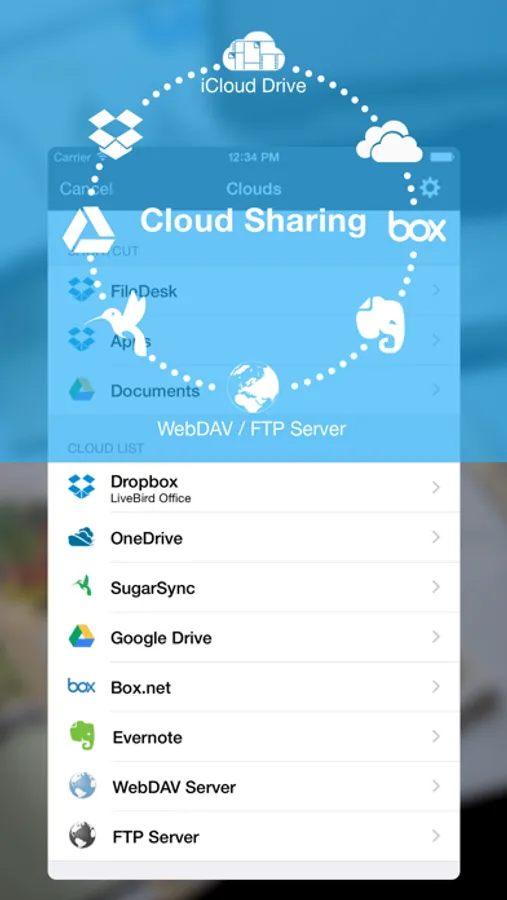
# Cloud Share
- Dropbox
- Google Drive
- OneDrive
- Evernote
- Box.net
- SugarSync
- WebDav Server
- FTP Server
- Email Files
# Import Files
- Photo Library (Video/Audio/Photos)
- Camera Capture (Video/Photos)
- Clipboard
If you enjoy using File Manager, please support us by leaving review in the App Store, or updating you previous review for the new version. Each review matters a lot, and helps us grow and improve our app.
Manage your Documents & Files with File Manager
# File Manager
- Create Folder - Create new folders and sub folders
- Copy - Copy files/folders between different folders
- Move - Move files/folders between different folders
- Delete - Select and Delete multiple files/folders
- Rename - Rename a file/folder
- Trash - Move files to trash recover them if required
- Get Info with General and More Info of all type of document.
# Read Files
- PDF Files
- MS Office Documents (Word, Excel and PowerPoint)
- iWork Documents (Pages, Numbers and Keynotes)
- Images Files (JPG, PNG, GIF, TIFF and others)
- Audio Files (MP3, AAC, Apple Lossless, AIFF, WAV)
- Video Files (standard iPhone format : H.264, MPEG-4)
- OpenOffice Documents (Text, Spreadsheet, Presentation) basic formatting only
- Plain Text and RTF (Rich Text Format)
- HTML Files
- ZIP Files (Uncompress Zip Archives)
# Advance Document Viewers
- Image Viewer - With thumbnail view
- Audio Player - Audio player with different playback controls, AirPlay support, Control with Ear Phone and Ear Pods, Support playing music in background
- Video Player - Air Play support and different playback controls
# Make Zip
- Select Multiple files/folders and make them zip
# Create PDF Files
- Create PDF - With Different Kind of Page Content
- Rich Text Pages - Create Rich Text Pages in File Manager Rich Text Editor
- Camera Snaps - Take Snap of your documents
- Photos from library - Pick photos from your iPhone/iPad/iPod touch Photo Library
- Map Snaps - Create Map Snap - With Address Annotation
- Hand Drawing - Create Hand Drawing and add it as PDF Page
# Create Protected PDF
- Create Password Protected PDF - (PDF file will require password when someone want to open PDF file in any software)
- Create Copy Protected PDF - End users will not be able to copy the content of PDF file.
- Create Print Protected PDF - End users will not be able to Print the content of PDF file.
# Text Files
- Create and Edit text files
# Audio Recorder
- Record Audio With different qualities
- Record Audio in background
# Hand Drawing
- Make Hand Drawing with different colors and save as image
# Secure Your Documents
- Private Documents Section
- Protect App With Password
- Touch ID Support
# WiFi Sharing
- Access Your FileManager Documents From Your Computer With WiFi Sharing
- Upload Documents From Your Computer to FileDesk
# FTP Sharing
- Access Your FileDesk Documents From Your Computer With FTP Client
- Upload multiple documents to FileDesk from your computer together
# Cloud Share
- Dropbox
- Google Drive
- OneDrive
- Evernote
- Box.net
- SugarSync
- WebDav Server
- FTP Server
- Email Files
# Import Files
- Photo Library (Video/Audio/Photos)
- Camera Capture (Video/Photos)
- Clipboard
If you enjoy using File Manager, please support us by leaving review in the App Store, or updating you previous review for the new version. Each review matters a lot, and helps us grow and improve our app.