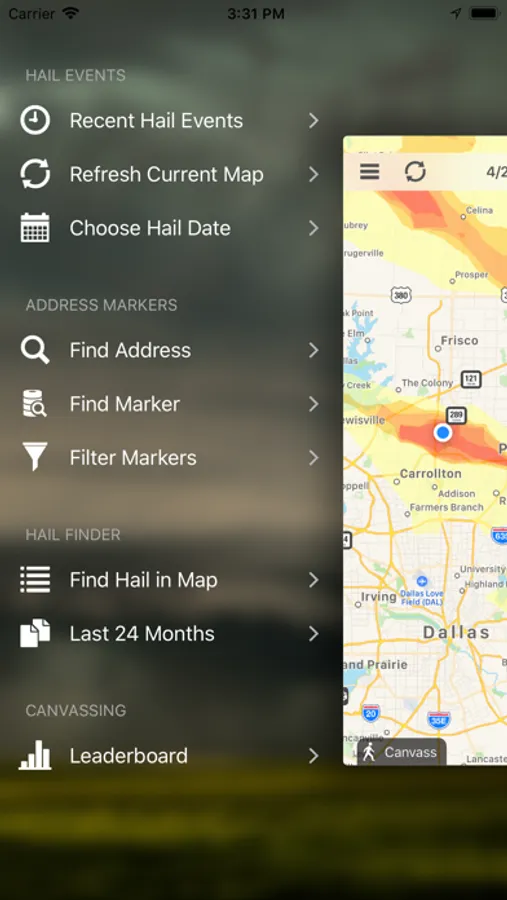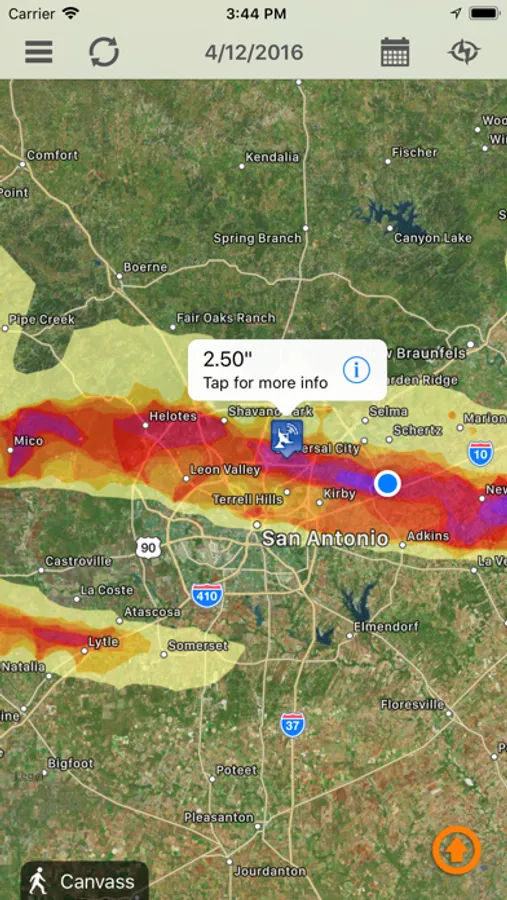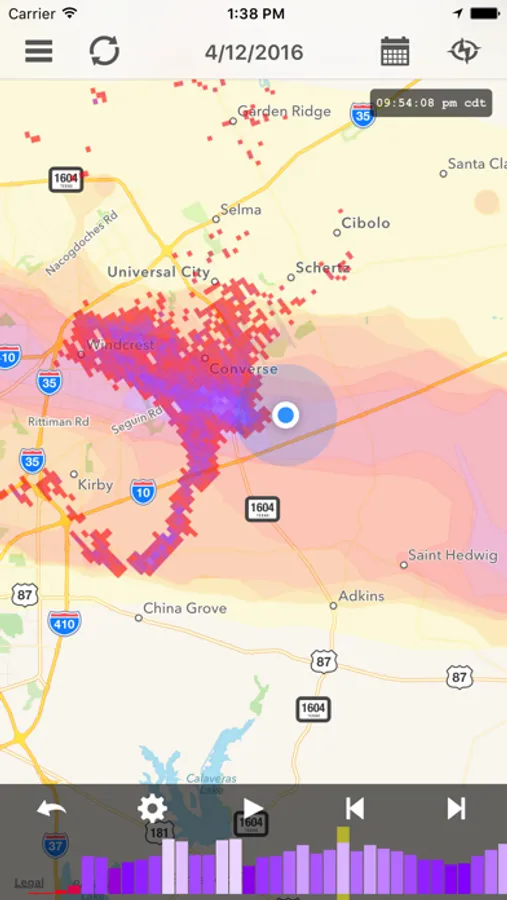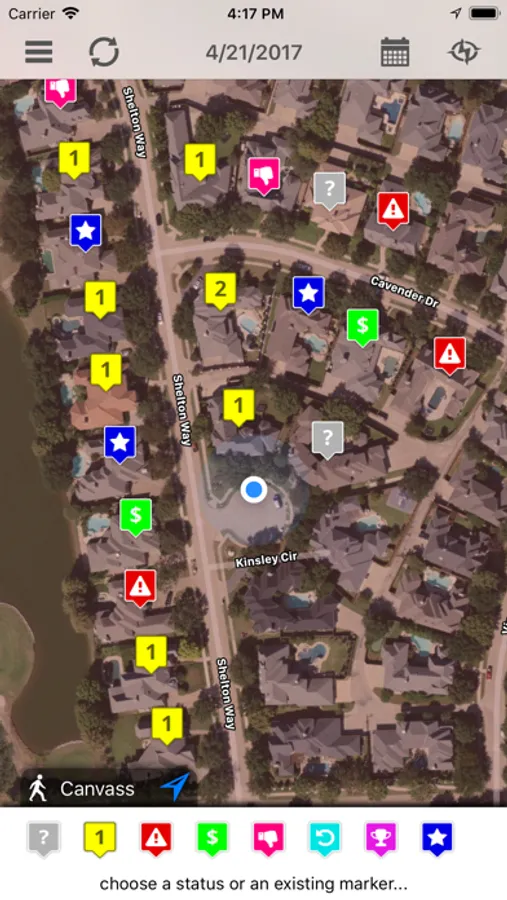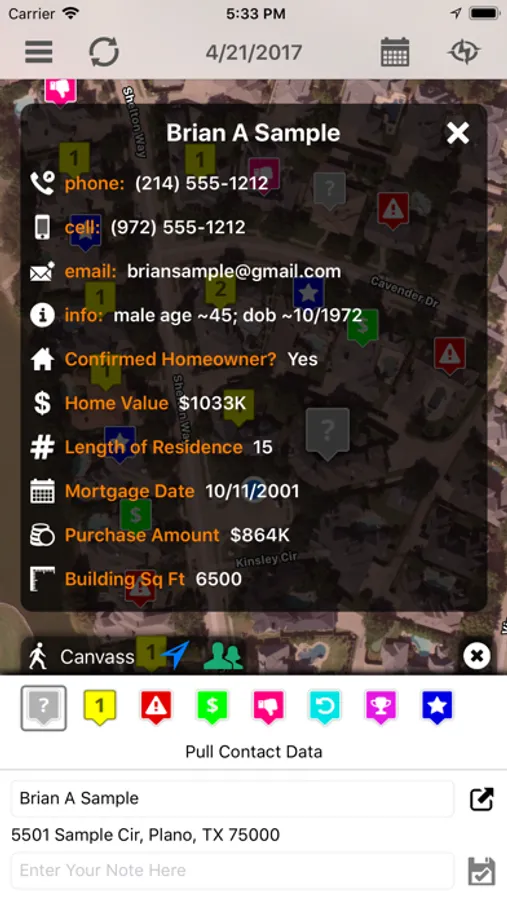
With this app, you can view detailed hail maps, drop address markers, and generate reports. Includes storm reports, address search, customizable alerts, and multiple map views.
AppRecs review analysis
AppRecs rating 2.4. Trustworthiness 81 out of 100. Review manipulation risk 22 out of 100. Based on a review sample analyzed.
★★☆☆☆
2.4
AppRecs Rating
Ratings breakdown
5 star
36%
4 star
8%
3 star
6%
2 star
10%
1 star
40%
What to know
⚠
Pricing complaints
Many low ratings mention paywalls or pricing
⚠
Mixed user feedback
Average 2.9★ rating suggests room for improvement
⚠
High negative review ratio
49% of sampled ratings are 1–2 stars
About Hail Recon
Hail Recon is the mobile hail reconnaissance companion app for your Interactive Hail Maps subscription. Features include:
Forensic Level Hail Maps
- Radar accurate hail swaths allow you to pinpoint where the hail fell in ten highly accurate levels, ranging from ½” to over 3” hail in ¼” increments.
- Location indicator lets you see exactly where you are in relationship to the hail swath.
- Hail Finder allows you to find hail storms based on map location - just zoom to any specific location and tap “Find Hail in Current Map”.
- On-the-ground hail reports confirms hail size and intensity with storm spotter measured hail hitting the ground.
- View road map, satellite, and hybrid view by tapping the button at the bottom right corner of the map, then select one of the three map modes: Standard; Satellite; and Hybrid.
Address Markers
- Hail Recon makes it easy to take notes while you are in the field.
- View where you’ve already canvassed, and where you’ve not yet been.
- Drop a marker at your current location, or press the map for a second and it will drop there.
- Indicate damage severity, hail size, wind damage and comments.
- Drop a marker at a prospecting location and tap to get driving directions.
- Find any address - tap the button at the bottom-right corner of the map screen to enter an address to find, and Hail Recon will drop a marker at that address on the map.
- Generate, view, and email a comprehensive hail impact report based on any of your address markers.
- Review your address markers on the app or on the full screen maps.
- Your address markers are private to your account and cannot be seen by anyone else.
Push Notification Hail Alerts
- Alerts play different sounds for small, medium, and large hail reports.
- Each account may have any number of devices subscribed to your hail alerts - just sign in on the device once, and you’re set!
- Pause your alerts anytime with just a tap!
- Integrates with your Interactive Hail Maps subscription for access to all historical storm dates (over four years)
Keywords: hail, hail map, hail reports, storm reports
Forensic Level Hail Maps
- Radar accurate hail swaths allow you to pinpoint where the hail fell in ten highly accurate levels, ranging from ½” to over 3” hail in ¼” increments.
- Location indicator lets you see exactly where you are in relationship to the hail swath.
- Hail Finder allows you to find hail storms based on map location - just zoom to any specific location and tap “Find Hail in Current Map”.
- On-the-ground hail reports confirms hail size and intensity with storm spotter measured hail hitting the ground.
- View road map, satellite, and hybrid view by tapping the button at the bottom right corner of the map, then select one of the three map modes: Standard; Satellite; and Hybrid.
Address Markers
- Hail Recon makes it easy to take notes while you are in the field.
- View where you’ve already canvassed, and where you’ve not yet been.
- Drop a marker at your current location, or press the map for a second and it will drop there.
- Indicate damage severity, hail size, wind damage and comments.
- Drop a marker at a prospecting location and tap to get driving directions.
- Find any address - tap the button at the bottom-right corner of the map screen to enter an address to find, and Hail Recon will drop a marker at that address on the map.
- Generate, view, and email a comprehensive hail impact report based on any of your address markers.
- Review your address markers on the app or on the full screen maps.
- Your address markers are private to your account and cannot be seen by anyone else.
Push Notification Hail Alerts
- Alerts play different sounds for small, medium, and large hail reports.
- Each account may have any number of devices subscribed to your hail alerts - just sign in on the device once, and you’re set!
- Pause your alerts anytime with just a tap!
- Integrates with your Interactive Hail Maps subscription for access to all historical storm dates (over four years)
Keywords: hail, hail map, hail reports, storm reports