In this real estate appraisal app, you can create and edit reports using cloud synchronization, sketches, and photo tools. Includes file sharing, data entry templates, and GPS mapping features.
AppRecs review analysis
AppRecs rating 2.8. Trustworthiness 81 out of 100. Review manipulation risk 20 out of 100. Based on a review sample analyzed.
★★☆☆☆
2.8
AppRecs Rating
Ratings breakdown
5 star
31%
4 star
8%
3 star
10%
2 star
13%
1 star
39%
What to know
⚠
Ad complaints
Many low ratings mention excessive ads
⚠
Mixed user feedback
Average 2.8★ rating suggests room for improvement
⚠
High negative review ratio
51% of sampled ratings are 1–2 stars
About TOTAL for Mobile
TOTAL for Mobile is the perfect mobile companion app for TOTAL on the desktop. With TOTAL for Mobile, you’ll save the most time from field to office and shave minutes off of every report by not having to retype, resketch, and reformat, since all field data and sketches flow into your forms. It’s the best real estate appraisal app yet.
YOUR REPORTS IN THE CLOUD
Starting, editing, and sharing your reports between mobile and desktop is easier than ever before. Whether you start your appraisal reports in TOTAL or from your iPad or iPhone, the new design gives you instant access to your files from the cloud. And, the updated syncing process makes it easy to choose which files to send on your schedule, instead of sending everything at once.
FORMFILLING
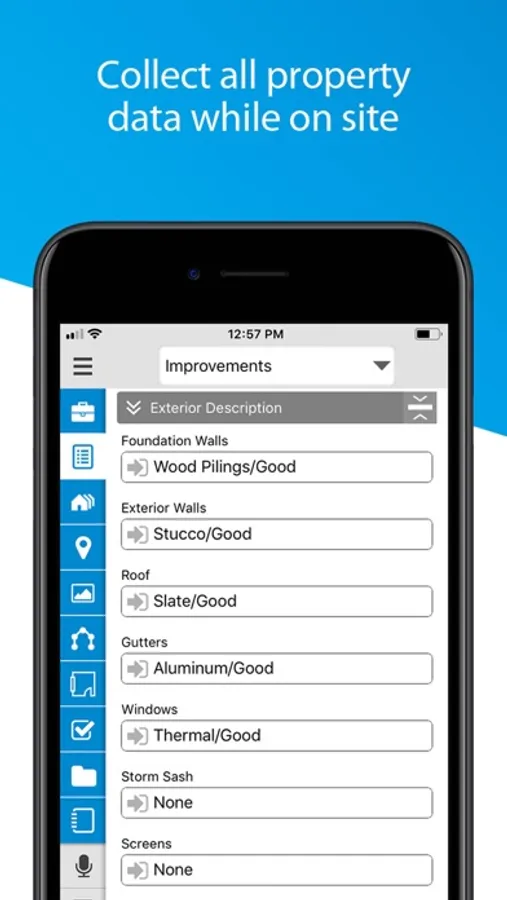
Your QuickLists sync too, so you’ll fly through data gathering by simply tapping to fill in your canned comments instead of typing.
PHOTOS
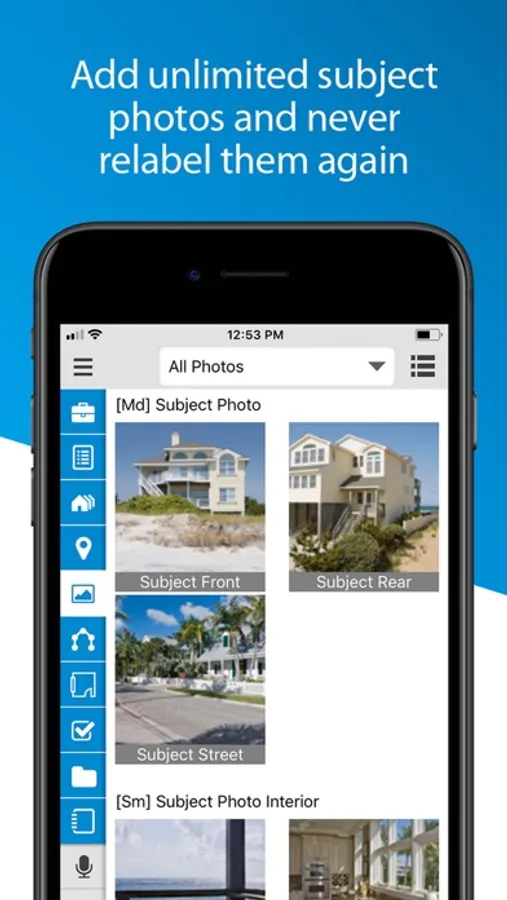
With TOTAL for Mobile's photo tools, add as many subject photos as you want. Then, the correct photo forms are automatically added to your report in TOTAL when you sync. No more juggling extra devices or extra work organizing and relabeling the photos yourself. TOTAL for Mobile does all the work for you.
SKETCHING
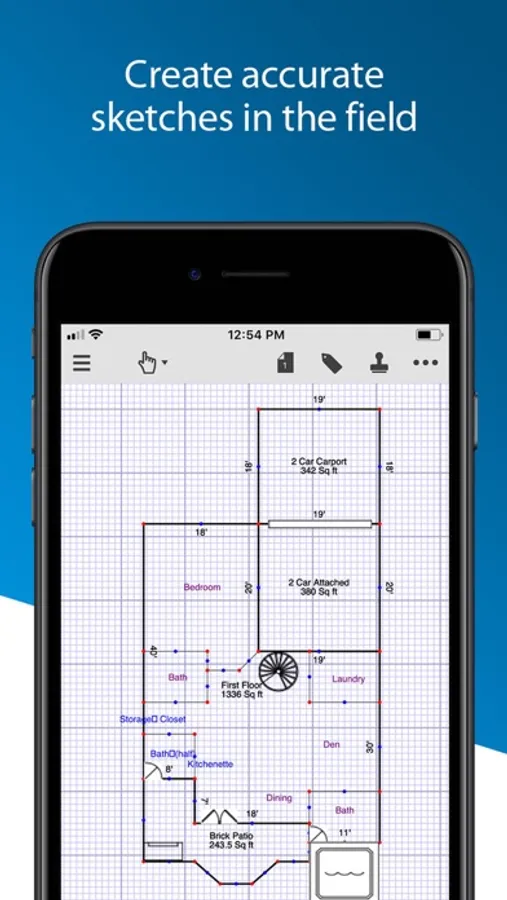
Creating detailed sketches is as simple as swiping and tapping with your fingertips. Quickly define lengths, angles, arcs, and areas. Pinch to zoom and pan across the screen. And tap to drop symbols and labels in place so your sketches look complete and professional.
MUCH MORE…
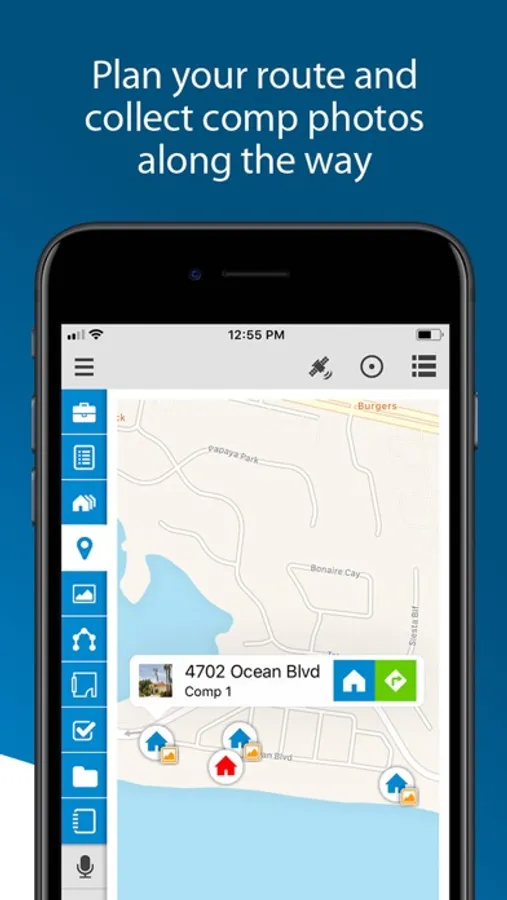
Create audio recordings, notes, and freehand drawings on the fly. They’re added to TOTAL's Spectrum Workfile when you sync. TOTAL for Mobile also takes advantage of your device's GPS to create precise maps and give you turn-by-turn directions -- extremely helpful for navigating to your subject and comps.
With TOTAL on your desktop and TOTAL for Mobile in the field, you’ll go paperless. Best of all, it’s absolutely free. Download it today.
ABOUT A LA MODE
Founded in 1985, a la mode’s mission-critical desktop, mobile and web tools are used by more than 100,000 real estate and mortgage lending professionals located in every county of every state in the U.S. a la mode has been deploying forms on handheld devices, en masse, and routing form-data via the Internet since the mid 1990s.
YOUR REPORTS IN THE CLOUD
Starting, editing, and sharing your reports between mobile and desktop is easier than ever before. Whether you start your appraisal reports in TOTAL or from your iPad or iPhone, the new design gives you instant access to your files from the cloud. And, the updated syncing process makes it easy to choose which files to send on your schedule, instead of sending everything at once.
FORMFILLING
Your QuickLists sync too, so you’ll fly through data gathering by simply tapping to fill in your canned comments instead of typing.
PHOTOS
With TOTAL for Mobile's photo tools, add as many subject photos as you want. Then, the correct photo forms are automatically added to your report in TOTAL when you sync. No more juggling extra devices or extra work organizing and relabeling the photos yourself. TOTAL for Mobile does all the work for you.
SKETCHING
Creating detailed sketches is as simple as swiping and tapping with your fingertips. Quickly define lengths, angles, arcs, and areas. Pinch to zoom and pan across the screen. And tap to drop symbols and labels in place so your sketches look complete and professional.
MUCH MORE…
Create audio recordings, notes, and freehand drawings on the fly. They’re added to TOTAL's Spectrum Workfile when you sync. TOTAL for Mobile also takes advantage of your device's GPS to create precise maps and give you turn-by-turn directions -- extremely helpful for navigating to your subject and comps.
With TOTAL on your desktop and TOTAL for Mobile in the field, you’ll go paperless. Best of all, it’s absolutely free. Download it today.
ABOUT A LA MODE
Founded in 1985, a la mode’s mission-critical desktop, mobile and web tools are used by more than 100,000 real estate and mortgage lending professionals located in every county of every state in the U.S. a la mode has been deploying forms on handheld devices, en masse, and routing form-data via the Internet since the mid 1990s.