AppRecs review analysis
AppRecs rating 4.1. Trustworthiness 77 out of 100. Review manipulation risk 24 out of 100. Based on a review sample analyzed.
★★★★☆
4.1
AppRecs Rating
Ratings breakdown
5 star
79%
4 star
0%
3 star
0%
2 star
11%
1 star
11%
What to know
✓
Low review manipulation risk
24% review manipulation risk
✓
Credible reviews
77% trustworthiness score from analyzed reviews
✓
High user satisfaction
79% of sampled ratings are 4+ stars (4.3★ average)
About ScanWritr
ScanWritr enables you to:
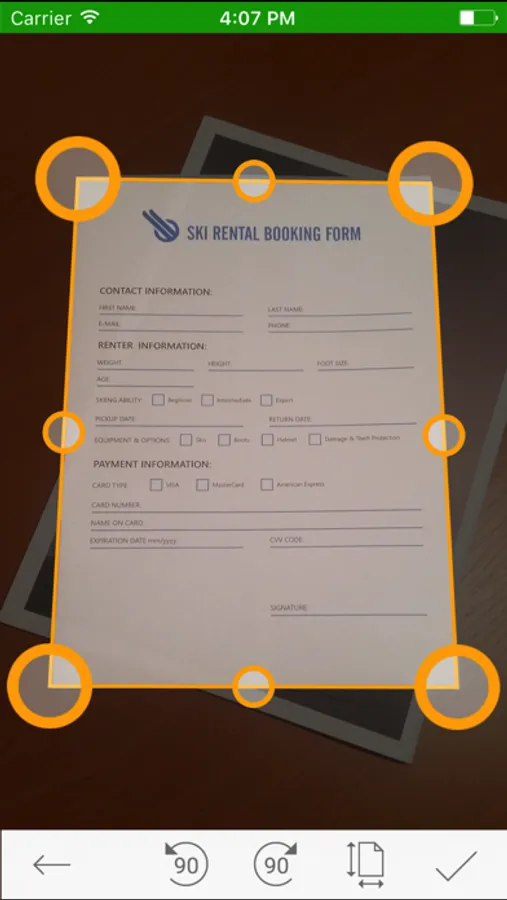
● Scan documents quickly using camera.
● Convert and open most used document formats easily.
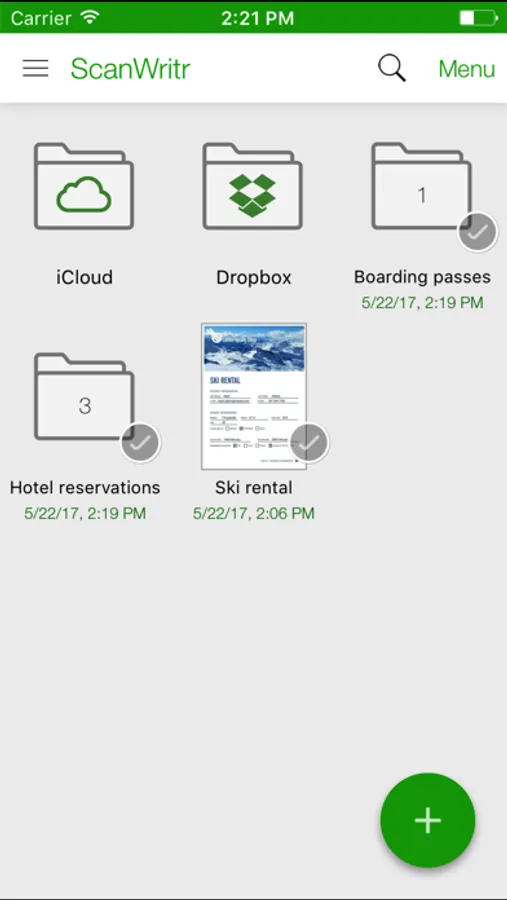
● Organize and store documents into multiple local and cloud archives.
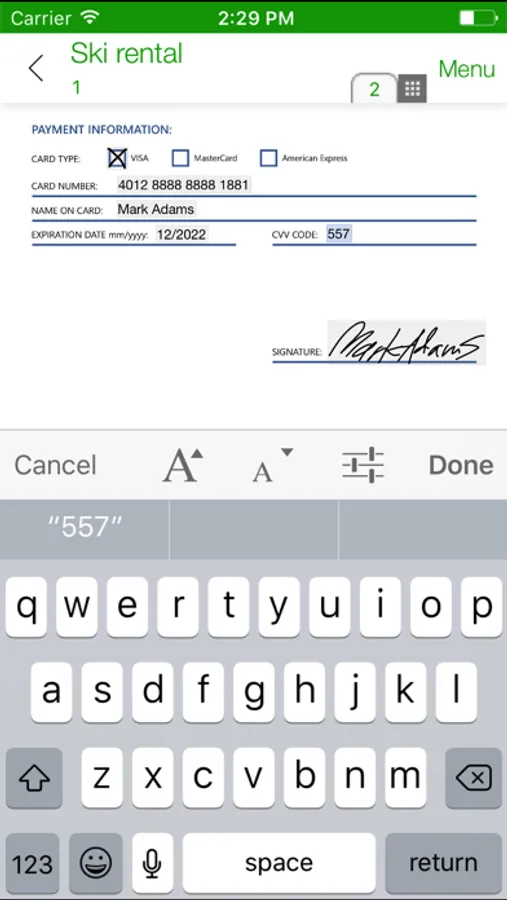
● Edit, fill, sign and annotate documents.
● Improve document quality and retouch.
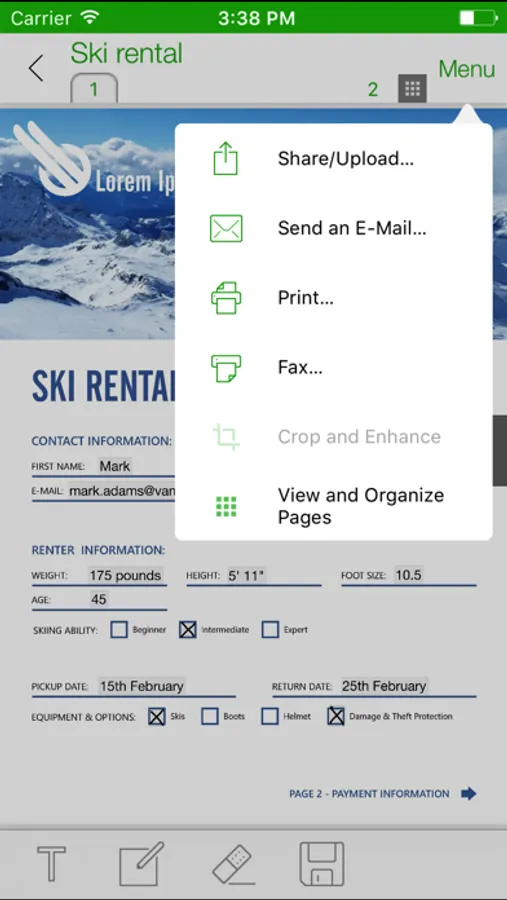
● Print, fax and email documents to your partners and customers.
● Sync documents between phones, tablets and computers.
● Share notes, pages and tickets with your friends and colleagues.
● Export documents to the most popular apps and services.
ScanWritr is perfect for business, educational and home use. It turns your Apple device with a camera into a all-in-one scanner, document editor and arhiving tool, suitable for scanning, organizing, editing, printing, faxing, emailing, syncing with cloud, sharing and exporting of various documents like contracts, articles, business cards, notes, receipts, warranty papers etc. Image capture is done with the help of Real-Time Edge Detection (auto crop).
This scanner app also excels in import options. It imports variety of document formats, such as PDF, OpenOffice and LibreOffice documents (*.odt, *.ods, *.odp), Microsoft Office documents (Word, Excel, PowerPoint), Hancom documents (*.hwp), JPEG and PNG images, CSV, and more.
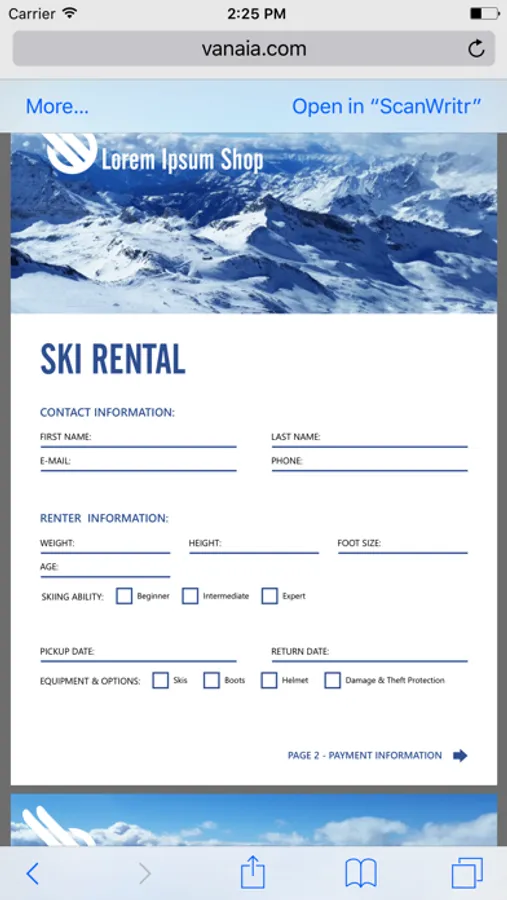
ScanWritr enables you to edit scanned and imported documents as an image. You can add signature, annotation, use eraser or pen, and fill out the blanks using writing tool. Convert the scanned document to PDF or JPG, save it to your phone's gallery, send it via e-mail, fax it, print it (with the help of Cloud Print) or synchronize and backup it to Dropbox or iCloud.
Support for synchronization of documents with the Dropbox and iCloud cloud storage providers enables you to:
● Share documents with your family members or team members at your work.
● Remote-site backup of your documents.
● Two-way shared folder synchronization.
● Access, edit and convert your documents anytime, everywhere from any device including smartphones, tablets and PCs.
● Transfer documents between your devices (phones, tablets and PCs).
Some services (i.e. faxing, converting) require a network connection, for which user's carrier fees may apply.
Sending faxes from ScanWritr requires the purcahse of fax tokens.
All limitations of this free version can be removed at any time by making an in-app purchase.
DO YOU HAVE QUESTIONS?
If you have any questions or require assistance don't hesitate to email us at support@vanaia.com
● Scan documents quickly using camera.
● Convert and open most used document formats easily.
● Organize and store documents into multiple local and cloud archives.
● Edit, fill, sign and annotate documents.
● Improve document quality and retouch.
● Print, fax and email documents to your partners and customers.
● Sync documents between phones, tablets and computers.
● Share notes, pages and tickets with your friends and colleagues.
● Export documents to the most popular apps and services.
ScanWritr is perfect for business, educational and home use. It turns your Apple device with a camera into a all-in-one scanner, document editor and arhiving tool, suitable for scanning, organizing, editing, printing, faxing, emailing, syncing with cloud, sharing and exporting of various documents like contracts, articles, business cards, notes, receipts, warranty papers etc. Image capture is done with the help of Real-Time Edge Detection (auto crop).
This scanner app also excels in import options. It imports variety of document formats, such as PDF, OpenOffice and LibreOffice documents (*.odt, *.ods, *.odp), Microsoft Office documents (Word, Excel, PowerPoint), Hancom documents (*.hwp), JPEG and PNG images, CSV, and more.
ScanWritr enables you to edit scanned and imported documents as an image. You can add signature, annotation, use eraser or pen, and fill out the blanks using writing tool. Convert the scanned document to PDF or JPG, save it to your phone's gallery, send it via e-mail, fax it, print it (with the help of Cloud Print) or synchronize and backup it to Dropbox or iCloud.
Support for synchronization of documents with the Dropbox and iCloud cloud storage providers enables you to:
● Share documents with your family members or team members at your work.
● Remote-site backup of your documents.
● Two-way shared folder synchronization.
● Access, edit and convert your documents anytime, everywhere from any device including smartphones, tablets and PCs.
● Transfer documents between your devices (phones, tablets and PCs).
Some services (i.e. faxing, converting) require a network connection, for which user's carrier fees may apply.
Sending faxes from ScanWritr requires the purcahse of fax tokens.
All limitations of this free version can be removed at any time by making an in-app purchase.
DO YOU HAVE QUESTIONS?
If you have any questions or require assistance don't hesitate to email us at support@vanaia.com