AppRecs review analysis
AppRecs rating 3.9. Trustworthiness 0 out of 100. Review manipulation risk 0 out of 100. Based on a review sample analyzed.
★★★☆☆
3.9
AppRecs Rating
Ratings breakdown
5 star
56%
4 star
11%
3 star
0%
2 star
33%
1 star
0%
What to know
✓
Good user ratings
67% positive sampled reviews
About Fonts & Photo: Custom Keyboard
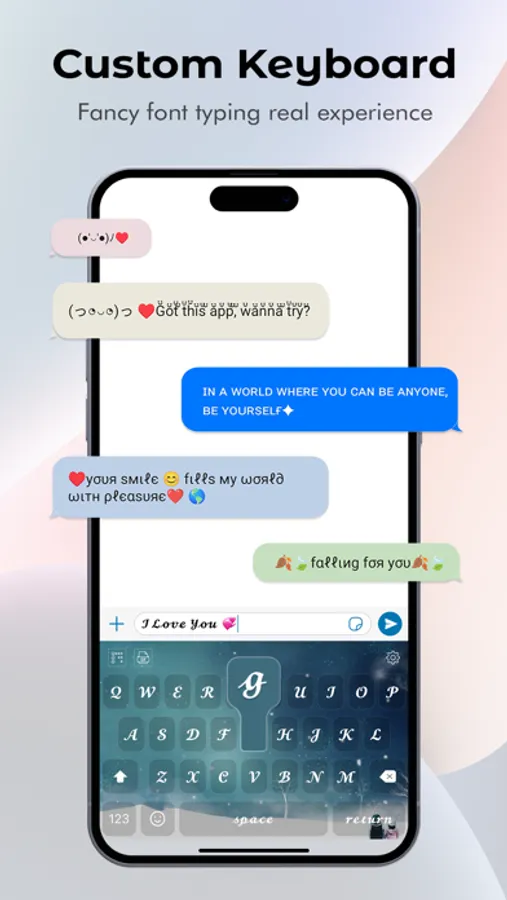
Fonts & Photo: Custom Keyboard For iPhone is a customisable keyboard application for your smartphones.
Download this awesome "Fonts & Photo:Custom Keyboard" app and use your custom choice keyboard with many types of themes.
This Keyboard provides you with an excellent typing experience and simple and intelligent answer suggestions. make your phone smarter and more beautiful.
* Features of Custom Keyboard *
• Fonts & Photo: Custom Keyboard
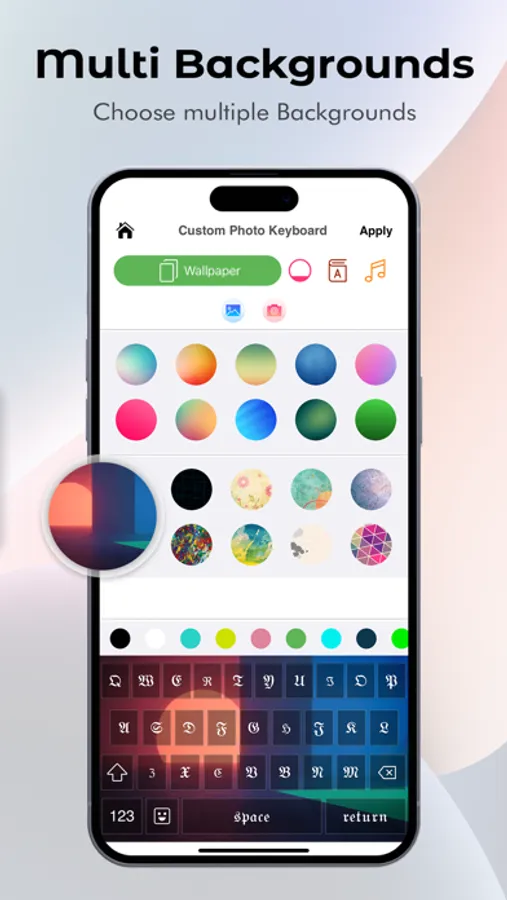
• Custom keyboard background Art
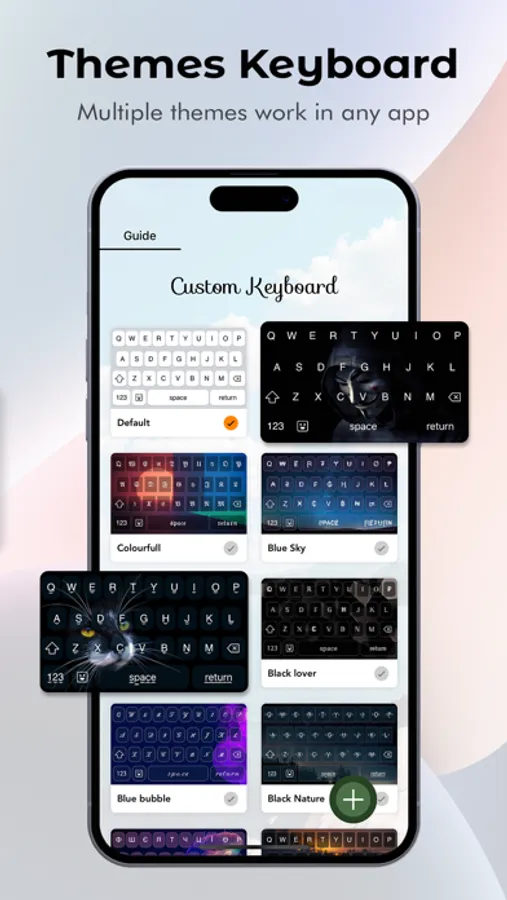
• Custom keyboard color theme
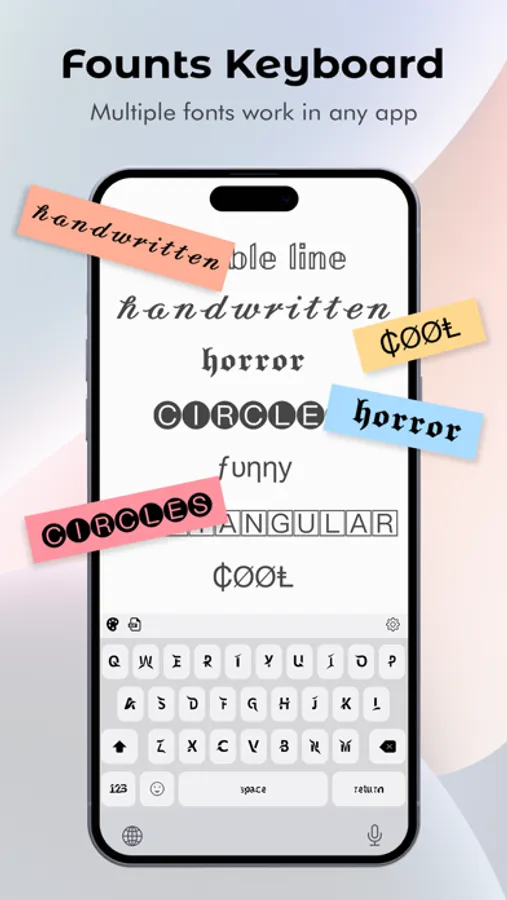
• Custom Keyboard : Font changer
• Custom Keypad
• Custom fonts keyboard
• Custom photo keyboard
• Fonts keyboard
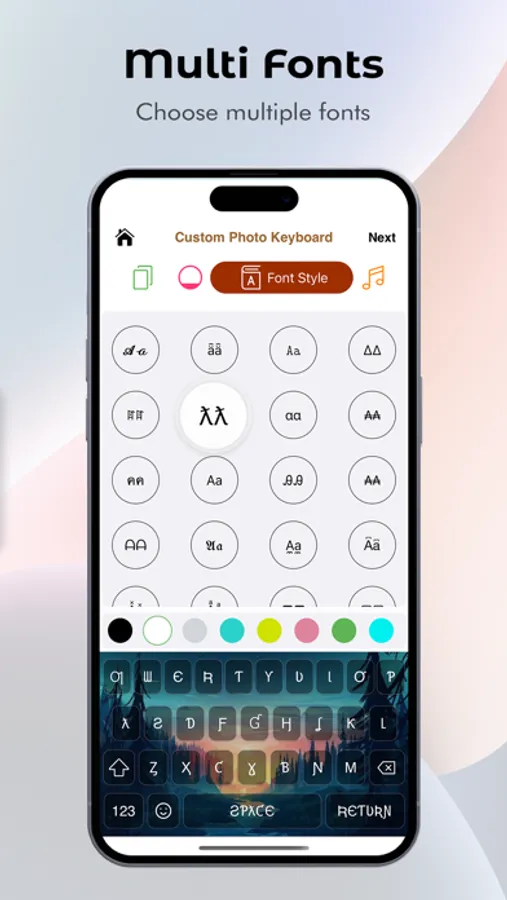
• Font Style
• Fonts Art keyboard for iPhone
• Emoji Art Keyboard
• Cool fonts keyboard
• Stylish Text keyboard
• Fonts for iPhone
• Stylish keyboard backgrounds turn a plain keyboard into a beautiful and unique one!
• Choose multiple themes and fonts styles
• Emoji, Emoji Art, GIF, etc
• Fancy cool iPhone fonts keyboard
• Gesture, Fast and Smart Typing
• Fastest and smooth typing
• Very smooth and smart suggestive Gesture Typing
• Set your photos in the keyboard background
• Choose images, Textural Images, and colors in the keyboard background
• Select key style, key color, font style, and sound also
• Latest trending emojis: input thousands of emojis, and GIFs anywhere conveniently
• Fuentes y fotografías: teclado personalizado
• Teclado de fuentes
* How to use Fonts & Photo: Custom Keyboard application? *
Step1: Download the Fonts & Photo: Custom keyboard from App Store, install it, and open it;
Step2: Click the + button or the preview picture of the simple keyboard Theme;
Step3: Good! You can try other themes, backgrounds, keys style, font styles, and keypress sounds on a custom keyboard;
Step4: Now, you have to Press Apply then enjoy the different types of keyboard apps on your phone.
Add Custom Keyboard Theme to your phone! Let Custom Keyboard and Emoji Theme show its unique charm, your phone can be different with Custom Keyboard Theme.
Feeling attractive now? Good!
Privacy Policy - https://customphotokeyboard.blogspot.com
Terms Of Use - https://customkeyboardtermsofuse.blogspot.com
Thanks.
Download this awesome "Fonts & Photo:Custom Keyboard" app and use your custom choice keyboard with many types of themes.
This Keyboard provides you with an excellent typing experience and simple and intelligent answer suggestions. make your phone smarter and more beautiful.
* Features of Custom Keyboard *
• Fonts & Photo: Custom Keyboard
• Custom keyboard background Art
• Custom keyboard color theme
• Custom Keyboard : Font changer
• Custom Keypad
• Custom fonts keyboard
• Custom photo keyboard
• Fonts keyboard
• Font Style
• Fonts Art keyboard for iPhone
• Emoji Art Keyboard
• Cool fonts keyboard
• Stylish Text keyboard
• Fonts for iPhone
• Stylish keyboard backgrounds turn a plain keyboard into a beautiful and unique one!
• Choose multiple themes and fonts styles
• Emoji, Emoji Art, GIF, etc
• Fancy cool iPhone fonts keyboard
• Gesture, Fast and Smart Typing
• Fastest and smooth typing
• Very smooth and smart suggestive Gesture Typing
• Set your photos in the keyboard background
• Choose images, Textural Images, and colors in the keyboard background
• Select key style, key color, font style, and sound also
• Latest trending emojis: input thousands of emojis, and GIFs anywhere conveniently
• Fuentes y fotografías: teclado personalizado
• Teclado de fuentes
* How to use Fonts & Photo: Custom Keyboard application? *
Step1: Download the Fonts & Photo: Custom keyboard from App Store, install it, and open it;
Step2: Click the + button or the preview picture of the simple keyboard Theme;
Step3: Good! You can try other themes, backgrounds, keys style, font styles, and keypress sounds on a custom keyboard;
Step4: Now, you have to Press Apply then enjoy the different types of keyboard apps on your phone.
Add Custom Keyboard Theme to your phone! Let Custom Keyboard and Emoji Theme show its unique charm, your phone can be different with Custom Keyboard Theme.
Feeling attractive now? Good!
Privacy Policy - https://customphotokeyboard.blogspot.com
Terms Of Use - https://customkeyboardtermsofuse.blogspot.com
Thanks.