In this astrophotography app, users can capture, align, and stack images of stars using manual settings and live processing. Includes image editing tools such as background extraction, tonal adjustments, and sharpen layers.
AppRecs review analysis
AppRecs rating 4.8. Trustworthiness 79 out of 100. Review manipulation risk 20 out of 100. Based on a review sample analyzed.
★★★★☆
4.8
AppRecs Rating
Ratings breakdown
5 star
59%
4 star
22%
3 star
8%
2 star
4%
1 star
7%
What to know
✓
Low review manipulation risk
20% review manipulation risk
✓
Credible reviews
79% trustworthiness score from analyzed reviews
✓
High user satisfaction
82% of sampled ratings are 4+ stars (4.2★ average)
About AstroShader
AstroShader is an astrophotography app for capturing, stacking and editing. All you need is a stand, tripod, telescope or rock (to lean your phone on).
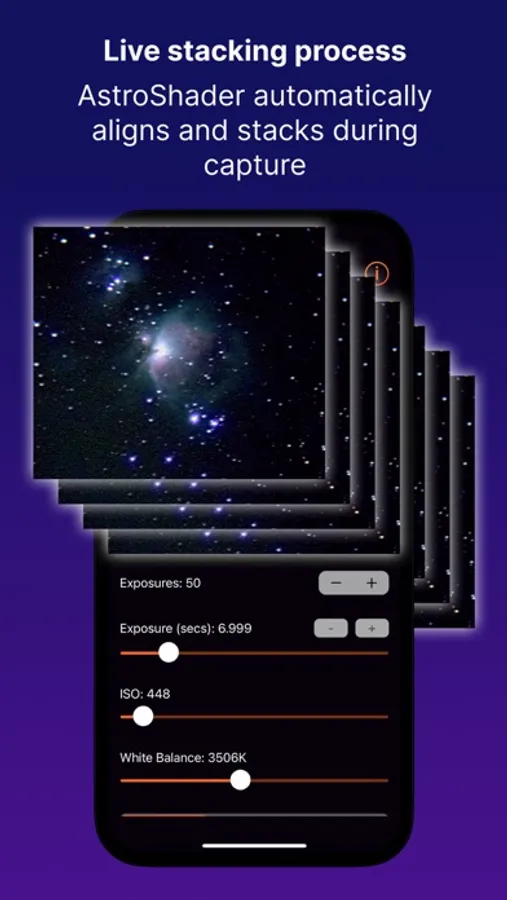
AstroShader functions differently to traditional astrophotography workflows by aligning and stacking live during the image capture process. No need to transfer images to a computer to align and stack them separately (but there is a built in intervalometer if you do need it).
To take an image follow these steps:
• Use a stand, tripod, telescope mount (or lean your iPhone on a rock).
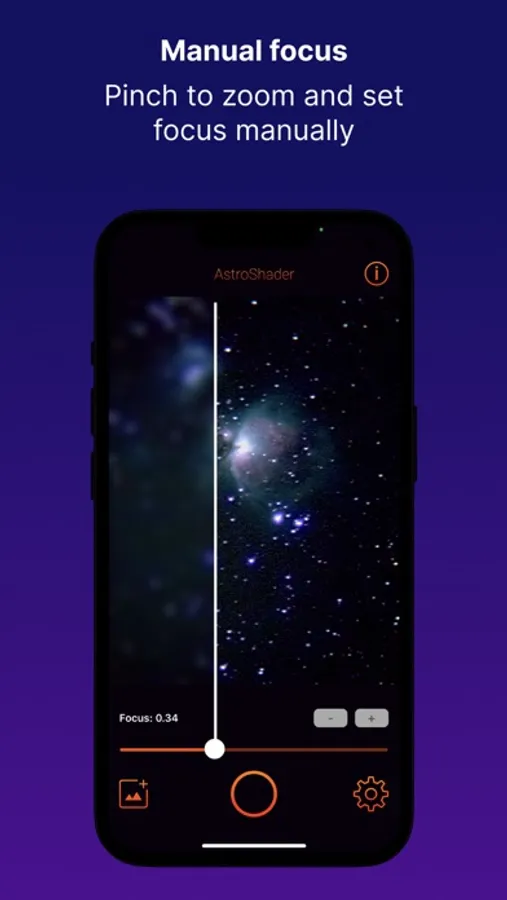
• Zoom in on stars and set focus manually.
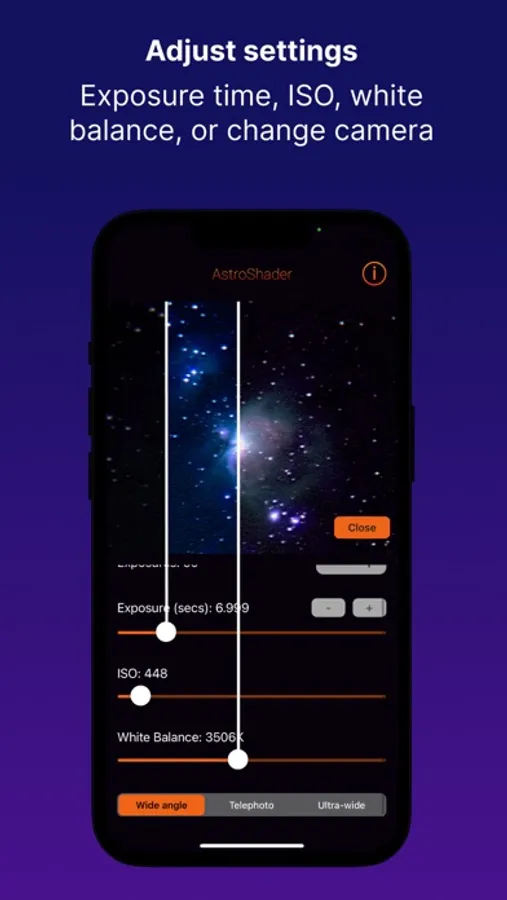
• Set the exposure time, ISO and white balance.
• Set the number of exposures to be automatically aligned and stacked.
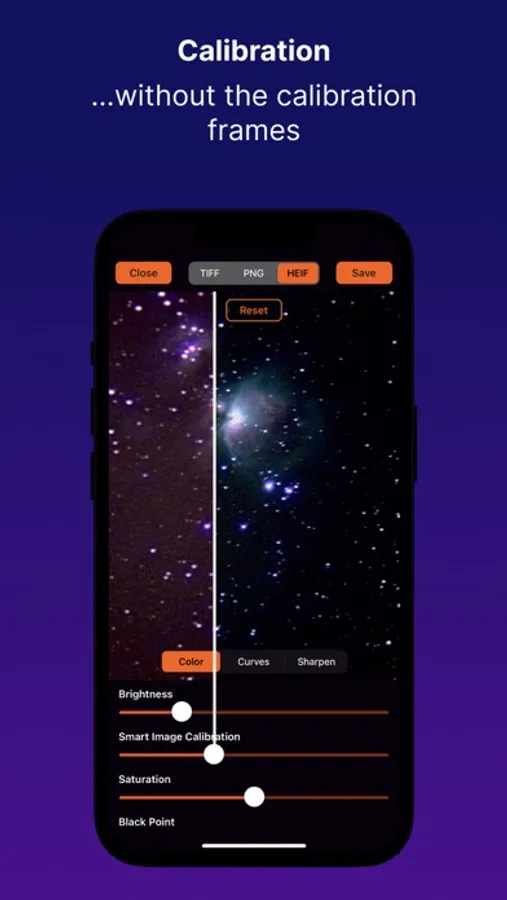
• Calibrate your images from the edit tools.
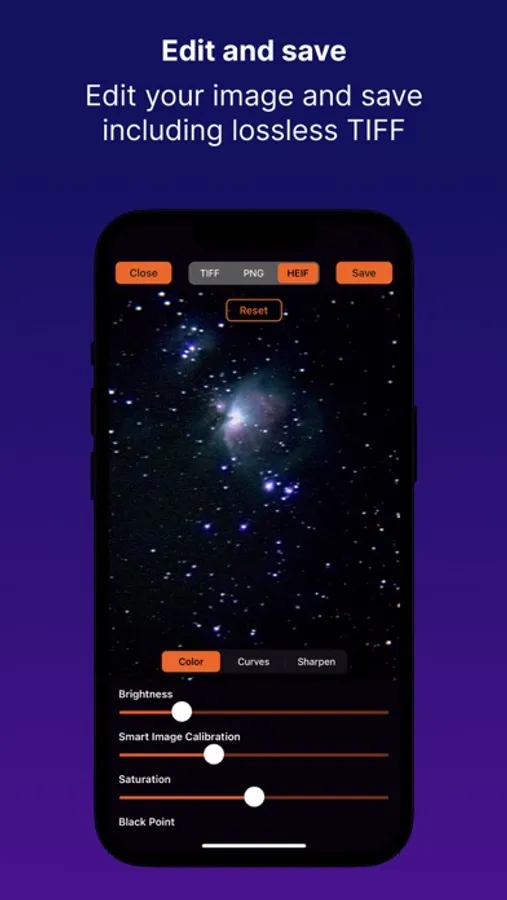
• After the capture is complete you can edit and save your image—including as 16bit TIFF.
• You can open images directly to use the edit tools in AstroShader - rather following a new image capture.
Image capture options include:
• Number of exposures to be aligned and stacked
• Exposure time
• ISO
• White balance
• Camera type
• Countdown timer
• Manual focus
• Pause the capture to reposition iPhone or telescope
Edit options include:
• Stretch image
• Background extraction
• x5 Histogram curves for fine tonal adjustment
• x3 sharpen layers each with radius and intensity with layer blending rather than chaining
• Brightness (low light enhancement)
• Saturation
• Black point
• Temperature
• Tint
• Save format options; HEIF, PNG, JPEG, TIFF
AstroShader functions differently to traditional astrophotography workflows by aligning and stacking live during the image capture process. No need to transfer images to a computer to align and stack them separately (but there is a built in intervalometer if you do need it).
To take an image follow these steps:
• Use a stand, tripod, telescope mount (or lean your iPhone on a rock).
• Zoom in on stars and set focus manually.
• Set the exposure time, ISO and white balance.
• Set the number of exposures to be automatically aligned and stacked.
• Calibrate your images from the edit tools.
• After the capture is complete you can edit and save your image—including as 16bit TIFF.
• You can open images directly to use the edit tools in AstroShader - rather following a new image capture.
Image capture options include:
• Number of exposures to be aligned and stacked
• Exposure time
• ISO
• White balance
• Camera type
• Countdown timer
• Manual focus
• Pause the capture to reposition iPhone or telescope
Edit options include:
• Stretch image
• Background extraction
• x5 Histogram curves for fine tonal adjustment
• x3 sharpen layers each with radius and intensity with layer blending rather than chaining
• Brightness (low light enhancement)
• Saturation
• Black point
• Temperature
• Tint
• Save format options; HEIF, PNG, JPEG, TIFF