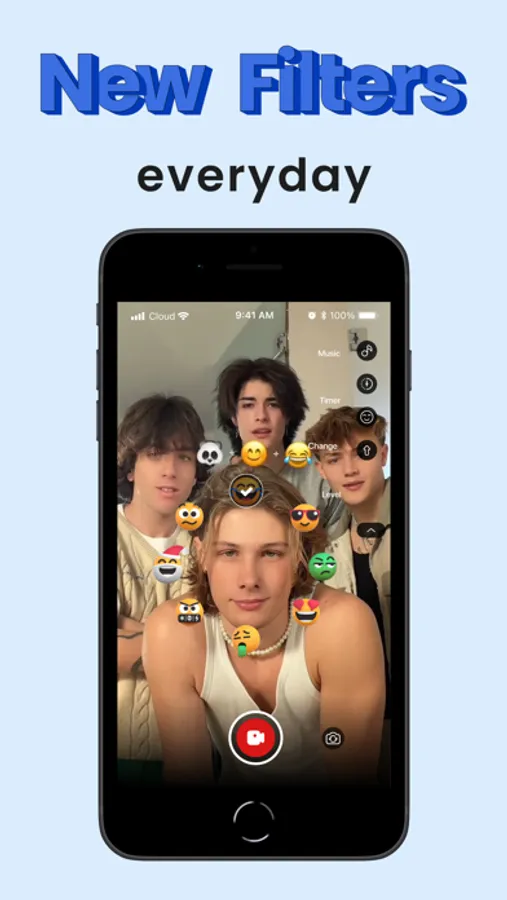
Use this app to apply trending emoji filters, create videos, and share content with friends. Includes adjustable features, photo booth templates, and updates with new trendy videos.
AppRecs review analysis
AppRecs rating 3.2. Trustworthiness 74 out of 100. Review manipulation risk 28 out of 100. Based on a review sample analyzed.
★★★☆☆
3.2
AppRecs Rating
Ratings breakdown
5 star
54%
4 star
15%
3 star
8%
2 star
5%
1 star
18%
What to know
✓
Low review manipulation risk
28% review manipulation risk
✓
Credible reviews
74% trustworthiness score from analyzed reviews
⚠
Ad complaints
Many low ratings mention excessive ads
About Funmoji: Funny face filters
Trending filters have just arrived! Take advantage of this trend and share them with your friends or social media. We bet everyone will be surprised by your new content!
Some highlight features:
- Trendy Emoji challenge filters
- Aesthetic photo booth free templates
- Simple to adjust time
- Trending videos updated
How to use Funmoji: Funny face filters
Step 1: Just click the camera button. You can adjust some features such as the delay time
Step 2: Click on the emoji button to run random content.
Step 3: Create your incredible videos and photo booth pictures.
Step 4: Save your photos and videos to the gallery and share them with your friends or other apps.
Let’s catch up with the emoji challenge trend now!
Terms of Use: https://www.apple.com/legal/internet-services/itunes/dev/stdeula/
Some highlight features:
- Trendy Emoji challenge filters
- Aesthetic photo booth free templates
- Simple to adjust time
- Trending videos updated
How to use Funmoji: Funny face filters
Step 1: Just click the camera button. You can adjust some features such as the delay time
Step 2: Click on the emoji button to run random content.
Step 3: Create your incredible videos and photo booth pictures.
Step 4: Save your photos and videos to the gallery and share them with your friends or other apps.
Let’s catch up with the emoji challenge trend now!
Terms of Use: https://www.apple.com/legal/internet-services/itunes/dev/stdeula/