A document scanner app that converts your iOS device into a multipage scanner with signature capabilities. Includes cloud upload options like Dropbox, Google Drive, and OneDrive.
AppRecs review analysis
AppRecs rating 3.7. Trustworthiness 75 out of 100. Review manipulation risk 29 out of 100. Based on a review sample analyzed.
★★★☆☆
3.7
AppRecs Rating
Ratings breakdown
5 star
68%
4 star
12%
3 star
8%
2 star
4%
1 star
9%
What to know
✓
Low review manipulation risk
29% review manipulation risk
✓
Credible reviews
75% trustworthiness score from analyzed reviews
✓
High user satisfaction
79% of sampled ratings are 4+ stars (4.2★ average)
About Scan It All
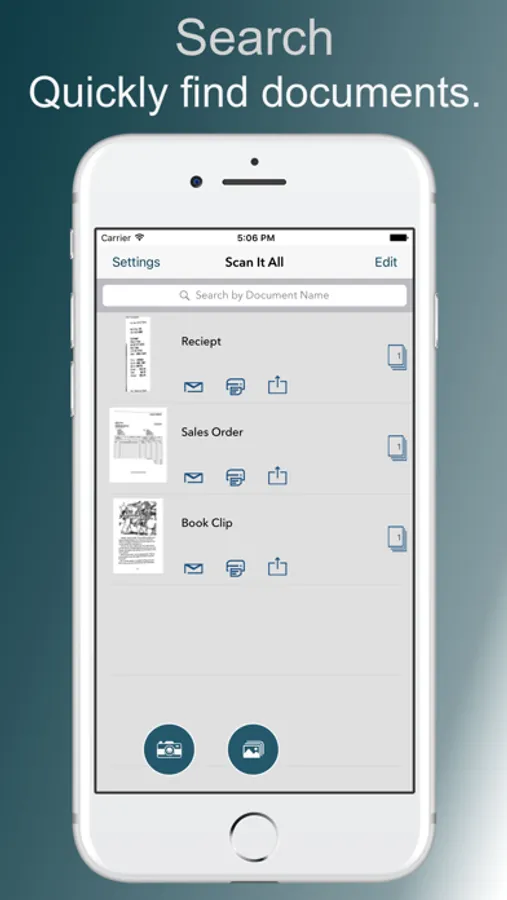
**Scan It All** turns your iOS device into a multipage document scanner for documents, receipts, notes, and other text.
***NEW*** Sign document pages from within the app. Create and store unlimited number of signatures. place signature on any page. resize move, and if needed delete signatures previously added.
Quickly scan, store, sign and email your documents as multipage PDF files. Upload to Dropbox, Google Drive and OneDrive and others.
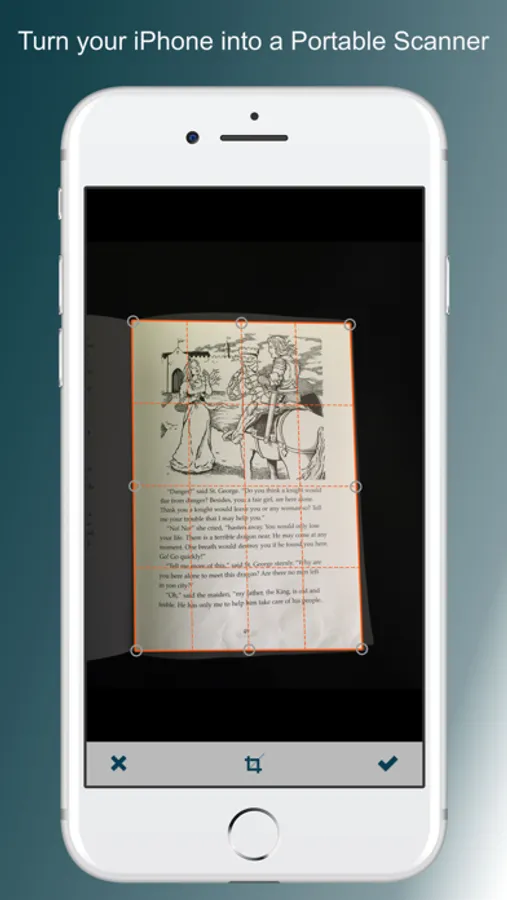
**Scan It All** auto-detects document edges, straightens the documents, eliminates shadows and sets a perfect contrast.
Very easy and intuitive interface.
All image processing happens on your iOS device, keeping your documents secure and confidential.
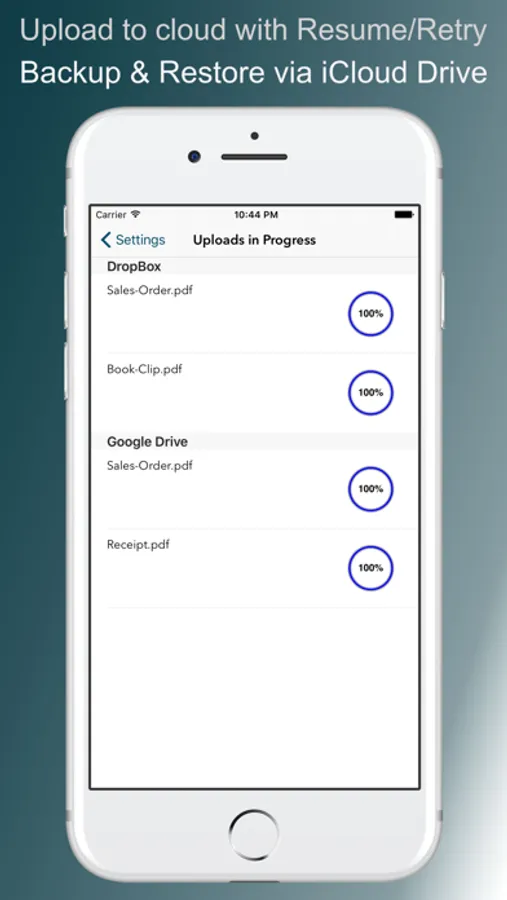
**Scan It All** has DropBox, Google Drive and OneDrive support, upload your PDF to cloud service from within the app.
FEATURES:
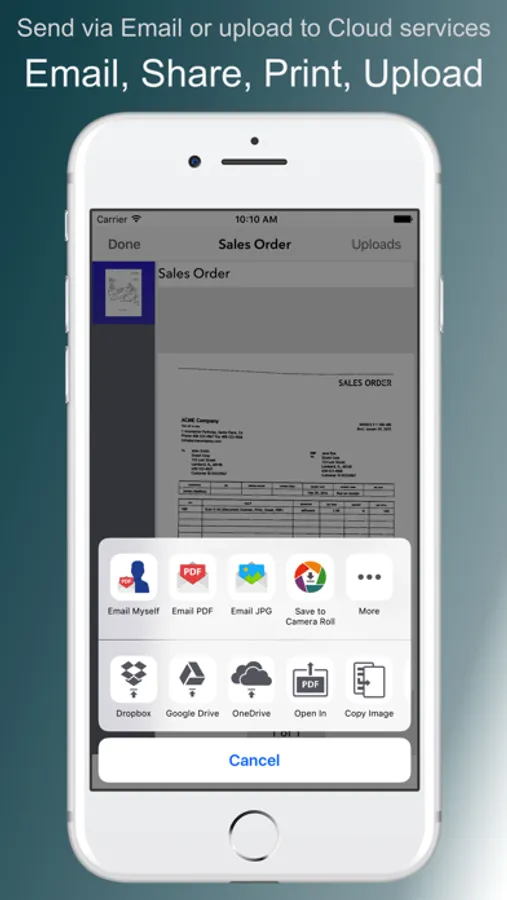
• On touch Email, Print and Upload options on scanned documents.
• Automatic perspective correction and edge detection, manual options to override it for Black & white and color.
• Sign document pages*.
• Quick processing.
• Multipage editing: reorder (drag drop), delete (drag out) and add multiple pages*
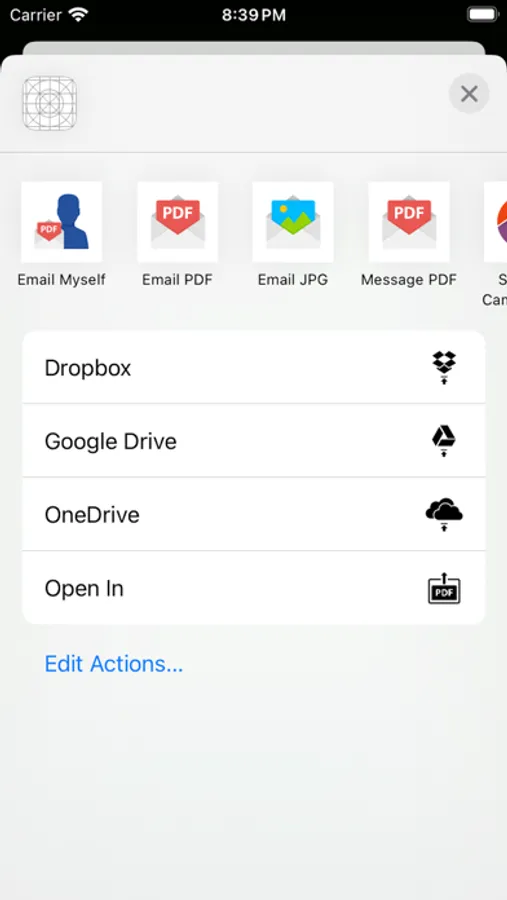
• Email document as PDF.
• Email PDF to pre-configured email addresses.
• Email JPEGs as attachment.*
• Printing via AirPrint.
• Compact attachments.
• Open PDF in other applications like (Dropbox, Evernote, iBooks etc)*
• Export scanned Images to Photo Library*
• Upload PDF to Dropbox, Google Drive and oneDrive directly*
• Copy Image.
• Paste Image*
• Export PDFs from other apps to Scan It All and add/edit pages.
• Set PDF Password.
• Import encrypted PDFs.
• Use Touch ID to secure documents.
• Backup/Restore*/Sync documents to/form iCloud
• Scan from Photo Gallery
• Merge Documents
* (requires one time upgrade to un-limited version)
TIPS ON SCANNING
• Make sure your document is flat and well lit.
• Use flash in low light conditions, but avoid glare with glossy documents (magazines, etc.)
We're constantly improving Scan It All, If you want to send us your feedback or have a problem with our software, please use the Email Support button in the app.
If you find an issue with our software please email support@bitsabound.com or use "Email Support" option under settings menu, and we'll promptly reply.
***NEW*** Sign document pages from within the app. Create and store unlimited number of signatures. place signature on any page. resize move, and if needed delete signatures previously added.
Quickly scan, store, sign and email your documents as multipage PDF files. Upload to Dropbox, Google Drive and OneDrive and others.
**Scan It All** auto-detects document edges, straightens the documents, eliminates shadows and sets a perfect contrast.
Very easy and intuitive interface.
All image processing happens on your iOS device, keeping your documents secure and confidential.
**Scan It All** has DropBox, Google Drive and OneDrive support, upload your PDF to cloud service from within the app.
FEATURES:
• On touch Email, Print and Upload options on scanned documents.
• Automatic perspective correction and edge detection, manual options to override it for Black & white and color.
• Sign document pages*.
• Quick processing.
• Multipage editing: reorder (drag drop), delete (drag out) and add multiple pages*
• Email document as PDF.
• Email PDF to pre-configured email addresses.
• Email JPEGs as attachment.*
• Printing via AirPrint.
• Compact attachments.
• Open PDF in other applications like (Dropbox, Evernote, iBooks etc)*
• Export scanned Images to Photo Library*
• Upload PDF to Dropbox, Google Drive and oneDrive directly*
• Copy Image.
• Paste Image*
• Export PDFs from other apps to Scan It All and add/edit pages.
• Set PDF Password.
• Import encrypted PDFs.
• Use Touch ID to secure documents.
• Backup/Restore*/Sync documents to/form iCloud
• Scan from Photo Gallery
• Merge Documents
* (requires one time upgrade to un-limited version)
TIPS ON SCANNING
• Make sure your document is flat and well lit.
• Use flash in low light conditions, but avoid glare with glossy documents (magazines, etc.)
We're constantly improving Scan It All, If you want to send us your feedback or have a problem with our software, please use the Email Support button in the app.
If you find an issue with our software please email support@bitsabound.com or use "Email Support" option under settings menu, and we'll promptly reply.