Document Scanner & PDF Scanner
Md Sajedur Rahaman
4.5 ★
store rating
Free
In this document scanner app, you can scan PDFs, photos, and ID cards, then crop, rotate, and share files. Includes OCR for text extraction, signature drawing, and document organization features.
AppRecs review analysis
AppRecs rating 4.5. Trustworthiness 0 out of 100. Review manipulation risk 0 out of 100. Based on a review sample analyzed.
★★★★☆
4.5
AppRecs Rating
Ratings breakdown
5 star
82%
4 star
9%
3 star
0%
2 star
0%
1 star
9%
What to know
✓
High user satisfaction
82% of sampled ratings are 5 stars
About Document Scanner & PDF Scanner
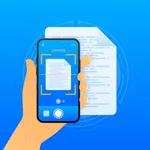
Document Scanner is a simple and reliable scanning app that helps you to perform a variety of scans. Using this doc scanner, you can turn your device into a portable scanner. This doc scanner helps you to scan PDF, photos, documents and ID card. Then you can save, delete, and share your documents. You can also scan QR code & barcode using the QR code & barcode scanner feature. Enjoy the freedom to study and work without needing access to scanning and printing machines. It makes your document management easy, organized, convenient, and worry-free.
Key Features:
- Scan PDF, photos, documents, receipts, papers, ID card, Passport, etc.
- Scan QR code & barcode.
- Edit, crop, filters, rotate, save, share, and delete document.
- Extract image to text with OCR.
- Draw a signature on your document.
- Import photos and export documents.
Document Scanner:
Our Document scanner is helpful for students, educators, managers, accountants, realtors, and lawyers. You can easily scan PDF, photos, documents, passports, ID cards, receipts, papers, books, etc. You can also organize your documents and save them as PDF.
Scanning Modes:
- ID card & Passport Scanner: ID card & Passport Scanner lets you scan your ID card & passport.
- QR code & Barcode Scanner: QR code & barcode scanner allows you to scan QR code & barcode.
- Photo, Receipt, Paper & Book Scanner: This scanner helps you to scan PDF, photos, receipts, papers, books, and many more things.
Extract image (OCR):
Easily extract text from images with the OCR tool. With just a few taps you can convert your image into editable text, which save your time and effort. After that, you can save it.
Edit:
You can edit, crop, and rotate your photos. You can also add your favorite filters to make your documents more attractive.
Draw Signature:
You can use this scanner to draw signatures in different colors on your images. Then you can resize and place them in your image.
Organize Documents:
The Documents Organizer feature helps you to keep your documents in different folders. It keeps them organized so you can find them at the right time. You can also delete unnecessary documents.
Import & Export:
Through our Doc Scanner, you can import your photos from your device and export them to PDF.
Share:
Share your information via Email, WhatsApp, Instagram, Facebook, Telegram, Google Drive, etc.
Key Features:
- Scan PDF, photos, documents, receipts, papers, ID card, Passport, etc.
- Scan QR code & barcode.
- Edit, crop, filters, rotate, save, share, and delete document.
- Extract image to text with OCR.
- Draw a signature on your document.
- Import photos and export documents.
Document Scanner:
Our Document scanner is helpful for students, educators, managers, accountants, realtors, and lawyers. You can easily scan PDF, photos, documents, passports, ID cards, receipts, papers, books, etc. You can also organize your documents and save them as PDF.
Scanning Modes:
- ID card & Passport Scanner: ID card & Passport Scanner lets you scan your ID card & passport.
- QR code & Barcode Scanner: QR code & barcode scanner allows you to scan QR code & barcode.
- Photo, Receipt, Paper & Book Scanner: This scanner helps you to scan PDF, photos, receipts, papers, books, and many more things.
Extract image (OCR):
Easily extract text from images with the OCR tool. With just a few taps you can convert your image into editable text, which save your time and effort. After that, you can save it.
Edit:
You can edit, crop, and rotate your photos. You can also add your favorite filters to make your documents more attractive.
Draw Signature:
You can use this scanner to draw signatures in different colors on your images. Then you can resize and place them in your image.
Organize Documents:
The Documents Organizer feature helps you to keep your documents in different folders. It keeps them organized so you can find them at the right time. You can also delete unnecessary documents.
Import & Export:
Through our Doc Scanner, you can import your photos from your device and export them to PDF.
Share:
Share your information via Email, WhatsApp, Instagram, Facebook, Telegram, Google Drive, etc.