AppRecs review analysis
AppRecs rating 4.0. Trustworthiness 45 out of 100. Review manipulation risk 52 out of 100. Based on a review sample analyzed.
★★★★☆
4.0
AppRecs Rating
Ratings breakdown
5 star
100%
4 star
0%
3 star
0%
2 star
0%
1 star
0%
What to know
⚠
Questionable review patterns
52% review manipulation risk - some review patterns appear unusual
⚠
Unusually uniform ratings
100% of sampled ratings are 5 stars with very little variation
About Calc Bookmark : Save website
【Looks like a calculator! Inside is a bookmark】
This application allows you to create hidden bookmarks on your calculator for websites you do not want others to know about!
The icon, name, and startup screen are the calculator itself, so it is hard for people to know that it is a bookmark application.
【Use】
1 Set a password when you start the application for the first time.
Never forget your password!
Do not enter a password that starts with 0.
Example: 0000, 012, 0801
2 Enter the password using the calculator keys, and tap the “=” key.
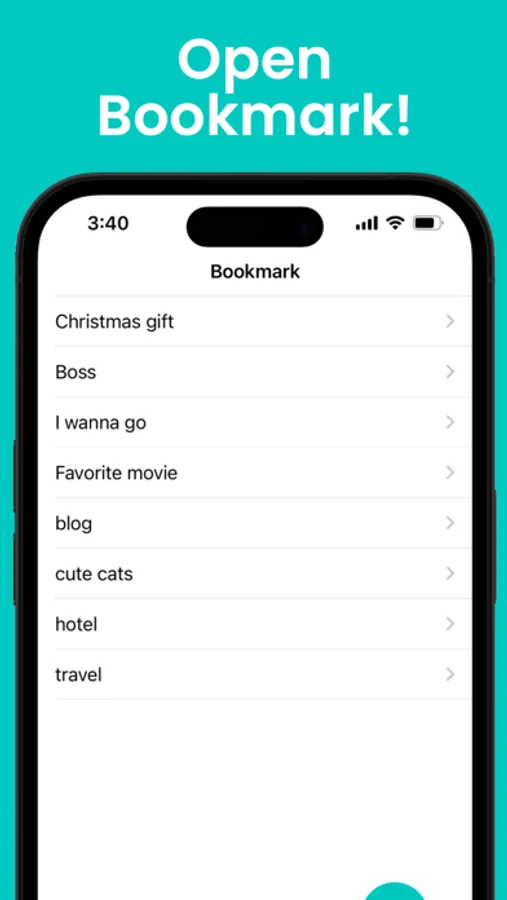
3 You can open the secret bookmark.
【Add bookmarks】
•Press the "+" button that appears when you open a bookmark.
•Select this application from the browser's share button.
※We are not responsible for any problems that occur at bookmarked sites.
This application allows you to create hidden bookmarks on your calculator for websites you do not want others to know about!
The icon, name, and startup screen are the calculator itself, so it is hard for people to know that it is a bookmark application.
【Use】
1 Set a password when you start the application for the first time.
Never forget your password!
Do not enter a password that starts with 0.
Example: 0000, 012, 0801
2 Enter the password using the calculator keys, and tap the “=” key.
3 You can open the secret bookmark.
【Add bookmarks】
•Press the "+" button that appears when you open a bookmark.
•Select this application from the browser's share button.
※We are not responsible for any problems that occur at bookmarked sites.