Passwords
Apple
4.7 ★
store rating
Free
AppRecs review analysis
AppRecs rating 3.7. Trustworthiness 73 out of 100. Review manipulation risk 32 out of 100. Based on a review sample analyzed.
★★★☆☆
3.7
AppRecs Rating
Ratings breakdown
5 star
87%
4 star
7%
3 star
2%
2 star
1%
1 star
3%
What to know
✓
Credible reviews
73% trustworthiness score from analyzed reviews
✓
High user satisfaction
87% of sampled ratings are 5 stars
⚠
Review quality concerns
57% of sampled 5-star reviews are very short
About Passwords
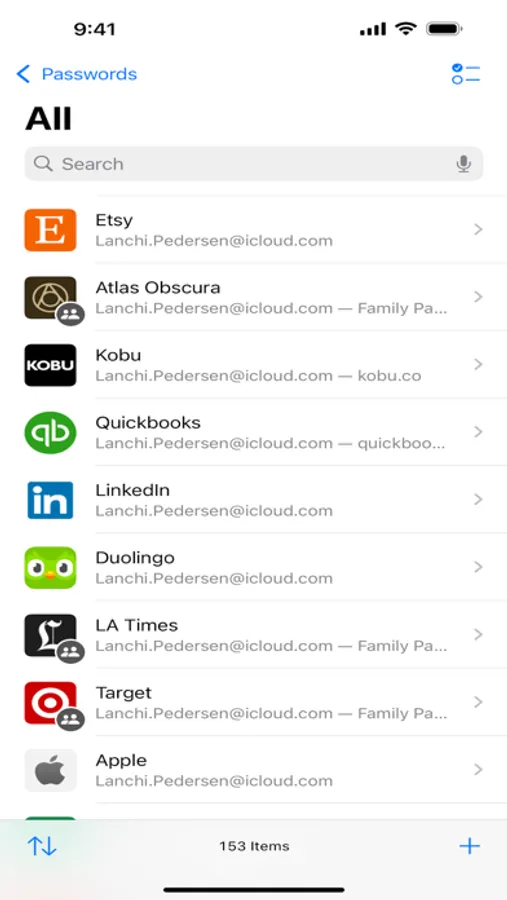
Easily access your passwords, passkeys, Wi-Fi passwords, and your other credentials, in one place. With Passwords, you can quickly sign into apps and websites with AutoFill, protect your account information with encryption, and seamlessly sync passwords so you can access them on the go.
Features
• Securely save your passwords and passkeys and autofill them into websites and apps.
• Seamlessly sync your passwords so you can access them on your other Apple devices and on Windows.
• Get peace of mind that your passwords are secure with encryption.
• Set up 2-factor verification codes right in Passwords and easily autofill without even opening the app.
• Receive alerts if Passwords detects any of your passwords have been compromised in a data leak.
• Check what apps and websites you’ve used Sign In With Apple or Hide My Email to sign in.
• Access Wi-Fi passwords you’ve saved so you can easily refer to them or share with others.
• Sort accounts alphabetically, or by recently created, to quickly find accounts you’re looking for.
• Share passwords with others with shared password groups.
Features
• Securely save your passwords and passkeys and autofill them into websites and apps.
• Seamlessly sync your passwords so you can access them on your other Apple devices and on Windows.
• Get peace of mind that your passwords are secure with encryption.
• Set up 2-factor verification codes right in Passwords and easily autofill without even opening the app.
• Receive alerts if Passwords detects any of your passwords have been compromised in a data leak.
• Check what apps and websites you’ve used Sign In With Apple or Hide My Email to sign in.
• Access Wi-Fi passwords you’ve saved so you can easily refer to them or share with others.
• Sort accounts alphabetically, or by recently created, to quickly find accounts you’re looking for.
• Share passwords with others with shared password groups.