With this app, you can add backgrounds and frames to screenshots from various Apple devices, customize lighting effects, and share the results quickly. Includes thousands of backgrounds, lighting controls, custom frames, and support for automation via Shortcuts.
AppRecs review analysis
AppRecs rating 4.5. Trustworthiness 79 out of 100. Review manipulation risk 34 out of 100. Based on a review sample analyzed.
★★★★☆
4.5
AppRecs Rating
Ratings breakdown
5 star
88%
4 star
4%
3 star
3%
2 star
0%
1 star
5%
What to know
✓
Credible reviews
79% trustworthiness score from analyzed reviews
✓
High user satisfaction
88% of sampled ratings are 5 stars
✓
Authentic reviews
No red flags detected
About Frame Screenshots: Shareshot
~~ Winner of MacStories Selects "Best Design" 2024 ~~
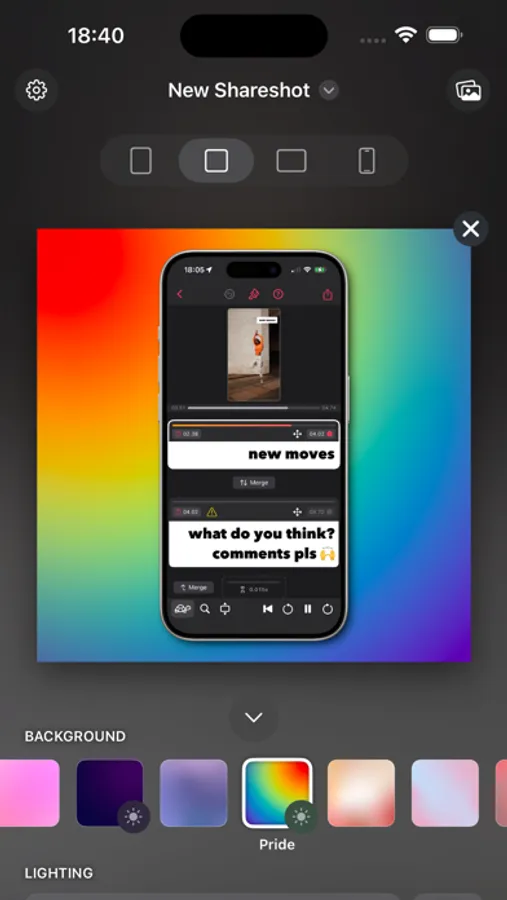
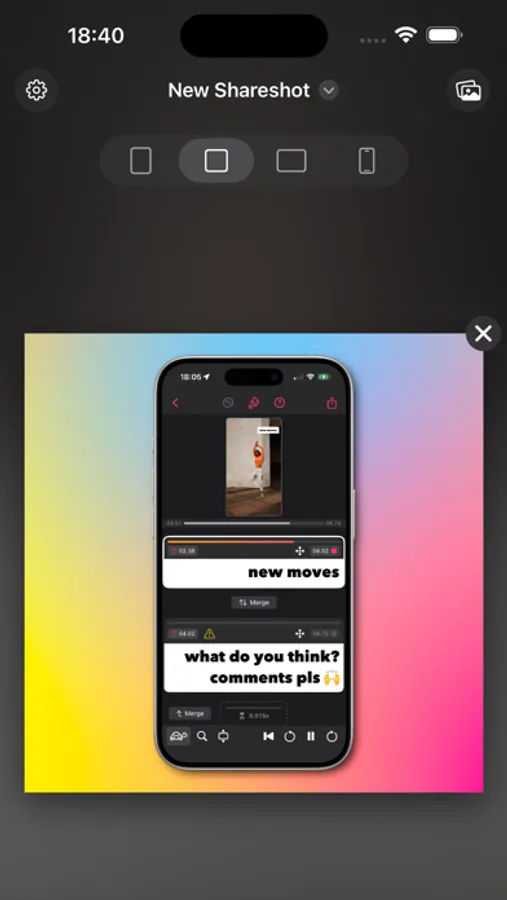
Add a beautiful background and perfectly fitted device frame to screenshots from iPhone, iPad, Mac, Apple Watch, and more.
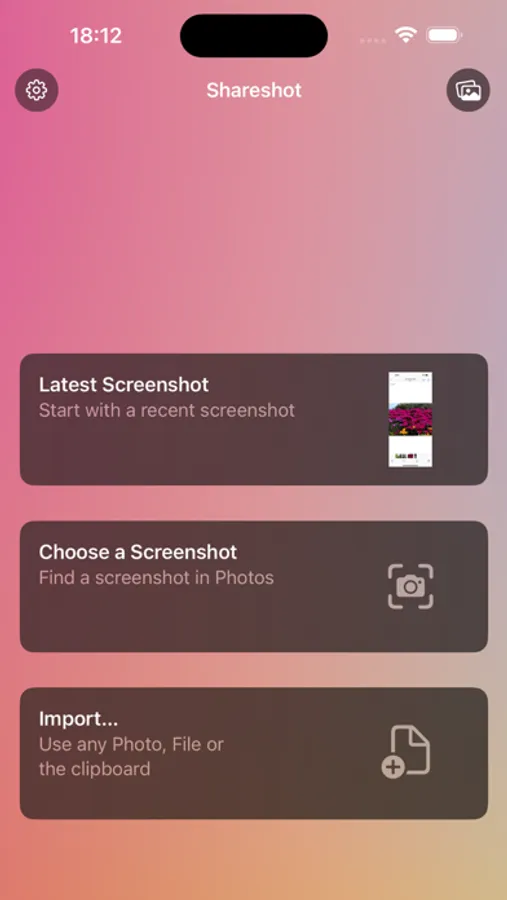
Choose a screenshot, select the output size, background and lighting effects — then share in seconds. Perfect for sharing home screen layouts!
Shareshot is free to use with a watermark and some style limitations. Get a Pro subscription to remove restrictions and get full access to lighting controls, custom background images and custom frame support for the perfect screenshot! All bezels are included without paying.
BACKGROUNDS
* Add a pretty background — with thousands of gradient variations, striped patterns, and solidarity flags to show off your screenshot.
* Highlight your screenshot with the light position control for shadow and lighting effects in the background. (*)
* Use any image as a background. (*)
* Take a solid colour from your brand as a background.
* Support for a clear background when adding a frame for use in other workflows. (*)
* Use the current Apple Music artwork as a background.
THE PERFECT FRAME
* The frame always fits the resolution of the screenshot, no janky stretched or cropped images.
* Frame gaming screenshots from Nintendo Switch & playdate.
* "Fit Frame" mode for web & other media where you need to place a screenshot.
* Add your own custom frame with a clear area where the screenshot should be — frame any images!
* Use any image if no frame is required, or choose "No frame" if you prefer to go without.
INTELLIGENCE
* Any newly added screenshot is automatically detected.
* A very recent screenshot will be opened at app launch.
* Style memory remembers every background setting between sessions.
* Frame Memory recalls the last used frame variant for each device.
SHORTCUTS & SIRI
* Automate batch processing with powerful Shortcuts actions to frame each screenshot in the input.
* "Frame last screenshot" action takes the last screenshot in your Photo library, will add a frame to it and add the background and styling you choose.
* "Open Shareshot with most recent screenshot" opens the app with the latest screenshot, as part of a Shortcuts workflow.
* "Frame Screenshots" takes screenshot images as input, will add the correct frame and style the background of them all.
* "Frame Screenshots with a custom background" uses a background image you pass in.
* Siri "App Shortcut" support for saying "New Shareshot" to frame the last screenshot, opens the app ready for you to tweak the background.
ADVANCED FEATURES
* Control Widget for framing the last screenshot taken.
* Export scale control including 100% for pixel-perfect exports.
* Export to custom fixed sizes or fixed widths to fit your website content.
* Keyboard shortcuts, drag & drop, copy & paste of images into and out of the app.
(*) - Requires Pro
For Terms of Use see: https://www.apple.com/legal/internet-services/itunes/dev/stdeula/
Add a beautiful background and perfectly fitted device frame to screenshots from iPhone, iPad, Mac, Apple Watch, and more.
Choose a screenshot, select the output size, background and lighting effects — then share in seconds. Perfect for sharing home screen layouts!
Shareshot is free to use with a watermark and some style limitations. Get a Pro subscription to remove restrictions and get full access to lighting controls, custom background images and custom frame support for the perfect screenshot! All bezels are included without paying.
BACKGROUNDS
* Add a pretty background — with thousands of gradient variations, striped patterns, and solidarity flags to show off your screenshot.
* Highlight your screenshot with the light position control for shadow and lighting effects in the background. (*)
* Use any image as a background. (*)
* Take a solid colour from your brand as a background.
* Support for a clear background when adding a frame for use in other workflows. (*)
* Use the current Apple Music artwork as a background.
THE PERFECT FRAME
* The frame always fits the resolution of the screenshot, no janky stretched or cropped images.
* Frame gaming screenshots from Nintendo Switch & playdate.
* "Fit Frame" mode for web & other media where you need to place a screenshot.
* Add your own custom frame with a clear area where the screenshot should be — frame any images!
* Use any image if no frame is required, or choose "No frame" if you prefer to go without.
INTELLIGENCE
* Any newly added screenshot is automatically detected.
* A very recent screenshot will be opened at app launch.
* Style memory remembers every background setting between sessions.
* Frame Memory recalls the last used frame variant for each device.
SHORTCUTS & SIRI
* Automate batch processing with powerful Shortcuts actions to frame each screenshot in the input.
* "Frame last screenshot" action takes the last screenshot in your Photo library, will add a frame to it and add the background and styling you choose.
* "Open Shareshot with most recent screenshot" opens the app with the latest screenshot, as part of a Shortcuts workflow.
* "Frame Screenshots" takes screenshot images as input, will add the correct frame and style the background of them all.
* "Frame Screenshots with a custom background" uses a background image you pass in.
* Siri "App Shortcut" support for saying "New Shareshot" to frame the last screenshot, opens the app ready for you to tweak the background.
ADVANCED FEATURES
* Control Widget for framing the last screenshot taken.
* Export scale control including 100% for pixel-perfect exports.
* Export to custom fixed sizes or fixed widths to fit your website content.
* Keyboard shortcuts, drag & drop, copy & paste of images into and out of the app.
(*) - Requires Pro
For Terms of Use see: https://www.apple.com/legal/internet-services/itunes/dev/stdeula/