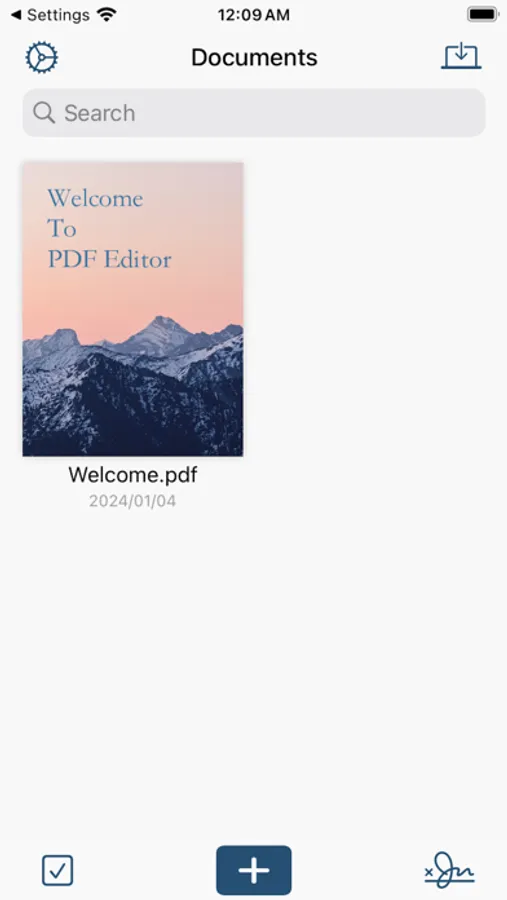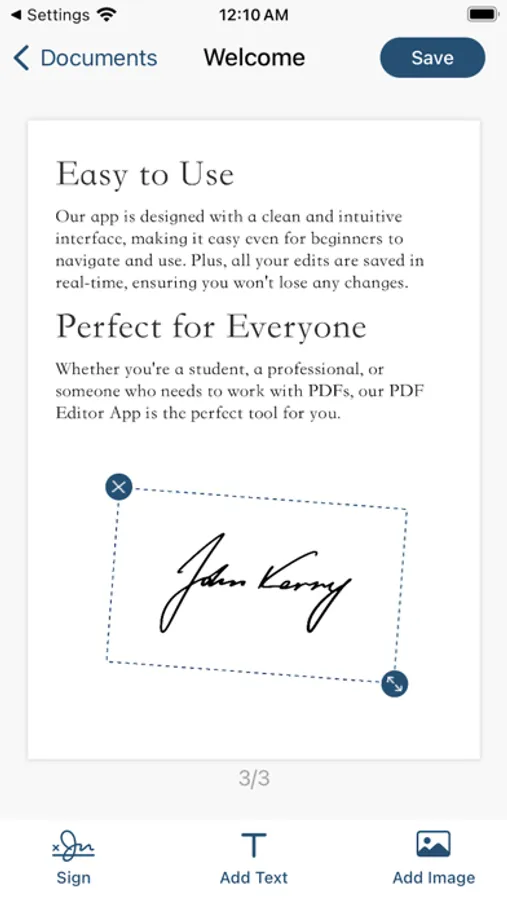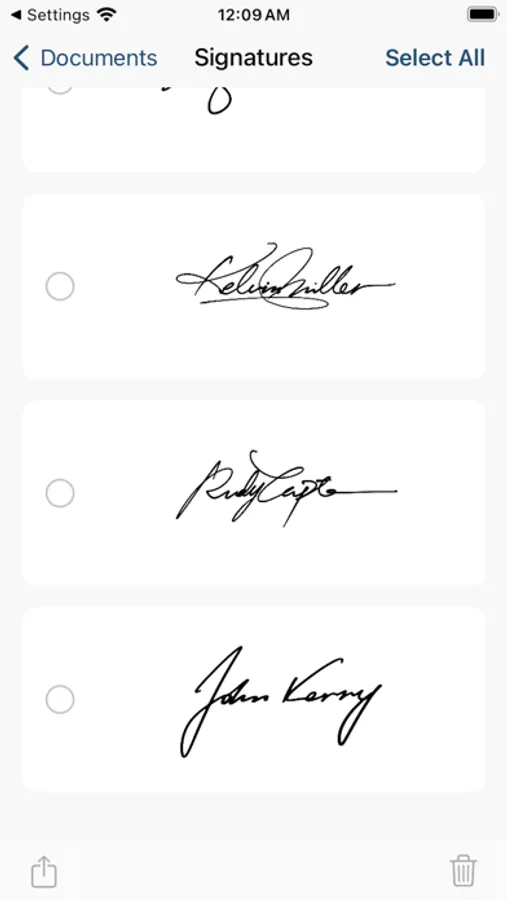
In this PDF editing app, you can add signatures, text, and images to your documents and save your edits in real-time. Includes features for annotation, signature management, and document customization.
AppRecs review analysis
AppRecs rating 4.5. Trustworthiness 72 out of 100. Review manipulation risk 36 out of 100. Based on a review sample analyzed.
★★★★☆
4.5
AppRecs Rating
Ratings breakdown
5 star
80%
4 star
7%
3 star
4%
2 star
2%
1 star
7%
What to know
✓
Credible reviews
72% trustworthiness score from analyzed reviews
✓
High user satisfaction
80% of sampled ratings are 5 stars
✓
Authentic reviews
No red flags detected
About Sign Documents - Sign&Edit PDF
PDF Editor, a powerful and user-friendly tool designed to enhance your productivity. With this app, you can easily add signatures, text, and images to your PDF files.
Our PDF Editor App allows you to personalize your documents in a few simple steps. Need to sign a document? No problem. You can add your signature swiftly and save it for future use. Want to annotate or add comments? You can type in text anywhere on the document. Need to add images? You can insert pictures with ease and adjust their size and position to fit your needs.
But that's not all. Our app is designed with a clean and intuitive interface, making it easy even for beginners to navigate and use. Plus, all your edits are saved in real-time, ensuring you won't lose any changes.
Whether you're a student, a professional, or someone who needs to work with PDFs, our PDF Editor App is the perfect tool for you. Download it now and experience the convenience and efficiency it brings to your work and daily life."
Feel free to modify this to better suit your app's features and target audience.
SUBSCRIPTION INFO:
Subscribe to take advantage of the features described above.
• Subscription length: monthly, yearly
• Your payment will be charged to your iTunes Account as soon as you confirm your purchase.
• You can manage your subscriptions and turn off auto-renewal from 'Settings > iTunes Account & App Store > Apple ID > Subscriptions'
• Your subscription will renew automatically unless you turn off auto-renew at least 24 hours before the end of the current period.
• The cost of renewal will be charged to your account 24 hours before the end of the current period.
• When canceling a subscription, your subscription will stay active until the end of the period. Auto-renewal will be disabled, but the current subscription will not be refunded.
Terms of use: https://docs.qq.com/doc/DRWhmR0VSaXJJWWVs
Privacy policy: https://docs.qq.com/doc/DRWhmR0VSaXJJWWVs
Inquiry: help4pdfsign@gmail.com
Our PDF Editor App allows you to personalize your documents in a few simple steps. Need to sign a document? No problem. You can add your signature swiftly and save it for future use. Want to annotate or add comments? You can type in text anywhere on the document. Need to add images? You can insert pictures with ease and adjust their size and position to fit your needs.
But that's not all. Our app is designed with a clean and intuitive interface, making it easy even for beginners to navigate and use. Plus, all your edits are saved in real-time, ensuring you won't lose any changes.
Whether you're a student, a professional, or someone who needs to work with PDFs, our PDF Editor App is the perfect tool for you. Download it now and experience the convenience and efficiency it brings to your work and daily life."
Feel free to modify this to better suit your app's features and target audience.
SUBSCRIPTION INFO:
Subscribe to take advantage of the features described above.
• Subscription length: monthly, yearly
• Your payment will be charged to your iTunes Account as soon as you confirm your purchase.
• You can manage your subscriptions and turn off auto-renewal from 'Settings > iTunes Account & App Store > Apple ID > Subscriptions'
• Your subscription will renew automatically unless you turn off auto-renew at least 24 hours before the end of the current period.
• The cost of renewal will be charged to your account 24 hours before the end of the current period.
• When canceling a subscription, your subscription will stay active until the end of the period. Auto-renewal will be disabled, but the current subscription will not be refunded.
Terms of use: https://docs.qq.com/doc/DRWhmR0VSaXJJWWVs
Privacy policy: https://docs.qq.com/doc/DRWhmR0VSaXJJWWVs
Inquiry: help4pdfsign@gmail.com