AppRecs review analysis
AppRecs rating 4.5. Trustworthiness 60 out of 100. Review manipulation risk 26 out of 100. Based on a review sample analyzed.
★★★★☆
4.5
AppRecs Rating
Ratings breakdown
5 star
100%
4 star
0%
3 star
0%
2 star
0%
1 star
0%
What to know
✓
Low review manipulation risk
26% review manipulation risk
✓
High user satisfaction
100% of sampled ratings are 5 stars
About Auto Event Maker for health
This app will be useful for you if:
1. record daily sleep or exercise times in your calendar.
2. measure health data such as sleep and exercise with an iPhone or Apple Watch.
---
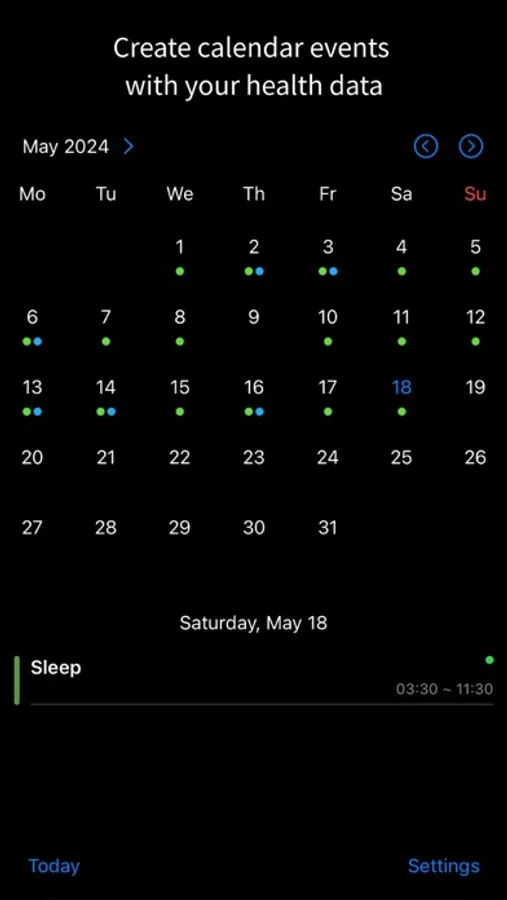
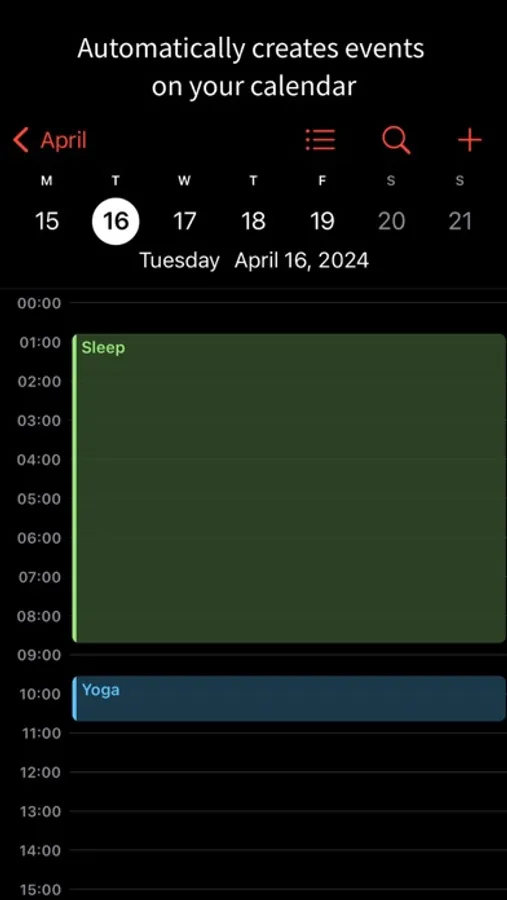
This app automatically creates calendar events based on the health data stored on your iPhone.
Did you fall asleep at 11 PM yesterday and wake up at 7 AM today?
Did you measure a 45-minute outdoor run with your Apple Watch?
If so, this app will automatically create a sleep event from 11 PM to 7 AM and a 45-minute exercise event in your calendar.
If you like recording your sleep and exercise times in your calendar as events but find it tedious to create them manually, this app can save you time.
---
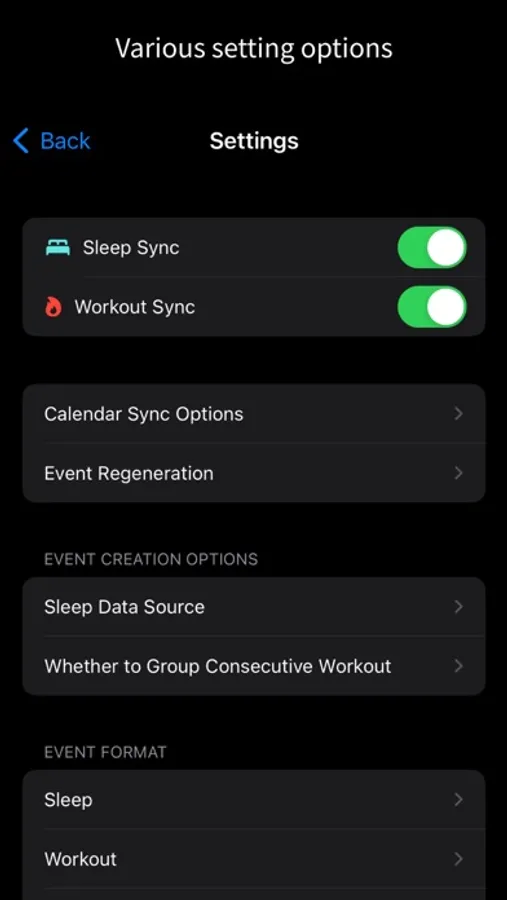
- When creating sleep events, you can set the sleep source. If you are using a separate app for sleep measurement, you can create events based on the sleep data generated by that app.
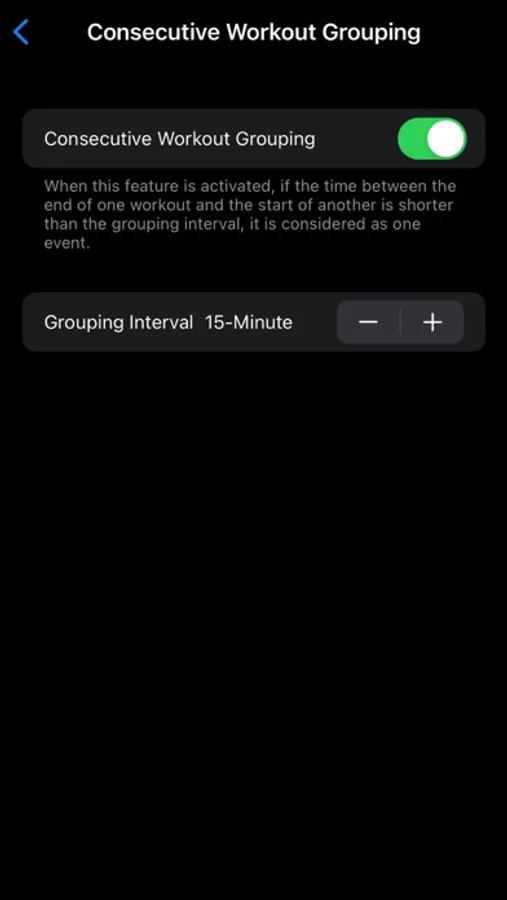
- If you perform different types of exercises in succession, you can create an event that groups them into a single exercise session. For example, 15 minutes of stretching followed by 45 minutes of running can be grouped into a single 60-minute exercise session event.
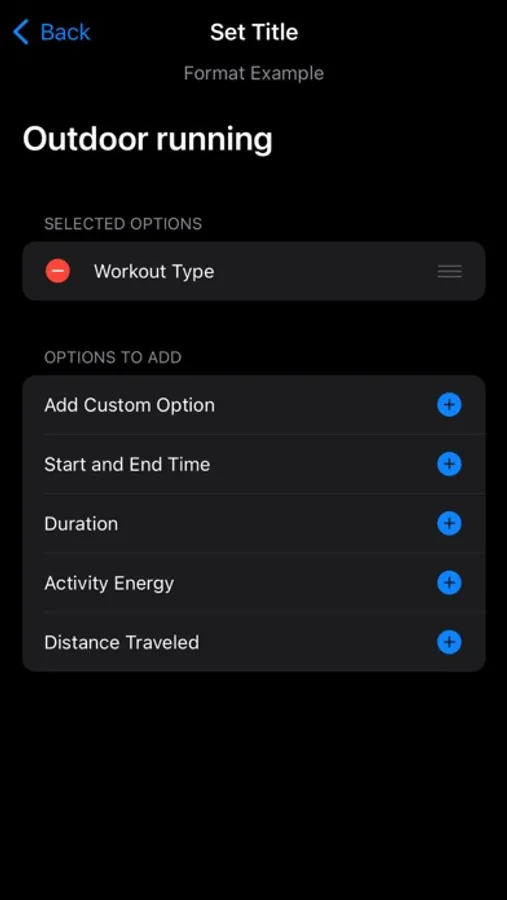
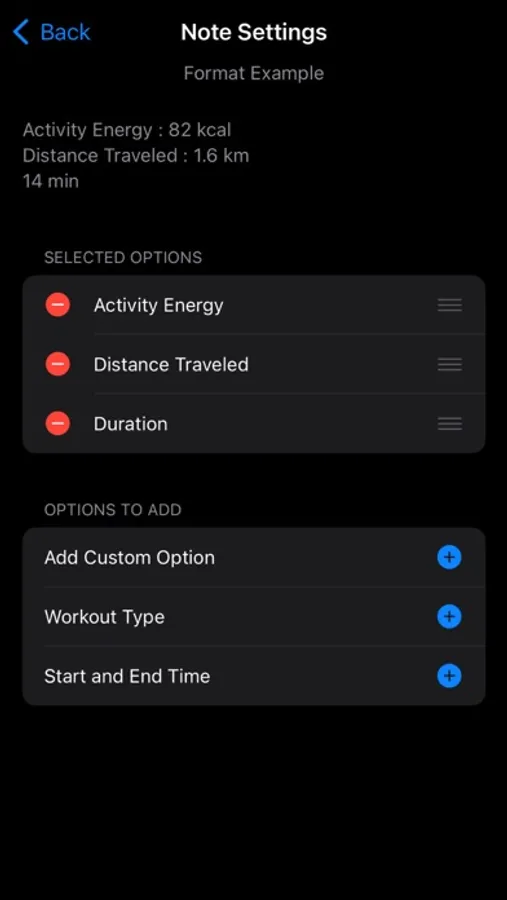
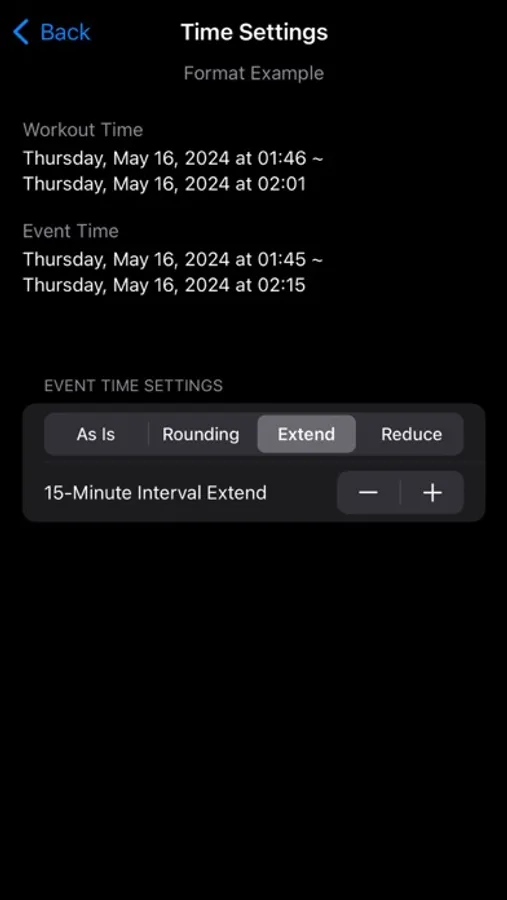
- The title, notes, and time of the event can be customized based on your health data. You can include the type of exercise and calories burned in the title, or simply use “Exercise” as the title and include details such as exercise type, calories burned, and distance in the notes. You can also adjust the event time based on the duration of sleep and exercise. For instance, an exercise conducted from 08:02 to 08:42 can be set exactly as is, or expanded according to user-set values to cover 08:00 to 09:00.
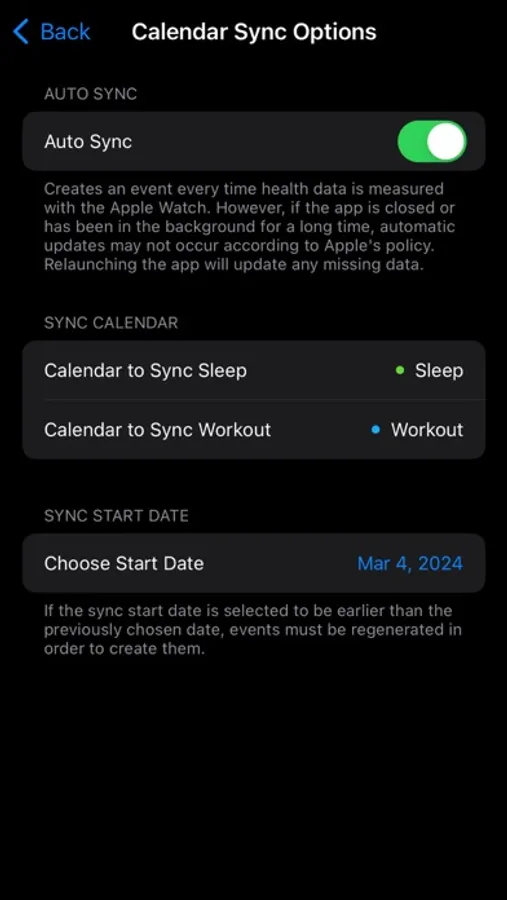
To ensure your health data is not transmitted externally, events are created in your Apple Calendar.
You can specify other calendars registered in your Apple Calendar to create events.
1. record daily sleep or exercise times in your calendar.
2. measure health data such as sleep and exercise with an iPhone or Apple Watch.
---
This app automatically creates calendar events based on the health data stored on your iPhone.
Did you fall asleep at 11 PM yesterday and wake up at 7 AM today?
Did you measure a 45-minute outdoor run with your Apple Watch?
If so, this app will automatically create a sleep event from 11 PM to 7 AM and a 45-minute exercise event in your calendar.
If you like recording your sleep and exercise times in your calendar as events but find it tedious to create them manually, this app can save you time.
---
- When creating sleep events, you can set the sleep source. If you are using a separate app for sleep measurement, you can create events based on the sleep data generated by that app.
- If you perform different types of exercises in succession, you can create an event that groups them into a single exercise session. For example, 15 minutes of stretching followed by 45 minutes of running can be grouped into a single 60-minute exercise session event.
- The title, notes, and time of the event can be customized based on your health data. You can include the type of exercise and calories burned in the title, or simply use “Exercise” as the title and include details such as exercise type, calories burned, and distance in the notes. You can also adjust the event time based on the duration of sleep and exercise. For instance, an exercise conducted from 08:02 to 08:42 can be set exactly as is, or expanded according to user-set values to cover 08:00 to 09:00.
To ensure your health data is not transmitted externally, events are created in your Apple Calendar.
You can specify other calendars registered in your Apple Calendar to create events.