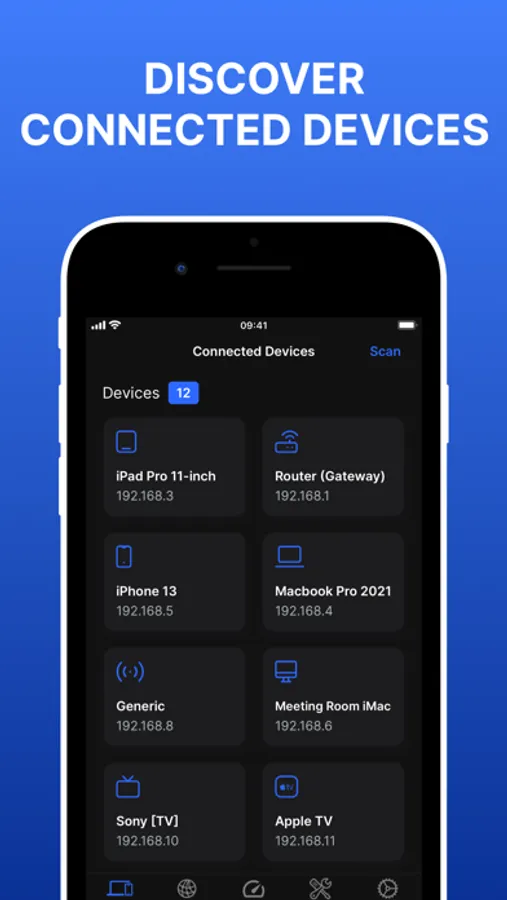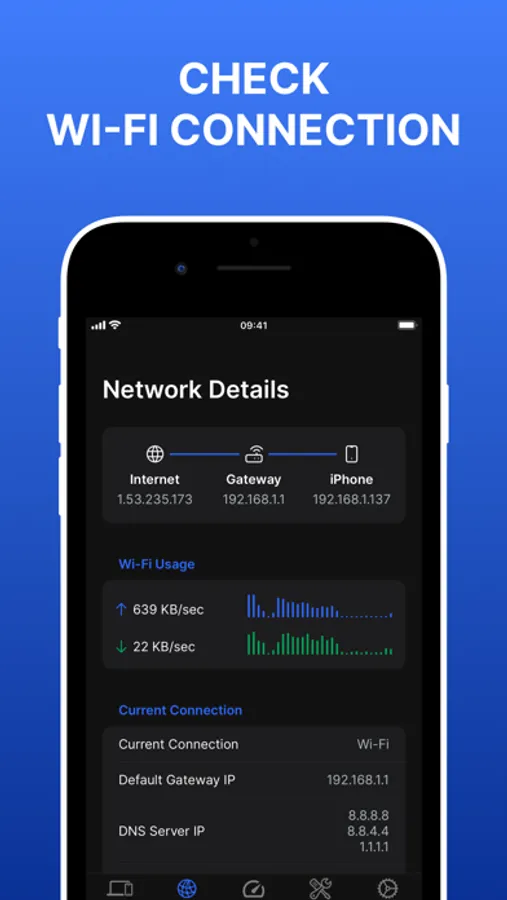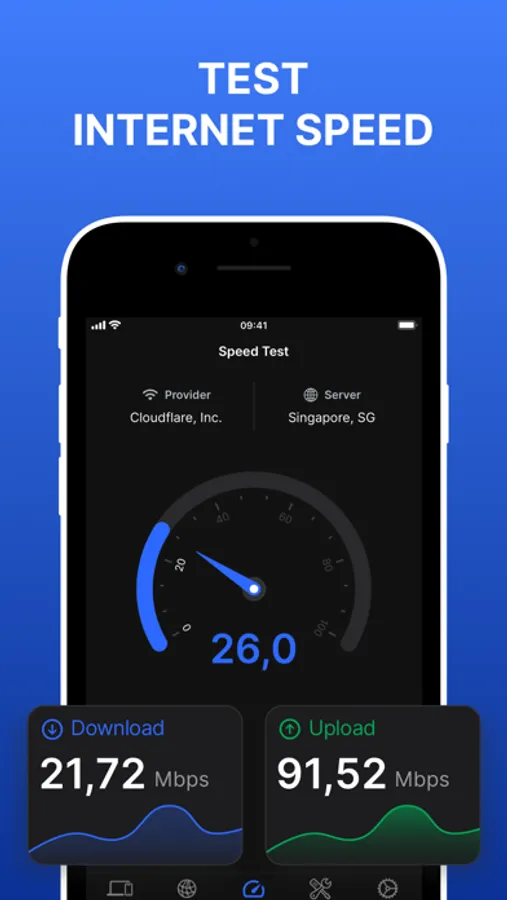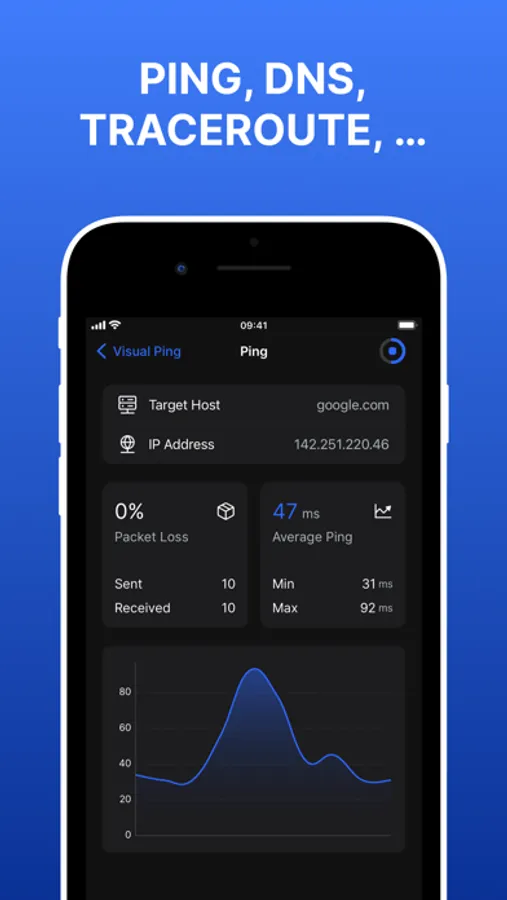
With this network scanner, you can identify connected devices and view network details like IP and MAC addresses. Includes device discovery, network information, and speed testing features.
AppRecs review analysis
AppRecs rating 3.9. Trustworthiness 45 out of 100. Review manipulation risk 38 out of 100. Based on a review sample analyzed.
★★★☆☆
3.9
AppRecs Rating
Ratings breakdown
5 star
77%
4 star
6%
3 star
6%
2 star
1%
1 star
10%
What to know
✓
Authentic reviews
No red flags detected
About Network Scanner: WiFi Analyzer
Wifi Status - Network Scanner
Discover, analyze, and optimize your network with Wifi Status - Network Scanner. Whether you’re a tech enthusiast or a casual user, this app provides essential tools to enhance your network experience.
- Discover Connected Devices:
Quickly identify all devices connected to your network. From smartphones to smart home gadgets, stay informed about who’s sharing your Wi-Fi.
- View Network Information:
Dive into detailed network information: IP addresses, MAC addresses, and more. Understand your network layout effortlessly.
- Speed Test:
Measure your internet speed with precision. Is your connection as fast as it should be? Find out instantly.
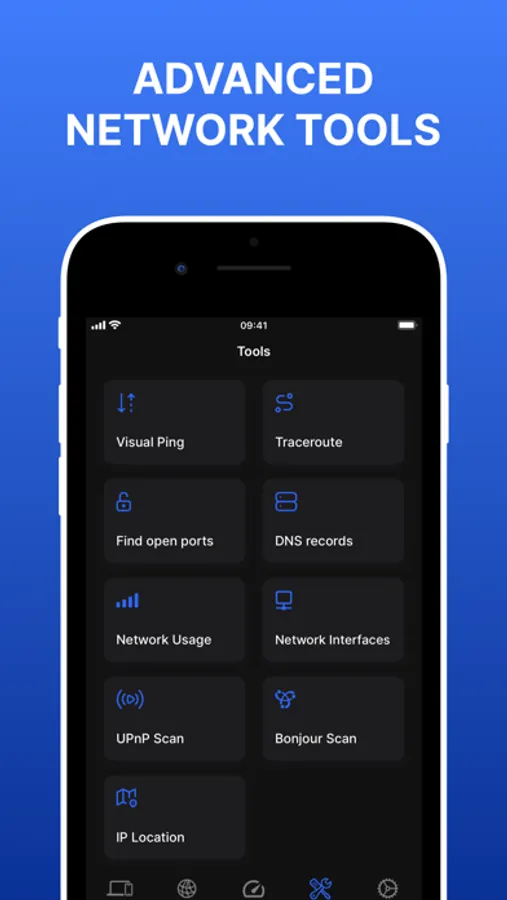
- Advanced Tools
• Ping: Test network responsiveness and latency.
• Traceroute: Trace the path of data packets across the network.
• DNS Records: Investigate domain names and their associated IP addresses.
• Network Usage: Monitor data consumption for your device.
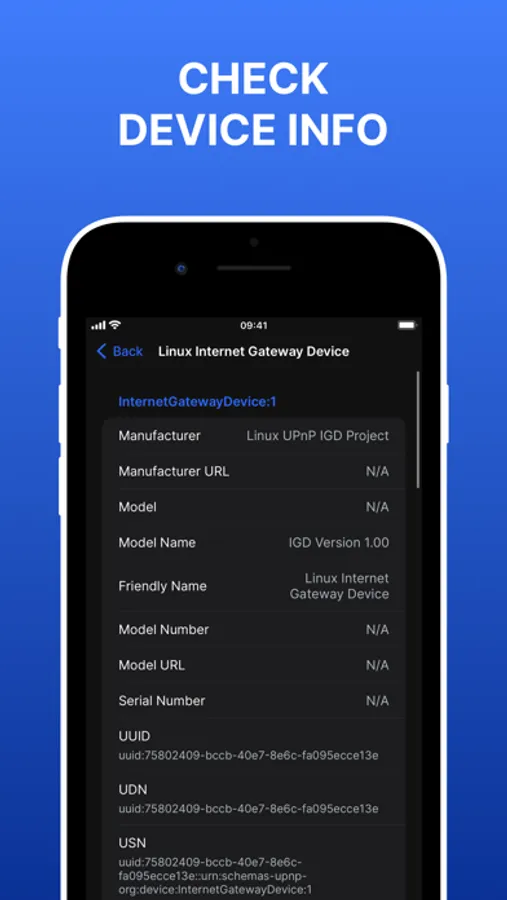
• UPnP Scanner: Discover Universal Plug and Play devices.
• Bonjour Scanner: Identify services on local networks.
• Find Open Ports: Detect open ports on devices.
• IP Location: Geolocate IP addresses.
Get Wifi Status - Network Scanner today and take control of your network health!
===================================
ADDITIONAL SUBSCRIPTION INFORMATION:
Subscription price:
- 1 week: $3.99 (3-day free trial)
- 1 month: $6.99
- Lifetime: $14.99
- Subscription may be canceled at any time within the iTunes and App Store Apple ID Settings. All prices include applicable local sales taxes.
- Payment will be charged to iTunes Account at confirmation of purchase.
- Subscription automatically renews unless auto-renew is turned off at least 24-hours before the end of the current period.
- The account will be charged for renewal within 24-hours prior to the end of the current period, and identify the cost of the renewal.
- Subscriptions may be managed by the user and auto-renewal may be turned off by going to the user's Account Settings after purchase.
- No cancellation of the current subscription is allowed during active subscription period.
- Any unused portion of a free trial period, if offered, will be forfeited when the user purchases a subscription to that publication, where applicable
Privacy policy: https://sites.google.com/view/mobile-labs
Terms of service: https://sites.google.com/view/mobi-labs-termofservice
Discover, analyze, and optimize your network with Wifi Status - Network Scanner. Whether you’re a tech enthusiast or a casual user, this app provides essential tools to enhance your network experience.
- Discover Connected Devices:
Quickly identify all devices connected to your network. From smartphones to smart home gadgets, stay informed about who’s sharing your Wi-Fi.
- View Network Information:
Dive into detailed network information: IP addresses, MAC addresses, and more. Understand your network layout effortlessly.
- Speed Test:
Measure your internet speed with precision. Is your connection as fast as it should be? Find out instantly.
- Advanced Tools
• Ping: Test network responsiveness and latency.
• Traceroute: Trace the path of data packets across the network.
• DNS Records: Investigate domain names and their associated IP addresses.
• Network Usage: Monitor data consumption for your device.
• UPnP Scanner: Discover Universal Plug and Play devices.
• Bonjour Scanner: Identify services on local networks.
• Find Open Ports: Detect open ports on devices.
• IP Location: Geolocate IP addresses.
Get Wifi Status - Network Scanner today and take control of your network health!
===================================
ADDITIONAL SUBSCRIPTION INFORMATION:
Subscription price:
- 1 week: $3.99 (3-day free trial)
- 1 month: $6.99
- Lifetime: $14.99
- Subscription may be canceled at any time within the iTunes and App Store Apple ID Settings. All prices include applicable local sales taxes.
- Payment will be charged to iTunes Account at confirmation of purchase.
- Subscription automatically renews unless auto-renew is turned off at least 24-hours before the end of the current period.
- The account will be charged for renewal within 24-hours prior to the end of the current period, and identify the cost of the renewal.
- Subscriptions may be managed by the user and auto-renewal may be turned off by going to the user's Account Settings after purchase.
- No cancellation of the current subscription is allowed during active subscription period.
- Any unused portion of a free trial period, if offered, will be forfeited when the user purchases a subscription to that publication, where applicable
Privacy policy: https://sites.google.com/view/mobile-labs
Terms of service: https://sites.google.com/view/mobi-labs-termofservice