AppRecs review analysis
AppRecs rating 4.5. Trustworthiness 45 out of 100. Review manipulation risk 33 out of 100. Based on a review sample analyzed.
★★★★☆
4.5
AppRecs Rating
Ratings breakdown
5 star
100%
4 star
0%
3 star
0%
2 star
0%
1 star
0%
What to know
⚠
Unusually uniform ratings
100% of sampled ratings are 5 stars with very little variation
About Classic Block JQ
1: Basic operation: In the game settings, you can open the direction control button, and the blue button on the right can start/pause the game (or turn off the direction control button and use gestures to control). Swipe up and down quickly, and swipe left and right to move the block left and right. Click the screen to change the direction of the block.
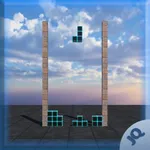
2: Game rules: After the block moves to the bottom area or touches other blocks, it cannot move and remains fixed here. At this point, a new block will appear above the screen. When a horizontal grid in a region is filled with blocks, the column disappears and becomes your score. The more columns you delete, the higher your score. When a fixed pile of blocks reaches the top of the screen and the number of layers cannot be eliminated, the game ends.
2: Game rules: After the block moves to the bottom area or touches other blocks, it cannot move and remains fixed here. At this point, a new block will appear above the screen. When a horizontal grid in a region is filled with blocks, the column disappears and becomes your score. The more columns you delete, the higher your score. When a fixed pile of blocks reaches the top of the screen and the number of layers cannot be eliminated, the game ends.