AppRecs review analysis
AppRecs rating 5.0. Trustworthiness 45 out of 100. Review manipulation risk 20 out of 100. Based on a review sample analyzed.
★★★★★
5.0
AppRecs Rating
Ratings breakdown
5 star
100%
4 star
0%
3 star
0%
2 star
0%
1 star
0%
What to know
⚠
Unusually uniform ratings
100% of sampled ratings are 5 stars with very little variation
About Millwork Scanner
Millwork Scanner streamlines room capture and export for professionals using Mozaik, KCD, Autokitchen, Cabmaster, and ProKitchen. Scan with LiDAR, fine-tune in 2D and 3D, then export in the formats your cabinet design software expects—fast, accurate, and reliable.
Key Features
- 1. Export to your workflow
- Export directly for Mozaik, KCD, Autokitchen, Cabmaster, and ProKitchen.
- Generate properly formatted files for immediate import—no manual conversions.
- 2. Accurate room scanning
- Powered by ARKit and RoomPlan for detailed models of walls, doors, windows, and more.
- 3. 2D and 3D editing
- Refine rooms in 3D or switch to a precision 2D floor plan view.
- Rotate and align rooms to your preferred axes.
- 4. Connection‑aware wall editing (new)
- Walls maintain corner connections during edits.
- Connected walls auto‑update when you stretch a wall.
- Visual highlights show connected walls and corner points for clarity.
- 5. Lockable dimensions (new)
- Lock individual walls to prevent unwanted changes.
- Auto‑lock after edits helps protect finalized dimensions.
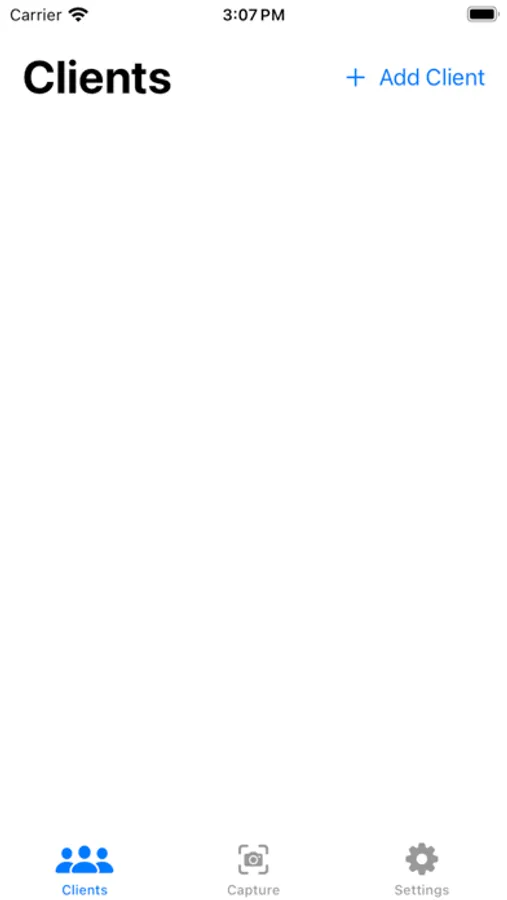
- 6. Client management
- Keep organized client records with attached scans and images.
Device Compatibility
- Requires an iPhone or iPad with built‑in LiDAR (e.g., iPhone 13–15 Pro, iPad Pro models with LiDAR).
Why Millwork Scanner?
Purpose‑built for cabinetry and millwork pros, Millwork Scanner cuts steps out of your process—scan, refine, and export directly to the software you already use, with accuracy you can trust.
Get Started
- Open Millwork Scanner on a LiDAR‑enabled device.
- Create a project, scan your room, refine in 2D/3D, and export to Mozaik, KCD, Autokitchen, Cabmaster, or ProKitchen.
About Us
Hillcrest Cabinets builds tools that make professional workflows faster and more precise—designed for real shop conditions and real deadlines.
Terms of Use: [hillcrestcabinets.ca/terms-of-use](https://www.hillcrestcabinets.ca/terms-of-use)
Key Features
- 1. Export to your workflow
- Export directly for Mozaik, KCD, Autokitchen, Cabmaster, and ProKitchen.
- Generate properly formatted files for immediate import—no manual conversions.
- 2. Accurate room scanning
- Powered by ARKit and RoomPlan for detailed models of walls, doors, windows, and more.
- 3. 2D and 3D editing
- Refine rooms in 3D or switch to a precision 2D floor plan view.
- Rotate and align rooms to your preferred axes.
- 4. Connection‑aware wall editing (new)
- Walls maintain corner connections during edits.
- Connected walls auto‑update when you stretch a wall.
- Visual highlights show connected walls and corner points for clarity.
- 5. Lockable dimensions (new)
- Lock individual walls to prevent unwanted changes.
- Auto‑lock after edits helps protect finalized dimensions.
- 6. Client management
- Keep organized client records with attached scans and images.
Device Compatibility
- Requires an iPhone or iPad with built‑in LiDAR (e.g., iPhone 13–15 Pro, iPad Pro models with LiDAR).
Why Millwork Scanner?
Purpose‑built for cabinetry and millwork pros, Millwork Scanner cuts steps out of your process—scan, refine, and export directly to the software you already use, with accuracy you can trust.
Get Started
- Open Millwork Scanner on a LiDAR‑enabled device.
- Create a project, scan your room, refine in 2D/3D, and export to Mozaik, KCD, Autokitchen, Cabmaster, or ProKitchen.
About Us
Hillcrest Cabinets builds tools that make professional workflows faster and more precise—designed for real shop conditions and real deadlines.
Terms of Use: [hillcrestcabinets.ca/terms-of-use](https://www.hillcrestcabinets.ca/terms-of-use)