VoiceClock - Talking
Shinichi Aokawa
4.6 ★
store rating
$2.99
AppRecs review analysis
AppRecs rating 4.4. Trustworthiness 77 out of 100. Review manipulation risk 21 out of 100. Based on a review sample analyzed.
★★★★☆
4.4
AppRecs Rating
Ratings breakdown
5 star
73%
4 star
12%
3 star
15%
2 star
0%
1 star
0%
What to know
✓
Low review manipulation risk
21% review manipulation risk
✓
Credible reviews
77% trustworthiness score from analyzed reviews
✓
High user satisfaction
73% of sampled ratings are 5 stars
About VoiceClock - Talking
Even if put it in a pocket to lock your iPhone, This app inform the time.
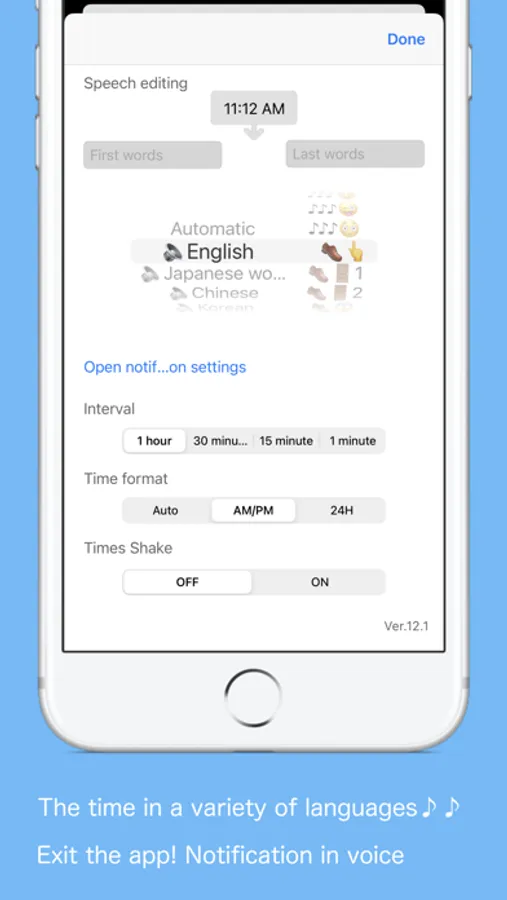
By Starting the application, can be edited freely the words before and after the time if the desk clock.
For example, "now" 8:00 "Let's go" It is possible.
(Please write the character in the language currently used)
【Please】
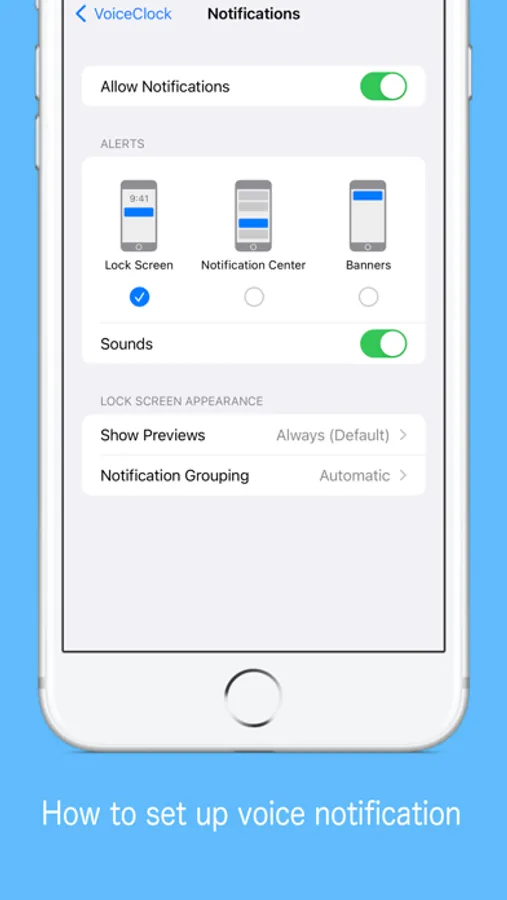
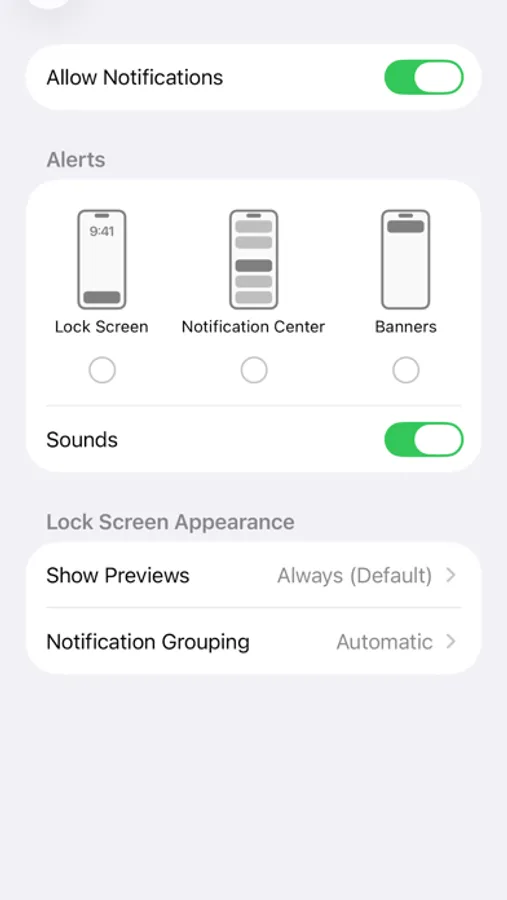
When enabling sound effect, please select other than "banner is Persistent" in notification setting so that voice notification will not be interrupted.
【The following languages are supported for voice notification at lock time】
※ Japanese, English, Chinese, Korean, Russian, German, French, Italian, Dutch, Arabic, Greek, Turkish, English (Alex)
※ The English voice notification is made for 12 hours
00: 00 to 11: 30 (Example 1: 12: 00 AM, Example 2: 11: 30 AM)
12: 00 ~ 23: 30 (Example 1: 12: 00 PM, Example 2: 11: 30 PM)
It is expressed as.
How to use
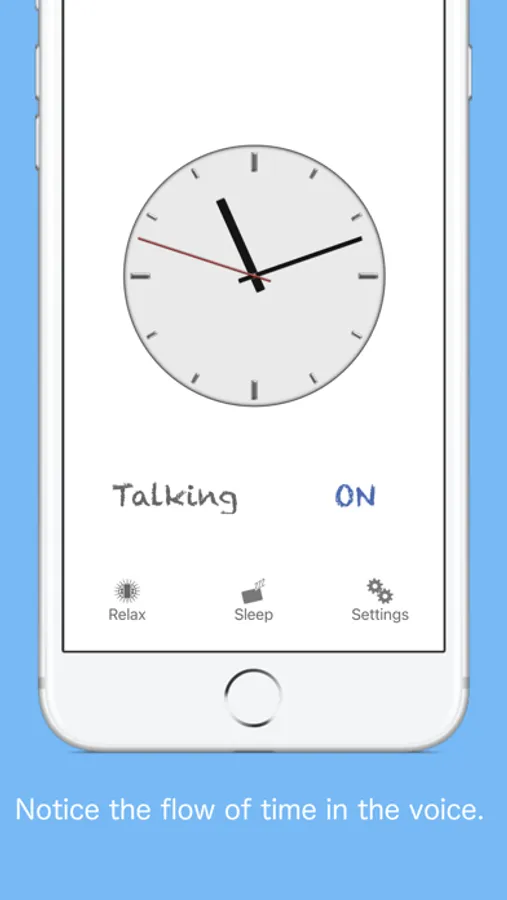
※ Clock
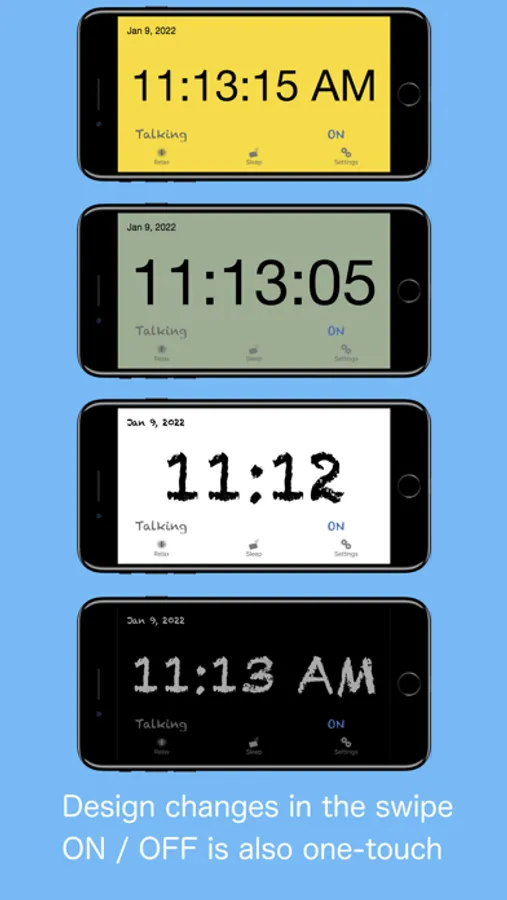
· (Analog / digital, background color, font) setting can be switched by swiping left, right, up, and down.
· Receive a notification via voice the time you tap the "Talking".
· We will inform you by voice time and shake.
· You can switch by tapping the "ON" or "OFF" the time signal notification.
※ Setting
· You can edit the words before and after the time of the sandwich voice notification.
· You can select the language of the device other than setting.
· It is possible to select 10 types of sound effects and sound OFF.
· You can change "Notification interval", "Time format", "Notification with shake".
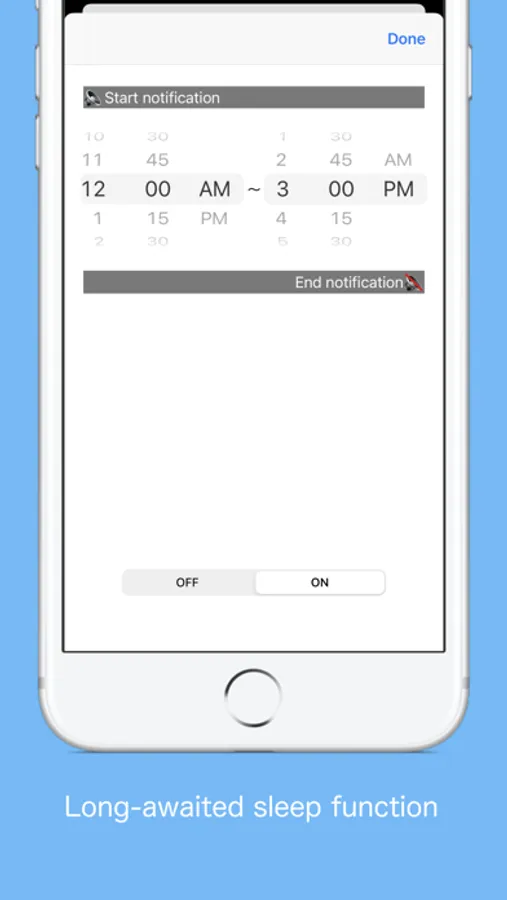
※Sleep
· You can set the time zone to stop the voice notification.
(It does not correspond to a 1-minute notification interval)
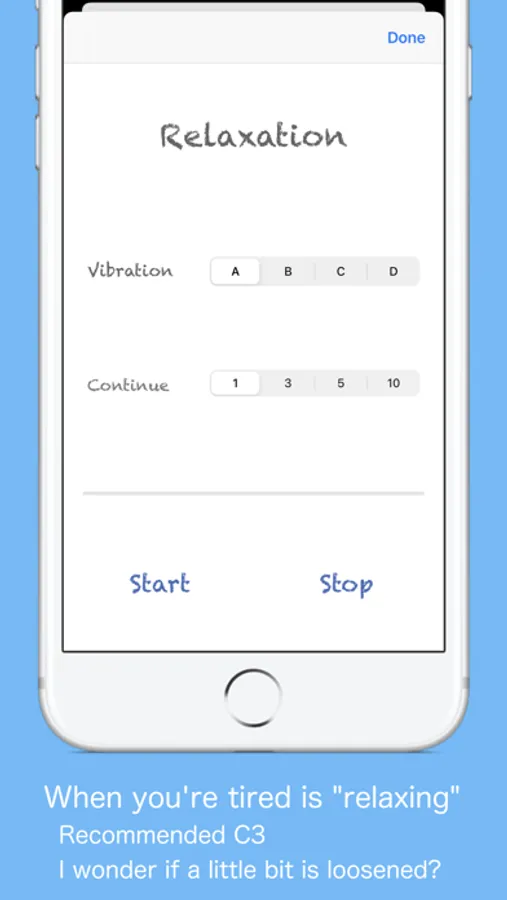
※ Relaxation time
· How is the Use simple massage function using the vibration of the iPhone, you can try to heal mind while listening in your favorite music.
By Starting the application, can be edited freely the words before and after the time if the desk clock.
For example, "now" 8:00 "Let's go" It is possible.
(Please write the character in the language currently used)
【Please】
When enabling sound effect, please select other than "banner is Persistent" in notification setting so that voice notification will not be interrupted.
【The following languages are supported for voice notification at lock time】
※ Japanese, English, Chinese, Korean, Russian, German, French, Italian, Dutch, Arabic, Greek, Turkish, English (Alex)
※ The English voice notification is made for 12 hours
00: 00 to 11: 30 (Example 1: 12: 00 AM, Example 2: 11: 30 AM)
12: 00 ~ 23: 30 (Example 1: 12: 00 PM, Example 2: 11: 30 PM)
It is expressed as.
How to use
※ Clock
· (Analog / digital, background color, font) setting can be switched by swiping left, right, up, and down.
· Receive a notification via voice the time you tap the "Talking".
· We will inform you by voice time and shake.
· You can switch by tapping the "ON" or "OFF" the time signal notification.
※ Setting
· You can edit the words before and after the time of the sandwich voice notification.
· You can select the language of the device other than setting.
· It is possible to select 10 types of sound effects and sound OFF.
· You can change "Notification interval", "Time format", "Notification with shake".
※Sleep
· You can set the time zone to stop the voice notification.
(It does not correspond to a 1-minute notification interval)
※ Relaxation time
· How is the Use simple massage function using the vibration of the iPhone, you can try to heal mind while listening in your favorite music.