Droid Dashcam - Video Recorder
Oleh Sviderskyi
4.5 ★
store rating
Free
AppRecs review analysis
AppRecs rating 4.8. Trustworthiness 71 out of 100. Review manipulation risk 18 out of 100. Based on a review sample analyzed.
★★★★☆
4.8
AppRecs Rating
Ratings breakdown
5 star
50%
4 star
50%
3 star
0%
2 star
0%
1 star
0%
What to know
✓
Low review manipulation risk
18% review manipulation risk
✓
Credible reviews
71% trustworthiness score from analyzed reviews
✓
High user satisfaction
100% of sampled ratings are 4+ stars (4.5★ average)
About Droid Dashcam - Video Recorder
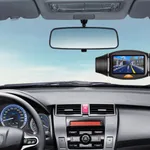
Droid Dashcam is a driving video recorder app (dashboard camera, black box) built for vehicle drivers. It continuously records videos in loop mode and overlays important information as subtitles directly onto the footage.
Key Features:
* Hardcoded Subtitles (captions embedded directly into the videos):
- Timestamp (various date and time formats available in settings)
- GPS coordinates
- GPS speed
- GPS altitude (above sea level)
- Address
- Custom text, e.g., vehicle registration plate (car number)
* Loop Recording (automatically deletes old videos when storage is low, with an option to set a maximum storage limit for all recordings, e.g. 20 GB, ensuring your device never runs out of space)
* Auto-start recording when the app launches
* Backup your important recordings by moving them to an iCloud folder on the records screen.
* Audio / Video settings (customize your recordings with adjustable resolution, bitrate, fps, video codec)
* Records can be accessible via native Files app and iTunes
* Interface settings (metric or imperial units, GPS coordinates format: decimal degrees or DMS)
Key Features:
* Hardcoded Subtitles (captions embedded directly into the videos):
- Timestamp (various date and time formats available in settings)
- GPS coordinates
- GPS speed
- GPS altitude (above sea level)
- Address
- Custom text, e.g., vehicle registration plate (car number)
* Loop Recording (automatically deletes old videos when storage is low, with an option to set a maximum storage limit for all recordings, e.g. 20 GB, ensuring your device never runs out of space)
* Auto-start recording when the app launches
* Backup your important recordings by moving them to an iCloud folder on the records screen.
* Audio / Video settings (customize your recordings with adjustable resolution, bitrate, fps, video codec)
* Records can be accessible via native Files app and iTunes
* Interface settings (metric or imperial units, GPS coordinates format: decimal degrees or DMS)

![Tachograph[Miracle Pocket] icon](https://apprecs.org/ios/img/icons/webp/150/6480585182/kR9iABR3RYCb4hhvIR_YsKgNTOwT_bF-UJg6BibTWqc-icon)