XBX Controller - Remote Play
Tri Tran Thi
4.2 ★
store rating
Free
AppRecs review analysis
AppRecs rating 4.0. Trustworthiness 79 out of 100. Review manipulation risk 33 out of 100. Based on a review sample analyzed.
★★★☆☆
4.0
AppRecs Rating
Ratings breakdown
5 star
74%
4 star
4%
3 star
4%
2 star
3%
1 star
15%
What to know
✓
Credible reviews
79% trustworthiness score from analyzed reviews
✓
High user satisfaction
78% of sampled ratings are 4+ stars (4.2★ average)
✓
Authentic reviews
No red flags detected
About XBX Controller - Remote Play
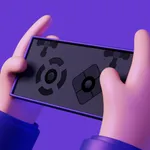
XBX Controller - Remote Play enables seamless remote control of your gaming device using any Bluetooth gamepad, providing a fully immersive gaming experience. Whether you’re at home or on the go, you can now enjoy playing your favorite games remotely with the convenience of a virtual gamepad within the app. The app is designed to support Bluetooth gamepad connections and allows you to customize your virtual gamepad layout for optimal control. Experience smooth, low-latency game streaming with no limits, whether you're using a third-party Bluetooth controller or your device’s on-screen virtual gamepad.
Key Features
• Remote play with Bluetooth gamepad support
• Seamless connection to Bluetooth controllers
• Low-latency streaming for a smooth gaming experience
• Virtual gamepad supported
• Full-screen support (no black bars)
• Button mapping support for enhanced control
• Optimized for high-performance streaming
• Play with both Bluetooth controllers and virtual gamepads
• No need for a physical gamepad when you can use the virtual gamepad layout
Why Choose XBX Controller - Remote Play?
• XBX Controller - Remote Play offers a versatile solution for anyone looking to connect a Bluetooth gamepad to their device for gaming. The app ensures that you can easily connect and control your game with any compatible Bluetooth controller. The virtual gamepad option provides a backup for users who may not have access to a physical controller, ensuring everyone can still enjoy the game. Whether you want to play on the go or at home, you have complete control at your fingertips.
• XBX Controller - Remote Play supports a wide range of Bluetooth gamepads, providing a great alternative to traditional controllers for remote play. Whether using a controller or the virtual on-screen layout, you can enjoy smooth, zero-latency gaming from virtually anywhere.
Subscription Information
• Payment will be charged to your iTunes Account upon confirmation of purchase.
• Your subscription will automatically renew unless you disable auto-renewal at least 24 hours before the end of the current period.
• Your account will be charged for renewal within 24 hours before the end of the current period, and the cost of renewal will be provided.
• You can manage your subscriptions and turn off auto-renewal by going to your Account Settings after purchase.
• If a free trial is offered, any unused portion will be forfeited once you purchase a subscription.
• Cancellation of the current subscription is not allowed during the active subscription period.
Support and Feedback
• For more information and to provide feedback, visit:
https://sites.google.com/view/ttt-home-appstore
• Term Of Use:
https://sites.google.com/view/ttt-home-appstore/term-of-use
• Privacy Policy:
https://sites.google.com/view/ttt-home-appstore/privacy-policy
Attention
• Ensure your gamepad is properly connected via Bluetooth to enjoy the best experience.
Disclaimer
• XBX Controller - Remote Play is an independent application and is not affiliated with any gaming console brands.
Key Features
• Remote play with Bluetooth gamepad support
• Seamless connection to Bluetooth controllers
• Low-latency streaming for a smooth gaming experience
• Virtual gamepad supported
• Full-screen support (no black bars)
• Button mapping support for enhanced control
• Optimized for high-performance streaming
• Play with both Bluetooth controllers and virtual gamepads
• No need for a physical gamepad when you can use the virtual gamepad layout
Why Choose XBX Controller - Remote Play?
• XBX Controller - Remote Play offers a versatile solution for anyone looking to connect a Bluetooth gamepad to their device for gaming. The app ensures that you can easily connect and control your game with any compatible Bluetooth controller. The virtual gamepad option provides a backup for users who may not have access to a physical controller, ensuring everyone can still enjoy the game. Whether you want to play on the go or at home, you have complete control at your fingertips.
• XBX Controller - Remote Play supports a wide range of Bluetooth gamepads, providing a great alternative to traditional controllers for remote play. Whether using a controller or the virtual on-screen layout, you can enjoy smooth, zero-latency gaming from virtually anywhere.
Subscription Information
• Payment will be charged to your iTunes Account upon confirmation of purchase.
• Your subscription will automatically renew unless you disable auto-renewal at least 24 hours before the end of the current period.
• Your account will be charged for renewal within 24 hours before the end of the current period, and the cost of renewal will be provided.
• You can manage your subscriptions and turn off auto-renewal by going to your Account Settings after purchase.
• If a free trial is offered, any unused portion will be forfeited once you purchase a subscription.
• Cancellation of the current subscription is not allowed during the active subscription period.
Support and Feedback
• For more information and to provide feedback, visit:
https://sites.google.com/view/ttt-home-appstore
• Term Of Use:
https://sites.google.com/view/ttt-home-appstore/term-of-use
• Privacy Policy:
https://sites.google.com/view/ttt-home-appstore/privacy-policy
Attention
• Ensure your gamepad is properly connected via Bluetooth to enjoy the best experience.
Disclaimer
• XBX Controller - Remote Play is an independent application and is not affiliated with any gaming console brands.