AppRecs review analysis
AppRecs rating 4.5. Trustworthiness 65 out of 100. Review manipulation risk 29 out of 100. Based on a review sample analyzed.
★★★★☆
4.5
AppRecs Rating
Ratings breakdown
5 star
100%
4 star
0%
3 star
0%
2 star
0%
1 star
0%
What to know
✓
Low review manipulation risk
29% review manipulation risk
✓
High user satisfaction
100% of sampled ratings are 5 stars
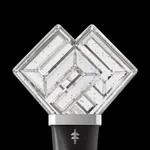
About ILLIT Official Light Stick
[Key Features]
1. Smartphone Bluetooth Connection
With the Light Stick turned off, Press the upper and lower buttons of the Light Stick simultaneously for 2 seconds to enter Bluetooth mode. (It will blink in blue)
Turn on your smartphone’s Bluetooth mode and pair it with the Light Stick.
2. Concert mode
Enter your concert ticket information and pair your Light Stick.
You can enjoy various stage effects during the concert.
This menu will be enabled several days prior to a concert.
3. Self mode
After pressing the "Self Mode" button on the home screen of the app, connect the smartphone and the Light Stick with Bluetooth.
You can change the color, brightness, and blinking effect of your Light Stick from the app.
[Important Pre-Concert Information]
1. Before the concert, check your ticket information and register on your Light Stick through this app.
In case Light Stick Pairing with the Seat is required, we will let you know through a separate notice.
2. Please enjoy the show from the same seat which is registered on your Light Stick.
If you move to another seat, this may interfere with the proper operation of the Light Stick Wireless Control feature.
3. If you have trouble entering your seat information, you can ask for help from the support staff at the concert venue.
4. If the battery level is low, the light of the Light Stick may dim, change to a different color, or turn off during the concert.
Please replace the Light Stick’s batteries before use.
5. The Light Stick will remain paired with the seat during the concert even if the batteries are replaced, and the light effect will resume automatically.
※ Required access permission
To use the app and the Light Stick, the following permissions are required:
• NFC : Required to check ticket information
• Bluetooth : Required to control the Light Stick via Bluetooth and access user's location
1. Smartphone Bluetooth Connection
With the Light Stick turned off, Press the upper and lower buttons of the Light Stick simultaneously for 2 seconds to enter Bluetooth mode. (It will blink in blue)
Turn on your smartphone’s Bluetooth mode and pair it with the Light Stick.
2. Concert mode
Enter your concert ticket information and pair your Light Stick.
You can enjoy various stage effects during the concert.
This menu will be enabled several days prior to a concert.
3. Self mode
After pressing the "Self Mode" button on the home screen of the app, connect the smartphone and the Light Stick with Bluetooth.
You can change the color, brightness, and blinking effect of your Light Stick from the app.
[Important Pre-Concert Information]
1. Before the concert, check your ticket information and register on your Light Stick through this app.
In case Light Stick Pairing with the Seat is required, we will let you know through a separate notice.
2. Please enjoy the show from the same seat which is registered on your Light Stick.
If you move to another seat, this may interfere with the proper operation of the Light Stick Wireless Control feature.
3. If you have trouble entering your seat information, you can ask for help from the support staff at the concert venue.
4. If the battery level is low, the light of the Light Stick may dim, change to a different color, or turn off during the concert.
Please replace the Light Stick’s batteries before use.
5. The Light Stick will remain paired with the seat during the concert even if the batteries are replaced, and the light effect will resume automatically.
※ Required access permission
To use the app and the Light Stick, the following permissions are required:
• NFC : Required to check ticket information
• Bluetooth : Required to control the Light Stick via Bluetooth and access user's location