AppRecs review analysis
AppRecs rating 4.5. Trustworthiness 65 out of 100. Review manipulation risk 30 out of 100. Based on a review sample analyzed.
★★★★☆
4.5
AppRecs Rating
Ratings breakdown
5 star
100%
4 star
0%
3 star
0%
2 star
0%
1 star
0%
What to know
✓
Low review manipulation risk
30% review manipulation risk
✓
High user satisfaction
100% of sampled ratings are 5 stars
About AR Drawing ·
DRAW LIKE USING TRACING PAPER:
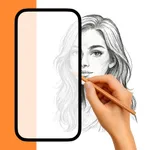
AR Drawing actively helps you to draw and design better - using customizable outlines of the picture that you want to draw are being intelligently placed over your illustration while you sketch. It is specifically designed for illustrators, artists and designers, who want to create illustrations and sketches faster, more precisely and with a better focus on proportions.
AR Drawing is a drawing tool that has been years in the making - working with designers, artists and design students together to create a simplified and enhanced illustration process.
AR Drawing lets you draw proportionally correct using Augmented Reality, an extensive Drawing Grid Mode, various drawing templates and a system, that creates pixel-perfect outline-stencils from your own pictures!
Key Features:
· Smart AR Drawing: The app automatically detects the canvas/paper you're drawing on and always keeps the outline/photo you want to draw aligned, no matter if you shake or your move your camera!
· Classic AR Drawing: Trace the photo/outlines by placing the phone on a glass.
· Drawing Grid Mode: To layout and structure your drawings and paintings, a flexible grid can be applied to your image that you can customize to your needs. Plus, AR Drawing automatically calculates the size of the canvas and of each grid cell for you so you can just start sketching!
· Customizable Stencils: For abstract and detailed drawing, you can choose to create transparent outline-stencils of your pictures that you use like tracing paper!
· Various Grids and Templates that you can choose from - E.g. an Isometric drawing grid, 2 portrait drawing templates that help you draw a proportionally correct face.
Privacy Policy: https://ardrawingmyvinchy.com/privacy-policy/
Terms of Use: https://ardrawingmyvinchy.com/terms-of-use/
AR Drawing actively helps you to draw and design better - using customizable outlines of the picture that you want to draw are being intelligently placed over your illustration while you sketch. It is specifically designed for illustrators, artists and designers, who want to create illustrations and sketches faster, more precisely and with a better focus on proportions.
AR Drawing is a drawing tool that has been years in the making - working with designers, artists and design students together to create a simplified and enhanced illustration process.
AR Drawing lets you draw proportionally correct using Augmented Reality, an extensive Drawing Grid Mode, various drawing templates and a system, that creates pixel-perfect outline-stencils from your own pictures!
Key Features:
· Smart AR Drawing: The app automatically detects the canvas/paper you're drawing on and always keeps the outline/photo you want to draw aligned, no matter if you shake or your move your camera!
· Classic AR Drawing: Trace the photo/outlines by placing the phone on a glass.
· Drawing Grid Mode: To layout and structure your drawings and paintings, a flexible grid can be applied to your image that you can customize to your needs. Plus, AR Drawing automatically calculates the size of the canvas and of each grid cell for you so you can just start sketching!
· Customizable Stencils: For abstract and detailed drawing, you can choose to create transparent outline-stencils of your pictures that you use like tracing paper!
· Various Grids and Templates that you can choose from - E.g. an Isometric drawing grid, 2 portrait drawing templates that help you draw a proportionally correct face.
Privacy Policy: https://ardrawingmyvinchy.com/privacy-policy/
Terms of Use: https://ardrawingmyvinchy.com/terms-of-use/