TV Remote for Roku Control
Nathan Pasteur
4.6 ★
store rating
Free
AppRecs review analysis
AppRecs rating 3.6. Trustworthiness 45 out of 100. Review manipulation risk 52 out of 100. Based on a review sample analyzed.
★★★☆☆
3.6
AppRecs Rating
Ratings breakdown
5 star
86%
4 star
4%
3 star
2%
2 star
3%
1 star
5%
What to know
✓
Authentic reviews
No red flags detected
⚠
Questionable review patterns
52% review manipulation risk - some review patterns appear unusual
⚠
Rating authenticity concerns
High rating concentration (86% 5-star) in sampled ratings
About TV Remote for Roku Control
Smart Remote for Roku TV – Simple, Fast & Reliable
Take full control of your Roku TV or Roku streaming device with the Smart Remote for Roku TV – an easy-to-use app that brings the power of a physical remote to your smartphone. Open apps, control playback, adjust volume, and more — all from your mobile device.
Quick & Easy Setup
To get started, simply connect your phone and Roku TV/device to the same Wi-Fi network. The app automatically scans for available Roku devices – no manual pairing or complicated setup required.
Supported Roku Devices:
Roku Streaming Stick
Roku Express & Express+
Roku Premiere & Premiere+
Roku Ultra
Highlighted Features:
Automatic Device Discovery: No need to configure anything — the app detects your Roku devices instantly.
Full Remote Functionality: Access all standard buttons you’d find on a Roku remote.
Power & Volume Controls: Power your Roku TV on/off and control the volume right from your phone.
On-Screen Keyboard: Type quickly using your phone’s built-in keyboard.
Switch HDMI Inputs: Seamlessly toggle between different HDMI sources.
Shake to Play/Pause: A fun shortcut — just shake your phone to pause or resume playback.
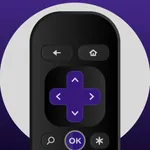
Clean and Intuitive Interface: Realistic remote layout with long-press navigation button support.
Disclaimer:
This is an unofficial app and is not affiliated with Roku, Inc. It is designed as a third-party solution to enhance your Roku TV experience.
We share anonymous usage data with Apple for security and fraud prevention related to refunds. Our refund policy is detailed in our Privacy Policy and Terms of Use.
Contact us: dmytrorozumbetov@outlook.com
Privacy Policy: https://docs.google.com/document/d/14w-NqLG27PSk80juN8luWuq0bzFf0SoCrzP6HwYbmBc/edit?usp=sharing
Terms of Use: https://docs.google.com/document/d/1C8X9zSnGe8qOgWRWGFJMm-6rdqi1T5cOSlJ-EgsZYPI/edit?usp=sharing
Take full control of your Roku TV or Roku streaming device with the Smart Remote for Roku TV – an easy-to-use app that brings the power of a physical remote to your smartphone. Open apps, control playback, adjust volume, and more — all from your mobile device.
Quick & Easy Setup
To get started, simply connect your phone and Roku TV/device to the same Wi-Fi network. The app automatically scans for available Roku devices – no manual pairing or complicated setup required.
Supported Roku Devices:
Roku Streaming Stick
Roku Express & Express+
Roku Premiere & Premiere+
Roku Ultra
Highlighted Features:
Automatic Device Discovery: No need to configure anything — the app detects your Roku devices instantly.
Full Remote Functionality: Access all standard buttons you’d find on a Roku remote.
Power & Volume Controls: Power your Roku TV on/off and control the volume right from your phone.
On-Screen Keyboard: Type quickly using your phone’s built-in keyboard.
Switch HDMI Inputs: Seamlessly toggle between different HDMI sources.
Shake to Play/Pause: A fun shortcut — just shake your phone to pause or resume playback.
Clean and Intuitive Interface: Realistic remote layout with long-press navigation button support.
Disclaimer:
This is an unofficial app and is not affiliated with Roku, Inc. It is designed as a third-party solution to enhance your Roku TV experience.
We share anonymous usage data with Apple for security and fraud prevention related to refunds. Our refund policy is detailed in our Privacy Policy and Terms of Use.
Contact us: dmytrorozumbetov@outlook.com
Privacy Policy: https://docs.google.com/document/d/14w-NqLG27PSk80juN8luWuq0bzFf0SoCrzP6HwYbmBc/edit?usp=sharing
Terms of Use: https://docs.google.com/document/d/1C8X9zSnGe8qOgWRWGFJMm-6rdqi1T5cOSlJ-EgsZYPI/edit?usp=sharing