AppRecs review analysis
AppRecs rating 3.2. Trustworthiness 69 out of 100. Review manipulation risk 24 out of 100. Based on a review sample analyzed.
★★★☆☆
3.2
AppRecs Rating
Ratings breakdown
5 star
67%
4 star
0%
3 star
0%
2 star
0%
1 star
33%
What to know
✓
Low review manipulation risk
24% review manipulation risk
✓
Good user ratings
67% positive sampled reviews
About Fps Meter
FPS Meter - Real-time Performance Monitoring for iOS
FPS Meter is a comprehensive performance monitoring tool for iOS that provides real-time analytics and insights into your device's graphics performance. Whether you're a gamer, developer, or performance enthusiast, this app offers detailed metrics to help you optimize your experience.
Key Features:
Real-time FPS Monitoring
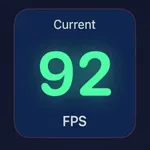
Live frame rate display with color-coded indicators
Persistent overlay that works across all apps and games
Continues monitoring even when in background
Advanced Performance Metrics
Average, minimum, and maximum FPS tracking
1% Low FPS measurement to identify stutters and frame drops
Frame time variance and jitter percentage analysis
Detailed frame time distribution charts
Thermal Monitoring
CPU, GPU, and battery temperature tracking
Device thermal state monitoring with alerts
Performance impact warnings based on thermal conditions
Performance Recommendations
Personalized suggestions based on your device's performance
General optimization tips for improving system responsiveness
Game-specific recommendations for better gaming experience
Device Comparison
Save performance profiles for different devices or iOS versions
Compare metrics across multiple devices with visual charts
Track performance changes over time
Detailed Analytics
Visual performance history with interactive charts
Frame time distribution analysis
Comprehensive performance statistics
Customizable Overlay
Floating FPS counter that works in any app
Non-intrusive design that stays out of your way
Color-coded indicators for quick performance assessment
Background Operation
Continues monitoring even when the app is in the background
Maintains performance data collection across app switches
FPS Meter is the ultimate tool for anyone who wants to understand and optimize their device's performance, identify performance bottlenecks, and ensure the smoothest possible experience across games and applications.
FPS Meter is a comprehensive performance monitoring tool for iOS that provides real-time analytics and insights into your device's graphics performance. Whether you're a gamer, developer, or performance enthusiast, this app offers detailed metrics to help you optimize your experience.
Key Features:
Real-time FPS Monitoring
Live frame rate display with color-coded indicators
Persistent overlay that works across all apps and games
Continues monitoring even when in background
Advanced Performance Metrics
Average, minimum, and maximum FPS tracking
1% Low FPS measurement to identify stutters and frame drops
Frame time variance and jitter percentage analysis
Detailed frame time distribution charts
Thermal Monitoring
CPU, GPU, and battery temperature tracking
Device thermal state monitoring with alerts
Performance impact warnings based on thermal conditions
Performance Recommendations
Personalized suggestions based on your device's performance
General optimization tips for improving system responsiveness
Game-specific recommendations for better gaming experience
Device Comparison
Save performance profiles for different devices or iOS versions
Compare metrics across multiple devices with visual charts
Track performance changes over time
Detailed Analytics
Visual performance history with interactive charts
Frame time distribution analysis
Comprehensive performance statistics
Customizable Overlay
Floating FPS counter that works in any app
Non-intrusive design that stays out of your way
Color-coded indicators for quick performance assessment
Background Operation
Continues monitoring even when the app is in the background
Maintains performance data collection across app switches
FPS Meter is the ultimate tool for anyone who wants to understand and optimize their device's performance, identify performance bottlenecks, and ensure the smoothest possible experience across games and applications.