About GamerPad: Phone Gamepad
Turn your phone into a low-latency PC controller over Wi-Fi.
Custom layouts, dual sticks & triggers, haptics, and one-tap QR pairing.
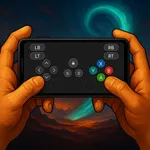
GamerPad is a PC gamepad app designed to control your PC games from your phone. No Bluetooth needed; it uses a secure Wi-Fi connection on your local network.
Highlights
Low-latency Wi-Fi control
Dual sticks, triggers, D-pad, and full button mapping
Drag-and-drop custom layouts
Haptic feedback
Instant QR pairing, automatic server discovery
Seamless setup with the Windows companion
How it works
Install and launch the GamerPad companion on your PC (coreorbits.com).
Open GamerPad on your phone and scan the QR code.
Pick a layout and play.
Requirements
Windows PC (companion app and driver installation required)
Phone and PC on the same Wi-Fi/LAN
Why Wi-Fi, why GamerPad?
No cable or Bluetooth hassle
Swap layouts per game/genre
Works on your local network; no account needed, connection data stays on device
Custom layouts, dual sticks & triggers, haptics, and one-tap QR pairing.
GamerPad is a PC gamepad app designed to control your PC games from your phone. No Bluetooth needed; it uses a secure Wi-Fi connection on your local network.
Highlights
Low-latency Wi-Fi control
Dual sticks, triggers, D-pad, and full button mapping
Drag-and-drop custom layouts
Haptic feedback
Instant QR pairing, automatic server discovery
Seamless setup with the Windows companion
How it works
Install and launch the GamerPad companion on your PC (coreorbits.com).
Open GamerPad on your phone and scan the QR code.
Pick a layout and play.
Requirements
Windows PC (companion app and driver installation required)
Phone and PC on the same Wi-Fi/LAN
Why Wi-Fi, why GamerPad?
No cable or Bluetooth hassle
Swap layouts per game/genre
Works on your local network; no account needed, connection data stays on device