KMLViewer byNSDev
NIHON SYSTEM DEVELOPER CORPORATION
Free
About KMLViewer byNSDev
**App Overview**
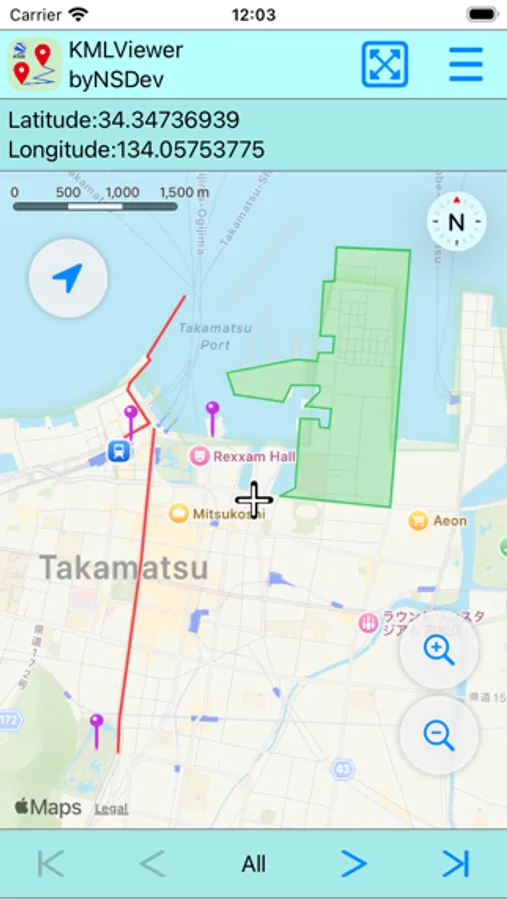
Open KML and KMZ files and display them on a map.
Supports points, lines, and polygons.
**Main Features**
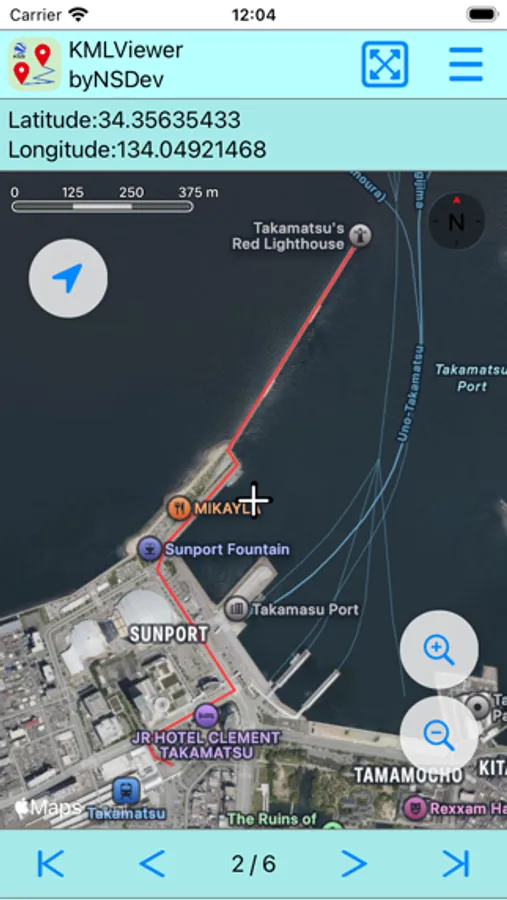
**- Sequential Display**: Use the arrow keys at the bottom to cycle through lines, points, polygons, etc.
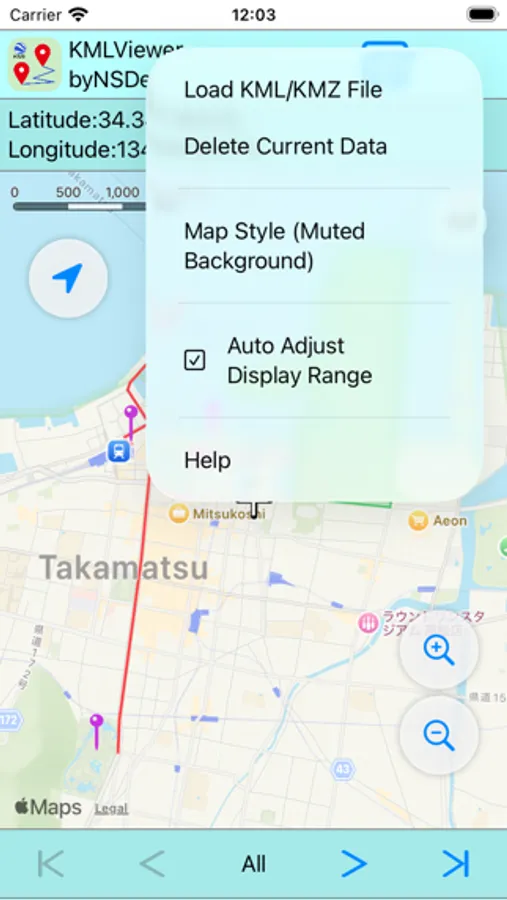
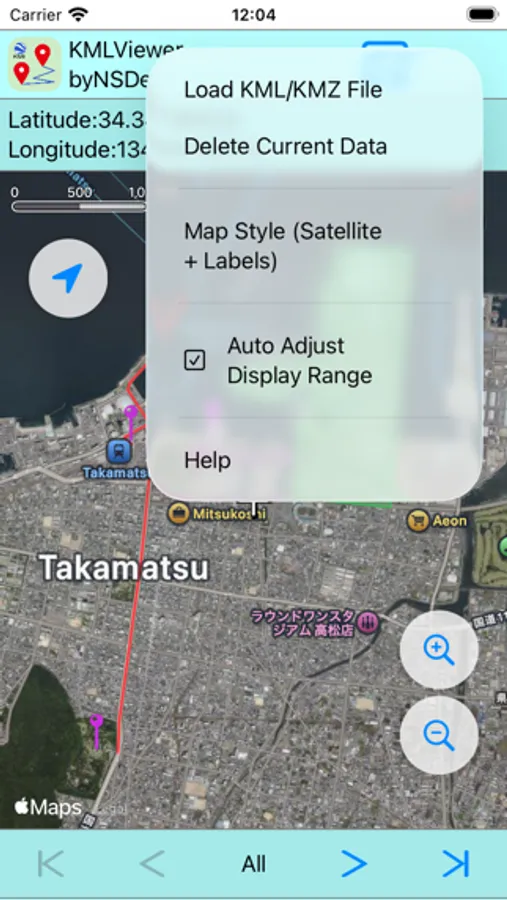
**- Map Format**: Choose from standard, satellite, satellite + label, and light background.
**- Automatic Display Range**: Automatically adjusts the data range to fill the entire screen.
**How to Use**
1. Open the file from the [Load KML/KMZ File] menu in the upper right corner.
2. Check the files sequentially using the buttons at the bottom of the screen.
**Q&A**
**Q. The colors I created aren't displayed in the same way.**
A. The color information in the software or app that created the KML or KMZ file may not be compatible.
**Q. The point icon does not display the image it was created with.**
A. The icon information of the software or app used to create the KML or KMZ file may not be compatible.
**Disclaimer**
The developer shall not be held responsible for any damages or issues resulting from the use of this app. Please use it at your own discretion.
**Contact & Feedback**
If you have any requests or feedback, please share them via reviews or email. We will use them to improve future development.
Open KML and KMZ files and display them on a map.
Supports points, lines, and polygons.
**Main Features**
**- Sequential Display**: Use the arrow keys at the bottom to cycle through lines, points, polygons, etc.
**- Map Format**: Choose from standard, satellite, satellite + label, and light background.
**- Automatic Display Range**: Automatically adjusts the data range to fill the entire screen.
**How to Use**
1. Open the file from the [Load KML/KMZ File] menu in the upper right corner.
2. Check the files sequentially using the buttons at the bottom of the screen.
**Q&A**
**Q. The colors I created aren't displayed in the same way.**
A. The color information in the software or app that created the KML or KMZ file may not be compatible.
**Q. The point icon does not display the image it was created with.**
A. The icon information of the software or app used to create the KML or KMZ file may not be compatible.
**Disclaimer**
The developer shall not be held responsible for any damages or issues resulting from the use of this app. Please use it at your own discretion.
**Contact & Feedback**
If you have any requests or feedback, please share them via reviews or email. We will use them to improve future development.