About Mak Commander-Input Controller
Your iPhone & iPad become the smartest keyboard and trackpad for your Mac.
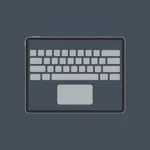
MK-Commander instantly transforms your device into a full remote keyboard, precision trackpad, media controller, and numpad — perfect for presentations, couch browsing, gaming shortcuts, and productivity.
Whether you are working across the room, controlling your Mac on a stand, or replacing a physical keyboard, MK-Commander delivers a smooth, responsive, and intuitive experience designed for professionals and everyday users.
Key Features:
Precision Trackpad:
• Smooth, low-latency cursor movement
• Adjustable speed & sensitivity
• Natural scroll gestures
• Tap-to-click & drag support
• Multi-touch gestures (swipe, scroll, zoom — depending on OS support)
Full Custom Keyboard:
• Modifier keys: ⌘ Command, ⌥ Option, ⌃ Control, ⇧ Shift
• Special keys: Escape, Delete, Return, Arrow keys
• Function keys F1–F12
• Quick actions (Brightness, Volume, Playback)
Why MK-Commander?
Most remote keyboard apps lag or feel limited.
MK-Commander is built with high-performance, giving you:
• 1:1 smooth cursor movement
• Instant key delivery with zero noticeable delay
• Clean, minimalistic UI
• Production-grade stability
Your Mac’s keyboard — now in your hand.
Compatible With:
• All macOS versions supported by the Mak Commander companion app
• Works on iPhone, iPad, iPad mini, iPad Pro
Privacy:
MK-Commander does NOT collect personal data.
All communication happens locally between your device and your Mac.
terms of use: https://www.apple.com/legal/internet-services/itunes/dev/stdeula/
MK-Commander instantly transforms your device into a full remote keyboard, precision trackpad, media controller, and numpad — perfect for presentations, couch browsing, gaming shortcuts, and productivity.
Whether you are working across the room, controlling your Mac on a stand, or replacing a physical keyboard, MK-Commander delivers a smooth, responsive, and intuitive experience designed for professionals and everyday users.
Key Features:
Precision Trackpad:
• Smooth, low-latency cursor movement
• Adjustable speed & sensitivity
• Natural scroll gestures
• Tap-to-click & drag support
• Multi-touch gestures (swipe, scroll, zoom — depending on OS support)
Full Custom Keyboard:
• Modifier keys: ⌘ Command, ⌥ Option, ⌃ Control, ⇧ Shift
• Special keys: Escape, Delete, Return, Arrow keys
• Function keys F1–F12
• Quick actions (Brightness, Volume, Playback)
Why MK-Commander?
Most remote keyboard apps lag or feel limited.
MK-Commander is built with high-performance, giving you:
• 1:1 smooth cursor movement
• Instant key delivery with zero noticeable delay
• Clean, minimalistic UI
• Production-grade stability
Your Mac’s keyboard — now in your hand.
Compatible With:
• All macOS versions supported by the Mak Commander companion app
• Works on iPhone, iPad, iPad mini, iPad Pro
Privacy:
MK-Commander does NOT collect personal data.
All communication happens locally between your device and your Mac.
terms of use: https://www.apple.com/legal/internet-services/itunes/dev/stdeula/