QR codes Reader Pro
Mobiem
1.7 ★
store rating
Free
AppRecs review analysis
AppRecs rating 1.2. Trustworthiness 69 out of 100. Review manipulation risk 23 out of 100. Based on a review sample analyzed.
★☆☆☆☆
1.2
AppRecs Rating
Ratings breakdown
5 star
0%
4 star
33%
3 star
0%
2 star
0%
1 star
67%
What to know
✓
Low review manipulation risk
23% review manipulation risk
⚠
Mixed user feedback
Average 1.7★ rating suggests room for improvement
About QR codes Reader Pro
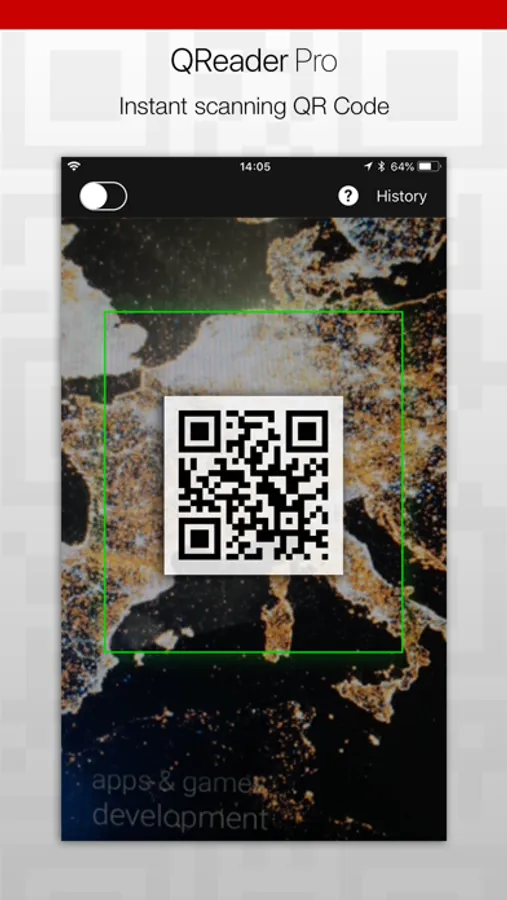
You don't need to search more. This QR Codes Reader Pro is scanning fast. You can use it for free.
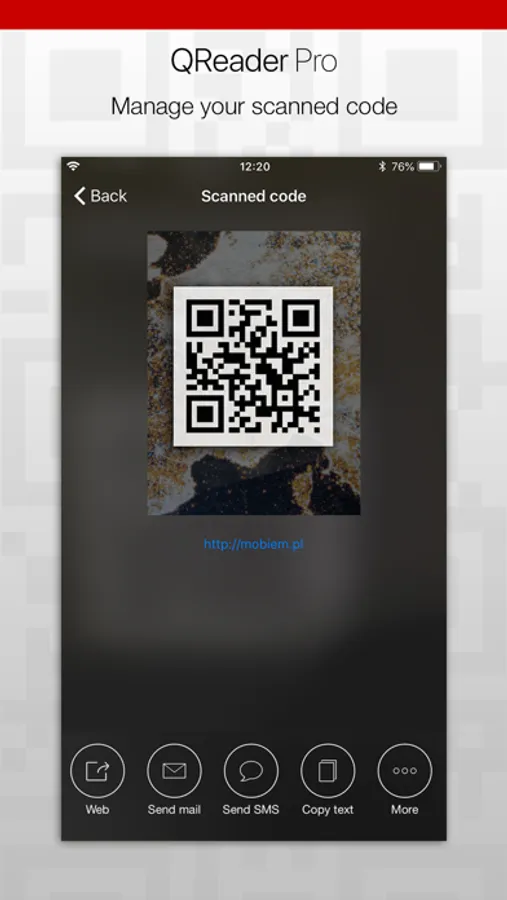
Why this scanner? Beacause with this app you can scan and save scanned data. After scanning You can:
- send the read data via SMS,
- open scanning link in the web browser,
- send data from the code an e-mail,
- copy text from the code to the clipboard,
- share information in applications installed on your phone.
With this QR Scanner quickly and efficiently can read data stored in the form of code - QRCode or Barcode. The interface is simple and intuitive, so you should't have problems of use it.
How to use QR SCANNER - Reader for codes?
1. It's simple. You must turn on app and direct the phone on code.
2. App is automatically scanning code.
3. Ater scanning the code, You can manage it.
History of the scanned codes:
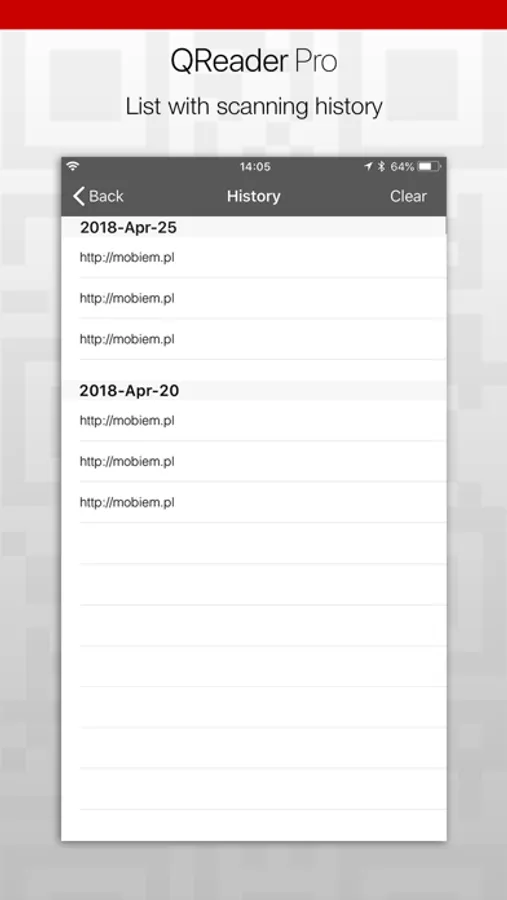
Application contains a history of scanned codes. You can check scanned codes on the list. Are you saw interesting poster with qr code on the bus stop? With app is not a problem, You can scanned and save on the app.
QR Codes Reader Pror is free. You can scanning QR codes & barcodes for the free.
Why this scanner? Beacause with this app you can scan and save scanned data. After scanning You can:
- send the read data via SMS,
- open scanning link in the web browser,
- send data from the code an e-mail,
- copy text from the code to the clipboard,
- share information in applications installed on your phone.
With this QR Scanner quickly and efficiently can read data stored in the form of code - QRCode or Barcode. The interface is simple and intuitive, so you should't have problems of use it.
How to use QR SCANNER - Reader for codes?
1. It's simple. You must turn on app and direct the phone on code.
2. App is automatically scanning code.
3. Ater scanning the code, You can manage it.
History of the scanned codes:
Application contains a history of scanned codes. You can check scanned codes on the list. Are you saw interesting poster with qr code on the bus stop? With app is not a problem, You can scanned and save on the app.
QR Codes Reader Pror is free. You can scanning QR codes & barcodes for the free.